Welcome to Blogs
Discover actionable insights, in-depth research, and expert perspectives, all in one place.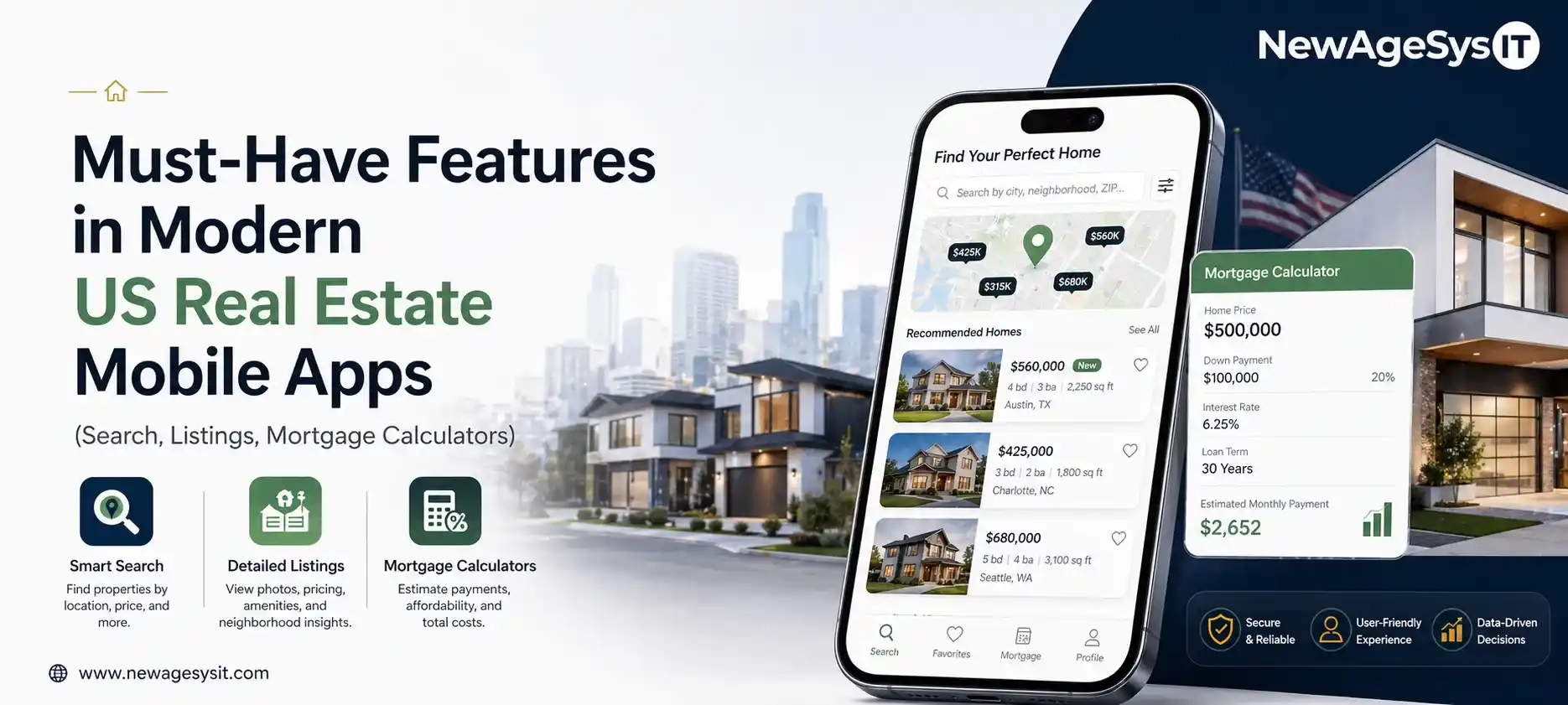
Real Estate 7 min read
Must-Have Features in Modern US Real Estate Mobile Apps (Search, Listings, Mortgage Calculators)

| This article is part of our series on “Real Estate Mobile Application in the USA: Building Smarter Property Experiences.” |
The feature set of a US real estate mobile app determines the capability of a platform to compete with industry leaders like Zillow and Redfin and convert property searchers into qualified leads. Platforms like Zillow, Realtor.com, and Redfin have already defined the consumer expectations baseline for real estate mobile app features in the USA.
However, the real estate mobile app features are not just about UX. Some of them are restricted by MLS data use agreements, Fair Housing requirements, and RESO data standards. These restrictions put an impact on how to use listing data in search, recommendations, and comparisons.
This article covers the must-have features that are required for user engagement and lead conversion.
Whether it is about investing in real estate mobile and web app development services or real estate CRM development, it is critical to understand the features landscape to build a competitive product.
Property Search and Discovery Features
The search experience is the foundation of any real estate app features like map-based search, filters, sorting, listing cards, and neighborhood exploration define a competitive real-estate app.
Map-Based Property Search
- Interactive map with pin clustering: It allows the users to explore high-density markets without leaving the map interface.
- Polygon draw tool: It is one of the popular UX preferences that allows US property buyers to define a custom search area by drawing on the map.
- Map Layers: Users can turn map layers like school districts, transit lines, neighborhood boundaries, and flood zones on or off to see the information they need.
Search speed matters here. Competitive apps maintain a response time of 500ms for map interactions.
Search Filters and Refinement
- Primary filters: These filters include price range, bedrooms, bathrooms, property type (whether it is a single-family, condo, townhouse, multi-family or land).
- Secondary filters: Power user filters like lot size, square footage, year built, parking, HOA status, open house availability, and days on market, enhance the match quality for buyers.
- Status filters: Filters like active, under contract (if MLS rules permit display), and sold, help buyers to keep a track of market activity in their target areas.
Listing Cards and Results Display
- Listing cards must show primary photo, price, address, beds/baths/sqft, days on market, and listing broker attribution per IDX rules.
- Photo carousel in search results allows the users to swipe through listing photos without opening the detail page.
However, it is important to integrate best practices from Android development if mobile performance is being optimized for Android.
Property Listing Detail Features
When the users click into a property, their curiosity can be converted into action through property listing features.
- Photo gallery: The first thing buyers look at is fullscreen, high-resolution images with zoom and swipe capabilities, and photo count display
- Property information hierarchy: Buyers consume property information in the following order: price → beds/baths/sqft → description → property details → school information → neighborhood data → listing agent attribution.
- Virtual tour integration, Matterport embeds, AVM widgets, and multi-MLS data normalization are the features that separate a competitive Zillow-like listing platform from a standard property search app..
- School information: Integration with GreatSchools is a popular search filter among family buyers and is one of the highest-engagement data points on listing detail pages.
- Neighborhood data: Information on walk score, nearby amenities, transit score, crime data helps the buyers to make a decision without requiring them to leave the app.
- Contact CTA: CTAs like request a showing, contact agent, ask a question convert traffic into leads and monetize listing detail page traffic.
Many teams rely on iOS development for iOS-specific performance and UI optimization.
Property listing platform features require deeper technical implementation covered in Zillow-Like App Development: How to Build a Property Listing Platform for the US Market.
Mortgage Calculator and Financial Tools
Financial tools turn browsing into serious buying intent and increase session duration and buyer engagement.
- Mortgage calculator shows purchase price, interest rate (editable), down payment percentage, loan term and provides real-time monthly payment calculation.
- Affordability calculator helps buyers determine their buying power by reversing calculation from monthly payment budget to maximum purchase price.
- Rate comparison tool offers comparison of payment at current rates vs historical rates to show market context and create urgency messaging opportunities.
- Property tax estimate provides estimated annual property tax based on assessed value.
- HOA cost integration displays HOA fees alongside mortgage payment in the total cost calculation.
- Pre-qualification CTA allows buyers to connect with mortgage pre-qualification tools or partner lenders directly from the mortgage calculator, which is a lead generation and RESPA-compliant referral mechanism.
COMPLIANCE / ACCURACY NOTE
Mortgage calculator interest rate displays and lender partner integrations may implicate RESPA and state mortgage advertising regulations. Consult qualified real estate legal counsel before implementing lender partner features.
User Account, Saved Search, and Notification Features
User engagement features convert anonymous property viewers into registered users and leads.
- Saved properties (favorites): A primary lead capture mechanism in consumer real estate apps, it requires a login to save a property.
- Saved search and alert management: Users set their search preferences and get notified when new listings match, which, in turn, drives return visits.
- Property price change alerts: Users get alerts when the price of a saved property drops, showing strong interest in that listing.
- Open house alerts: Notifications of upcoming open houses for saved properties are sent to users, driving offline conversions.
- Back on market alerts: It is a high-urgency notification sent to the buyers when a previously under-contract property returns to active status.
- Search history: When users return, they can see the properties they viewed earlier and continue from where they left off.
Many teams leverage custom mobile app development services to scale operations of their app.
Agent Contact and Communication Features
The lead capture cycle is complete with agent contact and communication features in real estate apps.
- Contact agent form: It is the primary lead conversion mechanism that asks for name, email, phone, and the specific property of interest.
- In-app messaging: Buyers and agents can safely chat within the app, maintaining communication within the platform instead of using an external SMS or email.
- Showing request scheduling: Calendar integration that shows available times from the listing agent, reducing the friction of scheduling a showing from multiple phone calls to a single tap.
- Agent and team profiles: Searchable agent profiles with bio, photo, review ratings, recent transactions, and contact options, to build trust among the buyers.
- Chatbot pre-qualification: Chatbot pre-qualification is one entry point into AI-driven real estate app features, the same intelligence layer also powers predictive pricing, personalized listing recommendations, and behavioral lead scoring
These features are built using custom software development services.
Compliance-Required Features and Fair Housing Design
Compliance is the foundation of US real estate apps, making it imperative for the features to align with these rules from day one.
- IDX listing attribution: Every listing must display broker information such as the listing broker name per IDX data use agreement requirements.
- Data freshness indicator: It shows when listing data was last updated, maintaining data quality and demonstrating compliance with MLS data freshness requirements.
- Fair Housing statement: A statement on Fair Housing in the footer of the app and on search pages is required for real estate apps, linking to the full Fair Housing disclosure.
- Equal display of listings: The app interface must not favor one broker and promote all broker listings with clear disclosure.
Final Thoughts
The US real estate mobile apps which incorporate the must-have features to cover the complete user journey through fast map search, rich listing detail, financial tools, and frictionless lead capture, consistently outperform generic property apps on engagement, lead volume, and user retention.
If your organization is defining the feature set for a US real estate mobile app, prioritizing the search and listing experience alongside compliance-required features from the MVP scope creates the strongest foundation for user engagement and lead conversion.
Explore more about building scalable platforms with a US real estate app development company that aligns feature scope, MLS compliance, and mobile performance from the first sprint.
Core Development
Keep exploring the custom services.

AI Software Development
Custom AI Software Development
Build intelligent, production-ready software from machine-learning models to AI-driven automation designed around your business goals.
Learn more
Mobile App Development
Custom Mobile Application Development
Native and cross-platform mobile apps that are fast, secure, and built to scale across iOS and Android.
Learn more
Web App Development
Custom Web Application Development
Scalable, secure web applications, from customer portals to complex dashboards, tailored to how your business actually works.
Learn more