Welcome to Blogs
Discover actionable insights, in-depth research, and expert perspectives, all in one place.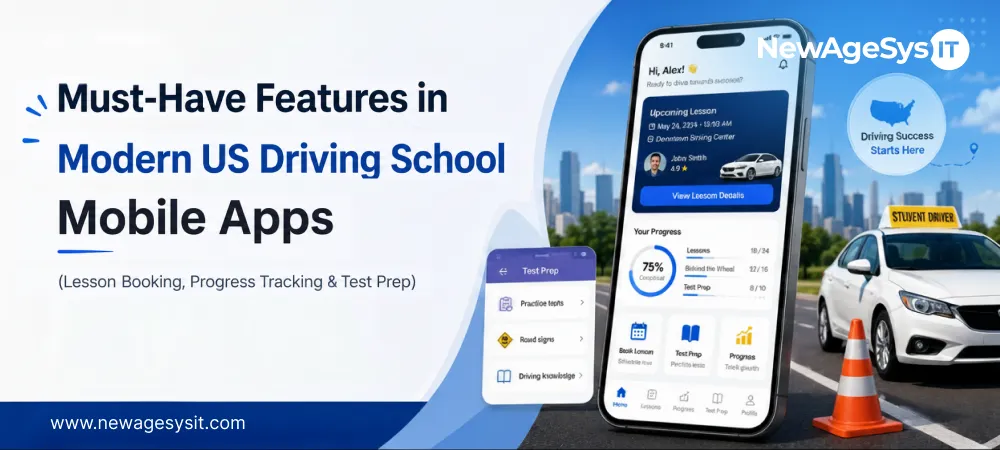
Driving School Software 7 min read
Must-Have Features in Modern US Driving School Mobile Apps (Lesson Booking, Progress Tracking & Test Prep)

| This article is part of our series on CDL Driving School Mobile Apps in the USA: Building Smarter Driver Training Experiences in 2026 |
Most driving school app projects start with a feature list. The real question is which features reduce student friction, protect records, and support daily operations.
For US driving school owners researching driving school mobile app features in the USA, feature planning is a competitive decision.
Students increasingly judge schools by how easily they can book lessons and track Behind-the-Wheel (BTW) progress. They also expect knowledge test preparation and training updates without calling the front desk.
Your team feels the same way about operational feature decisions. Mobile booking can reduce phone-tag scheduling. Progress visibility can reduce parent follow-ups. Instructor communication can keep session updates in the app, rather than scattered across personal texts and calls.
Purpose-built driving school mobile and web app development services can help connect those workflows. For CDL programs, custom CDL software and CRM development services can support FMCSA documentation and CDL training workflows.
The feature set also carries compliance weight. BTW logs are Department of Motor Vehicles (DMV) records. Commercial Driver’s License (CDL) progress supports Federal Motor Carrier Safety Administration (FMCSA) documentation. Minor student data may also require parent consent architecture or FERPA-aware access controls.
Lesson Booking and BTW Scheduling Features
Lesson booking is usually the first mobile workflow students interact with. If scheduling feels slow or confusing, the school immediately appears operationally outdated.
The booking experience should reduce coordination friction for students, instructors, and administrative staff.
Real-Time Availability and Booking
Students should see live instructor availability based on license type, student training stage, and location. That matters because a beginner driver and a CDL candidate may require completely different instructor schedules and vehicle availability.
The app should also support pickup and drop-off management. Students often train around school, work, or family schedules. Saving preferred pickup locations reduces the need for repeated coordination calls and speeds up scheduling.
A strong lesson booking app also supports waitlists. When sessions are fully booked, students can join cancellation queues automatically instead of repeatedly calling the front desk.
For schools planning broader mobile workflows, working with teams experienced in custom mobile app development services helps align booking logic with instructor operations early.
Booking Confirmation and Reminders
Every booking should confirm the instructor, vehicle type, pickup time, session duration, and cancellation rules.
Automated reminders through push notifications or SMS reduce missed sessions and last-minute confusion. Late cancellation policies should also be visible during booking. That protects instructor utilization while reducing scheduling disputes later.
Parent Booking Portal for Minor Students
For teen drivers, parents often manage schedules and transportation.
A parent booking portal built as a web application can show upcoming sessions, available slots, cancellations, and session confirmations. This reduces front-desk calls and gives parents clearer visibility into the student’s BTW schedule.
BTW Progress Tracking and Hour Logging Features
A strong BTW tracking app, built through custom software development, should make progress easier to understand for students, parents, instructors, and admins.
Students want visibility into completed hours and remaining requirements. Your team needs accurate records without rebuilding logs after every session.
Key features usually include:
- Session-by-session BTW logs: Each lesson should record the date, duration, instructor, vehicle, and cumulative hours.
- Visual progress dashboard: Students should see completed BTW hours, remaining hours, classroom hours, simulator hours if applicable, and estimated road-test eligibility.
- Instructor session notes: Post-session observations should connect each lesson to the student’s overall progress.
- Required hours by license type: The app should reflect state-mandated BTW requirements for the relevant license class.
- Road-test eligibility notification: Students should receive alerts when hours, knowledge test status, and instructor recommendation align.
- DMV-format progress export: Your team should be able to export BTW logs when records are needed for licensing, audit, or internal review.
Programs prioritizing Android-first instructor workflows may also require deeper Android app development services planning for field-based BTW logging.
BTW logs should never be treated like ordinary app activity data. These are legal compliance documents. Instructor sign-offs, session durations, and hour totals should be stored immutably and protected from unauthorized edits after submission.
Knowledge and Theory Test Preparation Features
Knowledge test prep should sit inside the same app students use for booking and progress tracking.
If test preparation lives somewhere else, students have to manage training in one place and study in another. That split makes the licensing journey feel disconnected.
A strong driver test prep app should include several key features.
- State-specific knowledge test content: Practice questions should match the state DMV written test format. They should also cover road signs and traffic law scenarios.
- Practice test simulation: Timed practice tests should mirror the real DMV written test experience as closely as possible.
- Weak-area identification: The app should show which topics students miss repeatedly, such as road signs, right-of-way, hazard recognition, or CDL endorsements.
- Hazard perception training: Interactive or video-based scenarios can help students recognize risks before they encounter them on the road.
- Progress-linked test prep: Knowledge readiness should feed into the larger road-test readiness view.
For CDL candidates, the requirements become broader and more compliance-sensitive.
- CDL knowledge test modules: CDL apps should separate General Knowledge, Air Brakes, Combination Vehicles, Hazardous Materials, Passenger, Tank Vehicles, and School Bus content.
That content should always be reviewed against current FMCSA guidance and state CDL manuals. Generic or outdated CDL question banks create training risk rather than educational value.
Programs prioritizing premium iPhone experiences for students or instructors require more structured iOS app development services. That planning may include notifications, offline access, and media-heavy training modules.
Communication and Notification Features
In many driving schools, session updates happen through phone calls, personal texts, voicemail, and front-desk reminders. That makes it harder to track what was said, who confirmed the change, and whether the student received the update.
A driving school app should centralize the most common communication workflows:
- Instructor-student messaging: Students can ask session preparation questions, confirm pickup details, or clarify route changes without using personal phone numbers.
- School-to-student broadcast messages: Your team can send updates about instructor availability, new training resources, weather changes, or road-test scheduling.
- Automated milestone notifications: Students can receive alerts when they complete 50% of required hours, finish theory prep, or approach road-test readiness.
- Knowledge test reminders: Students who have not started practice questions can receive prompts before training momentum drops.
- Parent notification channel: Parents of minor students can receive session confirmations, cancellations, and milestone updates.
- Road-test reminder sequence: Students can receive structured reminders before a scheduled road test to reduce no-shows and last-minute confusion.
Once booking, BTW tracking, test prep, and communication workflows are structured, AI features become more practical. Schools can then explore adaptive lesson planning, route analysis, and performance analytics in AI & Automation in US Driving School Apps.
Feedback, Rating, and Referral Features
Feedback features help your school close the loop after training happens.
A student may complete BTW hours, take the road test, and leave without your team capturing what worked. That is missed data. It affects instructor quality, curriculum improvement, reviews, and referrals.
A modern driving school app should include:
- Post-session instructor rating: Students can rate each BTW session and leave short comments after the lesson.
- Road-test outcome logging: Students can report whether they passed or failed, giving your school clearer outcome data.
- Google Review prompt: Graduated students can receive a review request when satisfaction is highest.
- Referral tracking: Each graduate can receive a referral code or link tied to enrollment and reward fulfillment.
- Road-test failure feedback: Students who fail can share examiner notes or failure reasons through a structured form.
This feature set is not only for marketing. It helps your school understand instructor performance, training quality, student satisfaction, and pass-rate patterns.
For operators, that data is useful. It shows where coaching is working, where students need more support, and which graduates can become referral sources.
Feature scope also directly affects development complexity, operational ownership, and long-term maintenance planning. Schools planning budgets should also evaluate how much a Driving School Mobile App costs in the USA.
Final Thoughts
The strongest US driving school apps support the workflows that students and instructors use daily.
Real-time booking reduces scheduling friction. Compliant BTW logging improves record accuracy. State-specific test prep improves readiness. Instructor communication keeps training workflows connected.
These features also carry compliance requirements that generic scheduling apps often overlook. Before development begins, you should decide which workflows need to be reliable from day one. Booking, BTW hour logging, test prep, and instructor communication usually form that foundation.
When those features are scoped around daily operations, the app can support better student outcomes and stronger regulatory confidence. Working with an experienced AI software company and driving school technology partners helps align those workflows with operational and compliance requirements.
Core Development
Keep exploring the custom services.

AI Software Development
Custom AI Software Development
Build intelligent, production-ready software from machine-learning models to AI-driven automation designed around your business goals.
Learn more
Mobile App Development
Custom Mobile Application Development
Native and cross-platform mobile apps that are fast, secure, and built to scale across iOS and Android.
Learn more
Web App Development
Custom Web Application Development
Scalable, secure web applications, from customer portals to complex dashboards, tailored to how your business actually works.
Learn more