
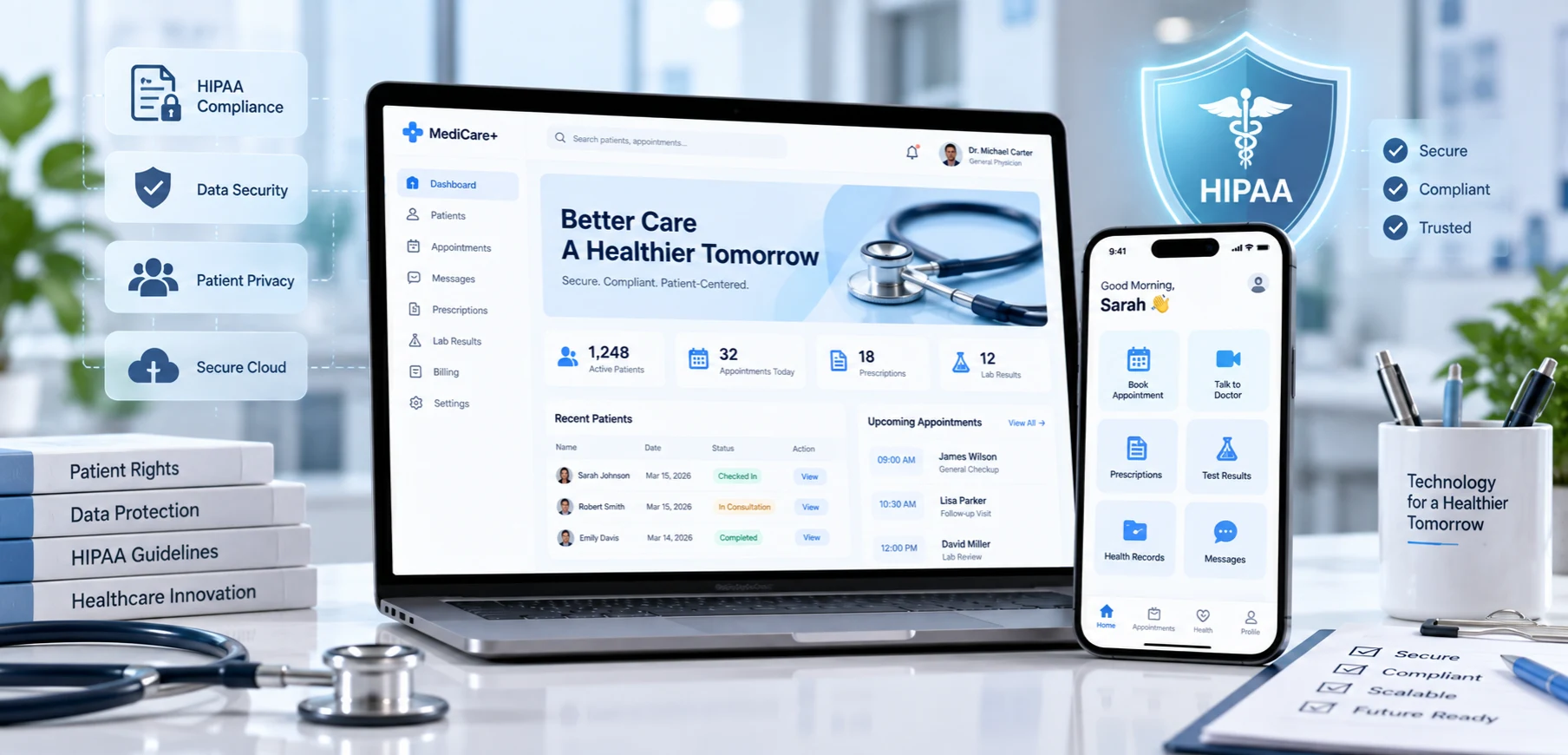

- HIPAA applies to healthcare providers, health plans, and clearinghouses (covered entities) and to the vendors that handle protected health information (PHI) for them (business associates). It does not automatically cover every health app.
- HIPAA-compliant app development means building privacy and security safeguards into the app, its infrastructure, and its vendor contracts from day one.
- Violations are costly: civil penalties now reach up to $2,190,294 a year for uncorrected willful neglect, and criminal penalties can include fines of up to $250,000 and 10 years in prison.
- The core safeguards are a risk analysis, business associate agreements (BAAs), encryption, access controls, audit logs, secure mobile storage, and regular testing.
- A proposed overhaul of the HIPAA Security Rule, which would make encryption and multi-factor authentication mandatory, was still pending in September 2026, so building those controls in now is the safer path.
- A HIPAA-ready foundation also gives you a head start on SOC 2, HITRUST, and GDPR.
What is HIPAA-compliant app development? It is the process of building an app that creates, receives, stores, or transmits protected health information in line with HIPAA’s Privacy, Security, and Breach Notification Rules. In practice, that means a documented risk analysis, signed BAAs with every vendor that touches PHI, encryption, strict access controls, audit logs, breach response plans, and ongoing testing.
Startups, enterprises, and entrepreneurs in healthcare hear the term HIPAA constantly. The Health Insurance Portability and Accountability Act is a federal law passed by Congress in 1996. Among other things, it protects patients’ health information by setting national rules for when that information can be used or shared and how it must be secured.
For anyone building a healthcare app that handles PHI for a provider, health plan, or their partners, HIPAA-compliant app development is not optional. As a company that delivers healthcare mobile app development services, we work with HIPAA requirements every day, and we wrote this guide to help you understand the regulation and build an app that is secure, private, and compliant.
This guide covers who HIPAA applies to, what counts as PHI, the 2026 penalties, a step-by-step build plan, costs, and a checklist you can use with any development team.
Interested in our HIPAA-compliant work?
Explore Our Healthcare Portfolio →What Is HIPAA?
HIPAA is a federal law that protects individually identifiable health information held by covered entities and their business associates. Its rules require these organizations to keep PHI confidential, share only what is allowed, secure electronic PHI, and notify people when a breach occurs.
HIPAA does not require patient consent for every use of PHI. Providers can use and share PHI for treatment, payment, and healthcare operations without a separate authorization, but most other uses, such as marketing, require the patient’s written permission.
A Brief History of HIPAA
| Year | Milestone |
|---|---|
| 1996 | Congress passes HIPAA to improve healthcare efficiency and protect health information as care moves to digital systems |
| 2003 | The Privacy Rule takes effect, setting national standards for protecting health information |
| 2005 | The Security Rule takes effect, protecting electronic PHI (ePHI) |
| 2009 | The HITECH Act strengthens enforcement, raises penalties, and adds breach notification requirements |
| 2013 | The Omnibus Rule makes business associates directly liable and tightens breach and marketing rules |
| 2021 | A HITECH Act amendment requires regulators to consider recognized security practices when setting penalties |
| 2025 | HHS proposes the biggest update to the Security Rule since it took effect |
| 2026 | Penalty amounts rise with inflation on January 28, and the Security Rule update remains pending |
Who Must Follow HIPAA?
HIPAA applies to two groups: covered entities and business associates.
Covered entities create, receive, maintain, or transmit PHI as part of their core operations:
- Health plans, such as insurance companies, Medicare, Medicaid, and employer-sponsored health plans
- Healthcare providers, such as doctors, hospitals, clinics, pharmacies, and labs that conduct standard electronic transactions like insurance billing
- Healthcare clearinghouses, which process health data between providers and payers
Business associates are people or organizations that perform services for a covered entity that involve PHI. That includes:
- Technology vendors, such as cloud hosting providers, SaaS platforms, and app development companies that host, maintain, or access PHI
- Medical billing companies
- Law firms and accountants that handle medical records
- EHR vendors
- Consultants who work with healthcare data or analytics
Business associates must sign a business associate agreement (BAA) with the covered entity, and they must sign BAAs with their own subcontractors that touch PHI. For example, if a clinic hires NewAgeSysIT to build and maintain an app that stores patient records, NewAgeSysIT acts as a business associate.
Here is how HIPAA applies in common app scenarios:
| Scenario | Does HIPAA apply? |
|---|---|
| A hospital’s patient app for viewing records and booking visits | Yes. The hospital is a covered entity, and its app vendors are business associates |
| A telehealth company that bills insurance electronically | Yes, as a covered entity |
| A development company that hosts or maintains an app with access to a clinic’s PHI | Yes, as a business associate |
| A symptom checker a health system offers to its own patients | Yes, if it handles PHI for the health system |
| A consumer fitness or diet app that people use on their own | Usually no, but FTC rules and state health privacy laws still apply |
| A consumer app that downloads a user’s records at their request | Usually no for the app itself, but FTC rules still apply |
Health apps outside HIPAA still face the FTC’s Health Breach Notification Rule and state laws such as Washington’s My Health My Data Act. For the wider regulatory picture, see US Healthcare Software Compliance, Security, and Regulatory Strategy for Developers.
What Counts as PHI? The 18 Identifiers
PHI is health information that can be linked to a specific person. HHS lists 18 identifiers that must be removed to de-identify health data under the Safe Harbor method:
| Identifier | Examples |
|---|---|
| Names | Full name or any part of it |
| Geographic data smaller than a state | Street address, city, and most ZIP code details |
| Dates (except year) tied to a person | Birth date, admission date, discharge date, date of death, and any age over 89 |
| Phone numbers | Personal or work numbers |
| Fax numbers | Any associated fax number |
| Email addresses | Personal or business email |
| Social Security numbers | Full or partial SSN |
| Medical record numbers | Any record identifier |
| Health plan beneficiary numbers | Insurance member IDs |
| Account numbers | Billing or payment accounts |
| Certificate or license numbers | Driver’s license or professional license numbers |
| Vehicle identifiers | License plates and VINs |
| Device identifiers and serial numbers | Implants and connected medical devices |
| Web URLs | URLs linked to the individual |
| IP addresses | Addresses that can identify an individual |
| Biometric identifiers | Fingerprints, voiceprints, and retinal scans |
| Full-face photos | Any comparable images |
| Any other unique identifying number, code, or characteristic | Anything else that could identify the person |
Data that has all 18 identifiers removed, with no actual knowledge that the rest could identify someone, is considered de-identified and is no longer PHI. HIPAA also allows a second route, Expert Determination, where a qualified expert confirms the risk of re-identification is very small.
Why HIPAA-Compliant App Development Matters
HIPAA is a US law, but its reach extends to offshore development and support teams in countries such as India, Canada, and Poland that handle PHI for US organizations, because their BAAs bind them to HIPAA’s requirements. Beyond penalties, compliance brings real business value.
1. Avoiding Penalties
Any organization covered by HIPAA faces civil and, in serious cases, criminal penalties for violations.
Civil money penalties (enforced by HHS’s Office for Civil Rights)
These are the inflation-adjusted amounts effective January 28, 2026:
| Tier | Culpability | Penalty per violation | Annual cap under OCR’s 2019 enforcement policy |
|---|---|---|---|
| Tier 1 | Did not know, and could not reasonably have known | $145 to $73,011 | $36,505.50 |
| Tier 2 | Reasonable cause, not willful neglect | $1,461 to $73,011 | $146,053 |
| Tier 3 | Willful neglect, corrected within 30 days | $14,602 to $73,011 | $365,052 |
| Tier 4 | Willful neglect, not corrected | $73,011 to $2,190,294 | $2,190,294 |
The annual caps apply to violations of the same requirement in one calendar year. The published statutory cap is $2,190,294 for every tier, but since 2019, OCR has applied the lower caps shown for Tiers 1 to 3.
Criminal penalties (enforced by the Department of Justice)
People who knowingly obtain or disclose PHI in violation of HIPAA face:
- Knowing violations: up to $50,000 in fines and up to 1 year in prison
- Violations under false pretenses: up to $100,000 and up to 5 years in prison
- Violations for commercial advantage, personal gain, or malicious harm: up to $250,000 and up to 10 years in prison
State attorneys general can also bring civil actions for HIPAA violations on behalf of their residents, a power the HITECH Act gave them.
HHS is the US Department of Health and Human Services. OCR is its Office for Civil Rights, which enforces HIPAA. The annual cap is the most HHS can collect for violations of an identical requirement in one calendar year.
2. Protecting Sensitive Health Data
HIPAA-compliant app development protects the three pillars of information security:
- Confidentiality: only authorized people can access health information.
- Integrity: data is protected from tampering.
- Availability: information is reliably accessible when it’s needed.
The stakes are high. The 2024 ransomware attack on Change Healthcare ultimately affected about 192.7 million people, which shows how one weak link can expose patients and disrupt care nationwide. Strong safeguards reduce the risk of breaches, identity theft, and misuse of medical information.
3. Earning the Trust of Users and Partners
Patients, providers, and insurers won’t use an app they can’t trust with their health data. HIPAA compliance helps you:
- Win user adoption
- Open partnerships with hospitals, insurers, and healthcare platforms
- Strengthen your brand reputation
4. Supporting Secure App Features
HIPAA-compliant development builds in the features that protect health data:
- Encryption of data at rest (AES-256) and in transit (TLS 1.2 or higher, ideally TLS 1.3)
- Access controls with role-based permissions and multi-factor authentication
- Audit trails that record user IDs, timestamps, and actions, using tools such as AWS CloudTrail or Datadog
- Backups and disaster recovery, with full and incremental backups and regular recovery drills
- BAAs with cloud vendors and every third-party tool that touches PHI
5. Future-Proofing Your App’s Growth
An app usually starts as a minimum viable product (MVP) and grows into new markets and features, such as partnerships with health plans, telehealth, e-prescribing, or clinical workflows. Most of those paths require HIPAA compliance in the US, so building it in from the start saves the time, money, and rework of retrofitting security later.
6. A Head Start on Other Security Frameworks
HIPAA safeguards overlap with several other frameworks, so a HIPAA-ready app is easier to align with:
- SOC 2: an independent audit report on security controls, often requested by enterprise buyers
- HITRUST: a certifiable framework that maps to HIPAA and other standards
- GDPR: the European Union’s privacy regulation, which applies if you serve users in the EU
Benefits of HIPAA-Compliant App Development
- Market credibility: strengthens your reputation and regulatory readiness.
- Lower breach risk: reduces exposure to breaches and data misuse.
- Audit readiness: keeps documentation organized for audits and investigations.
- Competitive edge: appeals to security-conscious providers and enterprises.
- Better patient experience: delivers secure, reliable access to care.
- Smoother billing and claims: supports compliant transactions involving PHI.
- Standardized data handling: keeps sensitive information consistent across systems.
- Accreditation support: helps organizations prepare for programs such as NCQA and The Joint Commission.
- Organizational discipline: encourages better policies, training, and security habits.
- Secure scalability: keeps data protected as users and services grow.
- Stronger data governance: improves control over how health records are classified, stored, and retired.
- Faster breach response: prepares your team to handle incidents promptly and correctly.
- Secure DevOps: builds privacy by design into every release.
How to Build a HIPAA-Compliant App in 10 Steps
Building a HIPAA-compliant app follows the same path as any healthcare app, from ideation to launch, followed by ongoing updates. Like most modern teams, NewAgeSysIT works in agile sprints, but several steps need extra care when PHI is involved. For the full healthcare build process, see Healthcare Mobile App Development: A Complete 2026 Guide to Get Started.
These steps reflect our experience with HIPAA-compliant mobile app development. Other teams may order or combine them differently.
Step 1: Start With a Risk Analysis and a Data Map
Identify every place PHI enters, moves through, and rests in your system, including intake forms, APIs, databases, logs, and backups. Map those data flows against HIPAA’s Privacy and Security Rules, and document the risks and your plan to address them. A documented risk analysis is required under the Security Rule, and it is one of the most common findings in OCR investigations.
Step 2: Choose HIPAA-Eligible Cloud Services and Sign BAAs
No cloud service is HIPAA compliant on its own. Providers such as AWS, Google Cloud, and Microsoft Azure offer HIPAA-eligible services and will sign a BAA, but you remain responsible for configuring them securely. Examples include:
- Amazon EC2 and Amazon S3
- The Google Cloud Healthcare API
- Microsoft Azure’s HIPAA-eligible services
Sign a BAA with your cloud provider before any PHI touches its services. Many teams also rely on cloud managed services to keep that infrastructure patched, monitored, and correctly configured.
Step 3: Separate PHI From Non-Sensitive Data
Store PHI in a dedicated, tightly controlled data store, and keep non-sensitive data such as app content and anonymous settings elsewhere. Follow the minimum necessary standard: collect and display only the PHI each feature and role actually needs.
Step 4: Encrypt Data at Rest and in Transit
Use AES-256 for stored data and TLS 1.2 or higher (ideally TLS 1.3) for data in transit, and manage encryption keys in a dedicated key management service. Under today’s Security Rule, encryption is an “addressable” safeguard, meaning you must use it or document an equivalent alternative, but the proposed update would make it mandatory. Properly encrypted data also has a practical benefit: under HHS guidance, a lost or stolen encrypted device generally doesn’t count as a reportable breach. Never send PHI through insecure channels such as regular email or SMS.
Step 5: Implement Authentication and Access Controls
Define clear roles, such as patient, clinician, administrator, and billing staff, and enforce role-based access with unique user IDs and multi-factor authentication. Add automatic logoff, an emergency access procedure, and processes that remove or change access immediately when someone’s role changes or they leave.
Step 6: Secure the Mobile App Itself
Mobile devices get lost, shared, and compromised, so protect PHI on the device:
- Store sensitive data only in secure storage, such as the iOS Keychain or Android Keystore
- Keep PHI out of push notifications and lock screens
- Hide sensitive screens in the app switcher and block screenshots where appropriate
- Detect jailbroken and rooted devices
- Use certificate pinning for API connections
- Support remote logout and data wipe
- Keep PHI out of crash reports and debug logs
Third-party SDKs deserve special attention. HHS guidance still treats tracking tools on logged-in pages and in apps as potential PHI disclosures, so analytics or advertising SDKs must not receive PHI unless the vendor signs a BAA. Our custom mobile app development team reviews every SDK before it ships.
Step 7: Log, Monitor, and Audit Activity
Record who accessed which PHI, what they did, and when, so you can detect unauthorized access and investigate incidents. Tools such as Splunk, Datadog, and AWS CloudTrail can help, as long as the logs themselves are protected and any vendor that stores PHI signs a BAA.
Step 8: Test Before and After Launch
Before release, run penetration tests, code reviews, and vulnerability scans, ideally with outside security experts and against the OWASP mobile security standards. Keep testing after launch, since new vulnerabilities appear all the time, and always use synthetic data instead of real PHI in test environments. Specialized IT security and cybersecurity services can run these tests on a regular schedule.
Step 9: Protect Data Integrity, Backups, and Disposal
Use checksums, digital signatures, and validation to prevent unauthorized changes to PHI. Maintain encrypted backups and a tested disaster recovery plan, set clear retention periods, and securely delete PHI you no longer need, just as a clinic safely disposes of used medical supplies.
Step 10: Prepare for Breaches, Document Everything, and Train Your Team
Create an incident response plan that meets HIPAA’s breach notification rules: notify affected individuals without unreasonable delay and no later than 60 days after discovering a breach, notify HHS (within 60 days when 500 or more people are affected, or in an annual report for smaller breaches), and notify the media when 500 or more residents of a state are affected. Document your privacy and security policies, technical safeguards, and procedures, and keep these records for six years. Train your whole team on HIPAA’s technical and operational requirements.
Recommended Tech Stack for HIPAA-Compliant Apps
| Layer | Recommended technologies | Compliance focus |
|---|---|---|
| Frontend | Swift, Kotlin, React Native, Flutter, React, Angular, or Vue | Secure data handling, secure storage, and session management |
| Backend | Node.js, Python, Java, .NET, or Ruby on Rails | Secure APIs, business logic, and validation |
| Database | PostgreSQL, SQL Server, MongoDB, or Oracle with encryption enabled | Encrypted, access-controlled PHI storage |
| APIs | REST or GraphQL secured with OAuth 2.0, OpenID Connect, and signed tokens | Secure, validated data exchange |
| Cloud | AWS, Google Cloud, or Azure HIPAA-eligible services under a BAA | Managed, compliant infrastructure |
| Encryption | AES-256, TLS 1.2 or higher, a cloud key management service, and platform crypto (iOS CryptoKit and Android Keystore) | Protecting data at rest and in transit |
| Logging and monitoring | Splunk, Datadog, AWS CloudTrail, or the ELK Stack | Continuous monitoring and auditing |
| Authentication | OAuth 2.0, OpenID Connect, SAML, and multi-factor authentication | Strong, role-based access |
| Compliance tooling | Policy-as-code checks, configuration scanning, and compliance automation platforms | Ongoing monitoring and reporting |
Additional Tips
- Bring in a HIPAA compliance consultant or an experienced development team early to avoid costly rework.
- Make sure authorized users can still reach critical data during outages and emergencies.
- Test with synthetic data, never real PHI.
- If you prototype on no-code or low-code platforms, confirm the vendor will sign a BAA before any PHI enters the platform.
- If your app uses AI to summarize, transcribe, or analyze PHI, choose AI vendors that sign BAAs and keep PHI out of consumer AI tools. Our AI integration and adoption services build these safeguards into every AI rollout.
Cost of Developing a HIPAA-Compliant App
Based on our review of company directories such as Clutch and GoodFirms, healthcare app developers charge roughly $20 to $200 per hour worldwide. US agencies typically charge $40,000 to $250,000 or more for a healthcare app, and enterprise platforms can pass $500,000. US development teams usually bill $100 to $200 or more per hour, and specialized compliance consultants can charge more.
NewAgeSysIT delivers at $25 to $49 per hour, because we are a US company with our own offshore development centers. For a full breakdown of app build costs, see How Much Does It Cost to Develop a Healthcare Mobile App? Key Factors & Budget Ranges.
Not every health app needs HIPAA. A consumer fitness tracker or diet app that people use on their own usually falls outside it. But an appointment booking app or symptom checker that a clinic or health system offers its patients usually handles PHI, so HIPAA compliance adds a layer of work and cost. Here is how that layer breaks down.
HIPAA Compliance Build Work
This engineering work is usually included in a healthcare app estimate:
| Compliance work | Estimated hours | Cost at $25 to $49 per hour |
|---|---|---|
| Encryption at rest and in transit, with key management | 60 to 140 | $1,500 to $6,860 |
| Authentication, multi-factor authentication, and role-based access | 80 to 160 | $2,000 to $7,840 |
| Audit logging and monitoring setup | 60 to 160 | $1,500 to $7,840 |
| Backup and disaster recovery setup | 40 to 100 | $1,000 to $4,900 |
| Mobile app hardening (secure storage, session timeouts, jailbreak and root detection) | 40 to 120 | $1,000 to $5,880 |
| Consent, patient access, and privacy features | 40 to 120 | $1,000 to $5,880 |
| HIPAA documentation support (data flow maps and technical policies) | 40 to 120 | $1,000 to $5,880 |
| Total | 360 to 920 | $9,000 to $45,080 |
Third-Party and Recurring Compliance Costs
These costs usually come on top of the app build:
| Item | Typical cost | Frequency |
|---|---|---|
| Risk analysis by an outside assessor | $5,000 to $15,000 | Before launch, then reviewed at least yearly |
| HIPAA-eligible cloud hosting | $400 to $2,500 a month | Ongoing |
| Logging, monitoring, and backup services | $200 to $1,000 a month | Ongoing |
| Penetration testing | $4,000 to $15,000 | Yearly and after major releases |
| HIPAA training for staff | $500 to $2,000 | Yearly |
| Legal review of BAAs | $0 to $2,000 per agreement | Per vendor |
| Compliance consultant (optional) | $3,000 to $20,000+ | Project-based |
| Third-party HIPAA assessment (optional, not required by law) | $5,000 to $25,000 | Every 1 to 2 years |
First-Year HIPAA Compliance Budget Examples
Here is how those numbers combine in the first year, using NewAgeSysIT’s rates for the build work:
| Cost line | Small app | Mid-sized app | Enterprise app |
|---|---|---|---|
| Compliance build work | 360 to 500 hours: $9,000 to $24,500 | 500 to 700 hours: $12,500 to $34,300 | 700 to 920+ hours: $17,500 to $45,080+ |
| Risk analysis | $5,000 | $10,000 | $15,000 |
| Hosting for 12 months | $4,800 ($400 a month) | $14,400 ($1,200 a month) | $30,000 ($2,500 a month) |
| Logging, monitoring, and backups for 12 months | $2,400 ($200 a month) | $6,000 ($500 a month) | $12,000 ($1,000 a month) |
| Penetration testing | $4,000 | $8,000 | $15,000 |
| Staff training | $500 | $1,000 | $2,000 |
| Compliance consultant | Not included | Not included | $20,000 |
| First-year total | About $25,700 to $41,200 | About $51,900 to $73,700 | About $111,500 to $139,080+ |
Your numbers will vary with the size of your app, your hosting footprint, and how much compliance support you need.
Wondering what your healthcare app will cost with HIPAA built in? Connect with our sales team!
Get Your Quote Today →HIPAA-Compliant App Development Checklist
Whether you work with us, another partner, or an in-house team, use this checklist to keep your HIPAA compliance work on track:
| Item | Requirement |
|---|---|
| Risk analysis | A documented analysis of risks to ePHI, reviewed regularly |
| Data map | Every place PHI is collected, stored, or sent |
| BAAs | Signed with every vendor and subcontractor that touches PHI |
| Minimum necessary | Each role sees only the PHI it needs |
| User authentication | Unique user IDs, strong sign-in, and multi-factor authentication |
| Access control | Role-based access with prompt removal when roles change |
| Encryption | AES-256 at rest and TLS 1.2 or higher in transit |
| Secure APIs | OAuth 2.0 tokens, limited scopes, and rate limits |
| Audit logs | Every access to and change of PHI is recorded |
| Session management | Automatic logoff and session timeouts |
| Device security | Secure local storage, jailbreak and root detection, and app hardening |
| Notifications | No PHI in push notifications or on lock screens |
| Third-party SDKs | No analytics or ad tool receives PHI without a BAA |
| Hosting and backups | HIPAA-eligible services with tested backups |
| Breach response | An incident plan and notification procedures |
| Data retention and disposal | Defined retention periods and secure deletion |
| Patient rights | Workflows for access requests, amendments, and privacy notices |
| Testing | Regular penetration tests and code reviews |
| Staff training | HIPAA training with signed acknowledgments |
| Documentation | Policies and compliance records kept for six years |
HIPAA Updates to Watch in 2026
- The Security Rule overhaul is still pending. HHS proposed it in January 2025 and received more than 4,700 comments, and the latest federal regulatory agenda now targets a final rule by July 2027. The proposal would make encryption and multi-factor authentication mandatory, remove the “addressable” category, and add requirements such as yearly penetration testing and faster incident recovery.
- Penalties went up. The inflation-adjusted penalty amounts shown above took effect on January 28, 2026.
- Enforcement is active. OCR continues to focus on missing risk analyses and on tracking tools that send PHI to third parties.
- Substance use disorder records have new rules. Organizations covered by 42 CFR Part 2 have had to comply with its HIPAA-aligned update since February 16, 2026.
- State health privacy laws keep expanding. Consumer health data laws such as Washington’s My Health My Data Act reach apps that HIPAA doesn’t cover.
This guide is general information, not legal advice. Work with qualified counsel on your specific compliance obligations.
How NewAgeSysIT Builds HIPAA-Compliant Apps
We design compliance into every healthcare project from the first sprint, including risk analysis, BAAs, encryption, access controls, audit logging, and secure mobile storage.
Our team built CashDocs, a secure digital health platform with doctor-patient matching, HIPAA compliance, and telemedicine tools.
For larger programs that span portals, staff tools, and integrations, our healthcare software development services bring the same compliance-first approach to web and enterprise systems.
- Compliance planning: data mapping, risk analysis support, and BAA guidance.
- Secure architecture: HIPAA-eligible cloud setup, encryption, and key management.
- Secure mobile and web development: role-based access, multi-factor authentication, and hardened apps.
- Testing and monitoring: penetration testing coordination, audit logging, and alerts.
- Long-term support: security patches, compliance updates, and new features.
End Note
HIPAA is not a hurdle to clear once. It is the foundation of trust between healthcare organizations and their patients, built on security, transparency, and patient empowerment. Implementing it takes extra work, but done well, it creates an app that patients and partners can rely on.
We hope this guide has given you what you need to start your HIPAA-compliant app development with confidence. If you’re looking for a development partner, fill in the pop-up or talk to NewAgeSysIT today. Learn more about digital transformation solutions from one of the leading AI software companies in the United States.
Frequently Asked Questions
What is HIPAA-compliant app development?
It is building an app that handles protected health information in line with HIPAA’s Privacy, Security, and Breach Notification Rules. Compared with regular app development, it adds mandatory safeguards: a documented risk analysis, BAAs with vendors, strong encryption, strict access controls, audit logs, breach response plans, and ongoing testing.
Does every health app need to be HIPAA compliant?
No. HIPAA applies when an app creates, receives, stores, or transmits PHI for a covered entity or business associate. Consumer apps that people use on their own, such as many fitness and diet trackers, usually fall outside HIPAA, but they still face FTC rules, including the Health Breach Notification Rule, and state health privacy laws.
Is there an official HIPAA certification for apps?
No. HHS does not certify apps or vendors as HIPAA compliant. Some companies get independent assessments, SOC 2 reports, or HITRUST certification to show their security practices, but none of these is required by HIPAA or replaces your own compliance program.
How much does HIPAA compliance add to app development costs?
At NewAgeSysIT’s rates, the compliance engineering work typically takes 360 to 920 hours, or about $9,000 to $45,080. Including outside costs such as risk analysis, hosting, monitoring, penetration testing, and training, first-year compliance budgets run about $25,700 to $41,200 for a small app and about $111,500 or more for an enterprise app.
What legal documents does a HIPAA-compliant app need?
Common documents include business associate agreements, a notice of privacy practices or privacy policy, security policies, a risk analysis report, a breach notification policy, an incident response plan, employee training and acknowledgment records, and a data retention and disposal policy.
Which government agencies enforce HIPAA?
HHS’s Office for Civil Rights (OCR) enforces HIPAA by investigating complaints and breaches, conducting compliance reviews, and imposing penalties. The Department of Justice handles criminal cases, and state attorneys general can bring civil actions under the HITECH Act. The FTC enforces privacy and security rules for many health apps that fall outside HIPAA.
What is the HIPAA Privacy Rule?
The Privacy Rule sets national standards for protecting PHI. It gives patients the right to access and request corrections to their records, limits how PHI can be used and shared, requires sharing only the minimum necessary information, requires a notice of privacy practices, and requires written authorization for uses outside treatment, payment, healthcare operations, and other permitted purposes.
What is the HIPAA Security Rule?
The Security Rule protects electronic PHI through administrative, physical, and technical safeguards that keep data confidential, accurate, and available to authorized users. A proposed update that would make encryption and multi-factor authentication mandatory was still pending as of September 2026.
How do the HITECH Act and the Omnibus Rule relate to HIPAA?
The HITECH Act of 2009 strengthened HIPAA by raising penalties, adding breach notification requirements, extending direct liability to business associates, and promoting electronic health records. The 2013 Omnibus Rule put those changes into effect, made business associates directly liable for compliance, strengthened patients’ rights, and tightened the rules on using PHI for marketing and fundraising.
What are HIPAA’s breach notification rules?
After a breach of unsecured PHI, you must notify affected individuals without unreasonable delay and within 60 days of discovery. Breaches affecting 500 or more people must also be reported to HHS within 60 days and to the media when 500 or more residents of a state are affected, while smaller breaches go to HHS in an annual report.
Is encryption required under HIPAA?
Under the current Security Rule, encryption is an “addressable” safeguard: you must use it or document why an equivalent alternative is reasonable. In practice, encryption is the standard, because properly encrypted data generally doesn’t trigger breach notification, and the proposed Security Rule update would make it mandatory.
Can a HIPAA-compliant app use analytics or AI tools?
Yes, with care. Any analytics, advertising, or AI vendor that receives PHI must sign a BAA and meet HIPAA’s security requirements. Many tracking and ad tools won’t sign BAAs, so keep PHI away from them, and never paste PHI into consumer AI tools.
What are examples of HIPAA-compliant apps?
Well-known examples include Amwell, which offers telehealth with secure video, and Epic MyChart, which gives patients secure access to records, appointments, and messages. NewAgeSysIT built CashDocs, a digital health platform with HIPAA-compliant data handling, role-based access, and telemedicine tools.
How do you build a HIPAA-compliant web app or note-taking app?
The process is the same as for any HIPAA-compliant app: identify where PHI lives, encrypt it in transit and at rest, apply access controls and audit logs, sign BAAs with vendors, run risk analyses and security tests, set up breach notification procedures, and keep your software and policies updated. For web apps, also secure sessions and browser storage, and keep tracking scripts off logged-in pages.
Which backend platforms support HIPAA-compliant apps?
Major options include AWS, Microsoft Azure, and Google Cloud, which offer HIPAA-eligible services under a BAA, and Aptible, a platform built for HIPAA workloads. If you use Firebase, confirm which of its services are covered by Google’s BAA before storing any PHI. Whichever platform you choose, correct configuration is what makes HIPAA-compliant app development succeed.
Sources
- HHS, Guidance Regarding Methods for De-identification of PHI: hhs.gov/hipaa/for-professionals/special-topics/de-identification
- The HIPAA Journal, “What are the Penalties for HIPAA Violations? 2026 Update”: hipaajournal.com/what-are-the-penalties-for-hipaa-violations-7096
- Federal Register, Annual Civil Monetary Penalties Inflation Adjustment (January 28, 2026): govinfo.gov/content/pkg/FR-2026-01-28
- The HIPAA Journal, “Final Rule Implementing HIPAA Security Rule Updates Edges Closer” (updated July 2026): hipaajournal.com/final-rule-implementing-hipaa-security-rule-updates-edges-closer
- Medcurity, “2026 HIPAA Security Rule Update: New Requirements to Prepare For”: medcurity.com/hipaa-security-rule-2026-update
- The HIPAA Journal, “OCR Drops Appeal in AHA Tracking Technology Case”: hipaajournal.com/ocr-to-appeal-district-court-ruling-in-aha-tracking-technology-case
- The HIPAA Journal, Change Healthcare breach updates: hipaajournal.com/change-healthcare-responding-to-cyberattack
- HHS, 42 CFR Part 2 overview: hhs.gov/hipaa/part-2
- 42 U.S.C. § 1320d-6 (criminal penalties for wrongful disclosure of individually identifiable health information)


