
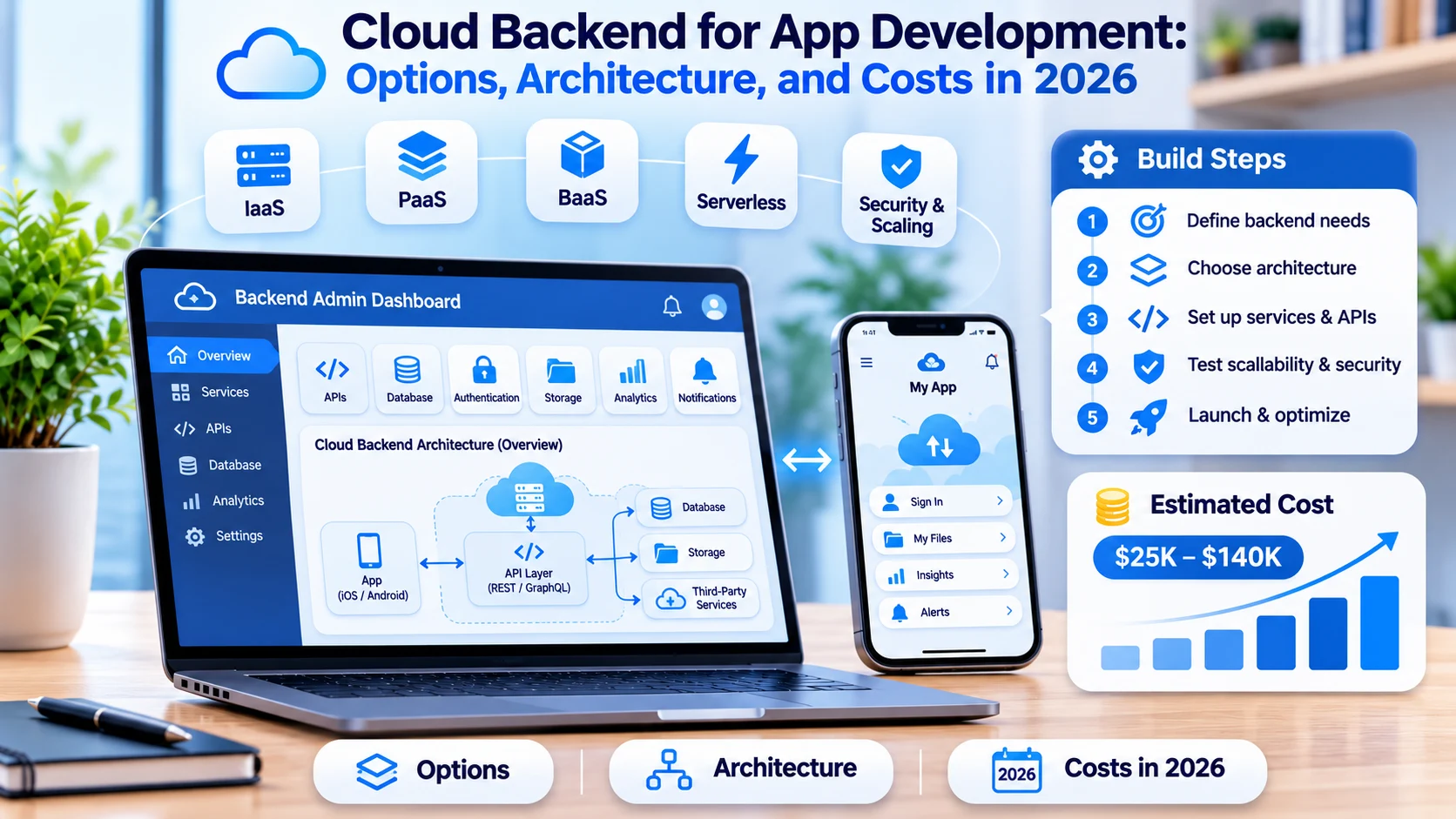

- The backend is where most app budgets are won or lost. The screens get the attention, but accounts, data, payments, notifications, and reporting are where the hours go.
- There are four realistic routes: a backend-as-a-service platform, serverless functions, managed containers, or a custom backend you run yourself. Most products start on one and graduate to another.
- Backend-as-a-service is the fastest start, and its billing model is the thing to check: per-operation pricing can look cheap at launch and expensive at scale.
- A backend for an MVP typically costs $3,750 to $19,600 at our rates, a custom backend for a growing app $12,500 to $58,800, and a scalable platform backend $30,000 or more.
- Lock-in is now partly a legal question: under the EU Data Act, cloud switching charges including exit egress fees are banned from January 12, 2027, and the major providers already waive egress for full exits.
- The cheapest backend decisions are the boring ones: a relational database, portable containers, infrastructure as code, and a written exit path.
Quick answer: What is the best cloud backend for app development? For a first release, a backend-as-a-service platform such as Firebase or Supabase gets you authentication, a database, storage, and push notifications in weeks. For products with real business logic, compliance needs, or heavy usage, a custom backend on AWS, Google Cloud, or Azure costs more upfront and far less per user at scale. Most teams start managed and move the expensive parts in-house as traffic grows.
Every app is really two products. There is the part users touch, and there is the part that stores their data, checks their password, takes their money, sends their notifications, and keeps working when ten thousand people open the app at once.
This guide covers the second part: what a cloud backend does, the four ways to build one, how Firebase, Supabase, and AWS compare in 2026, what it costs, and how to avoid the decisions that get expensive later. It reflects how we scope the backend behind custom mobile app development projects, where the backend is usually 40% to 60% of the build.
What a Cloud Backend Actually Does
| Component | What it handles |
|---|---|
| Authentication and accounts | Sign-up, login, password reset, social sign-in, sessions, roles, and permissions |
| Database | The records your app reads and writes, with the relationships and indexes that keep queries fast |
| APIs | The contract between your app and your data, usually REST or GraphQL |
| File storage | Photos, documents, and video, served through a content delivery network |
| Notifications | Push, email, and SMS, including the scheduling behind reminders |
| Background jobs | Work that happens without a user waiting: imports, exports, billing runs, syncs |
| Integrations | Payments, maps, analytics, CRM, and whatever systems your business already runs |
| Admin tools | The internal screens your team uses to support customers and fix data |
| Observability | Logs, metrics, traces, and alerts so you find problems before customers report them |
Those last two are the ones teams forget to budget. The admin console is a custom web application development project of its own, and without it your developers become the support team.
Four Ways to Build a Cloud Backend
| Approach | What it is | Best for | Trade-off |
|---|---|---|---|
| Backend as a service (BaaS) | A managed platform that gives you auth, database, storage, and APIs out of the box, such as Firebase, Supabase, or AWS Amplify | MVPs, small teams, apps with standard data needs | Less control over performance and cost, more platform-specific code |
| Serverless functions | Your own code running per request on AWS Lambda, Cloud Functions, or Azure Functions, with no servers to manage | Event-driven work, spiky traffic, APIs with uneven load | Cold starts, execution limits, and distributed debugging |
| Managed containers | Your application packaged in containers on a managed platform such as Cloud Run, ECS, or App Service | Most growing products that need control without an infrastructure team | You own more configuration than with BaaS |
| Custom infrastructure | Your own services on virtual machines or Kubernetes, tuned by your team | Large platforms, strict compliance, heavy or unusual workloads | Highest cost and highest operational burden |
The honest pattern: start with the simplest option that fits, and move only the parts that outgrow it. Products rarely need to migrate everything at once, and the teams that do usually spend a quarter proving something they already knew.
Backend language choice matters less than architecture, but it does affect hiring and performance under load. Our comparison of Go, Node.js, and Python for backend projects covers where each one fits.
Firebase vs Supabase vs AWS Amplify in 2026
These three cover most managed backend decisions for app teams.
| Factor | Firebase | Supabase | AWS Amplify Gen 2 |
|---|---|---|---|
| Database | Firestore, a document store | PostgreSQL, relational | DynamoDB or Aurora through AWS services |
| Pricing model | Spark free tier plus Blaze pay-as-you-go, billed per read, write, and function call | Free tier, then Pro from $25 a month and Team from $599 a month, plus usage | AWS service pricing, including about $4 per million GraphQL requests through AppSync |
| Realtime | Mature, with strong offline sync on mobile | Built in through Postgres replication | Available through AppSync subscriptions |
| Self-hosting | No | Yes, the stack is open source | No, but you keep standard AWS services |
| Strongest fit | Native mobile apps that need push, offline sync, and Google Cloud services | Web apps and SaaS products that want SQL and predictable billing | Teams already standardized on AWS |
| Main risk | Per-operation costs compounding as reads grow | Needing relational thinking from day one | AWS complexity and service sprawl |
Two facts worth knowing before you choose. Supabase raised a $500 million Series F in June 2026 at a $10 billion pre-money valuation and says close to 10 million developers build on it, so the open-source option is not a small bet anymore. And the cost comparison flips with scale: Firebase is usually cheaper at low traffic thanks to its free tier, while read-heavy apps tend to be cheaper on flat-rate plans once usage grows, because per-operation billing compounds.
The practical test is not which platform is better. It is which billing model matches your usage curve, and whether your data is relational. A booking app with users, slots, providers, and payments is relational. A chat feed with simple documents may not be.
When to Move Off a Managed Backend
You do not need to leave a managed platform, and plenty of profitable products never do. These are the signals that it is time:
- The bill is growing faster than usage. Per-operation pricing has turned a feature you cannot remove into a monthly cost you cannot forecast.
- Queries are fighting the data model. You are writing application code to do work a relational database would do in one query.
- Business logic is spreading. Rules live in three places: the app, cloud functions, and database triggers, and nobody can say where a calculation happens.
- Compliance needs a boundary. A customer wants data residency, audit evidence, or controls the platform does not expose.
- You need an exit. An acquirer, an enterprise buyer, or your own board asks what happens if the platform changes its terms.
Migrating the data layer first, usually to managed PostgreSQL, gives most of the benefit with the least disruption. Keeping authentication and file storage where they are for another year is a perfectly reasonable plan.
A Reference Architecture That Scales
| Layer | What goes here | Common choices |
|---|---|---|
| Client apps | Mobile and web clients talking to one API | React Native, Flutter, Swift, Kotlin, React, Next.js |
| API layer | Request handling, validation, authorization, rate limiting | REST or GraphQL on Node.js, Python, Go, or Java, behind an API gateway |
| Business logic | The rules that make your product yours, kept in one place | Service modules, with queues for anything slow |
| Data layer | Transactional data, cache, search, and files | PostgreSQL, Redis, Elasticsearch or OpenSearch, object storage |
| Async layer | Jobs, events, and scheduled work | Managed queues, pub/sub, or a job runner |
| Integrations | Payments, messaging, maps, CRM, and internal systems | Provider SDKs behind your own adapter interfaces |
| Delivery | Builds, environments, and releases | Infrastructure as code, CI/CD pipelines, staged environments |
| Observability | Logs, metrics, traces, alerts, uptime checks | Managed monitoring with alerts that reach a person |
Three design decisions save the most money later. Put authorization in one place rather than scattering checks through endpoints. Make every write idempotent so a retried request never creates a duplicate order or charge. And wrap third-party services behind your own interfaces, so swapping a provider is a contained project rather than a rewrite.
As soon as an app adds AI features, the backend carries that work too: prompt handling, retrieval, usage limits, and logging of what the model was asked and what it returned. Wiring that in without exposing customer data is the core of our AI integration and adoption services.
Choosing a Cloud and Avoiding Lock-In
Lock-in used to be purely a technical argument. It is now partly a legal one. Under the EU Data Act, which has applied since September 2025, cloud providers may charge only cost-based switching fees during the transition, and from January 12, 2027 switching charges, including the egress fees for moving data out as part of a switch, are banned entirely. AWS, Google Cloud, and Microsoft already waived egress charges for customers leaving their platforms in 2024.
Read the detail before planning around it: ongoing operational egress, meaning the data you serve to users every day, is still billed normally. What becomes free is leaving.
Practical steps that keep your options open:
- Prefer portable building blocks. PostgreSQL, containers, object storage, and standard queues move between providers. Proprietary databases and workflow engines do not.
- Keep infrastructure in code. Terraform or equivalent turns a migration into a review instead of an archaeology project.
- Isolate provider-specific code. One adapter layer, not provider SDK calls scattered through your services.
- Negotiate commit length, not just price. Long commitments carry exit penalties that survive the switching-fee rules.
- Write the exit plan once. Where the data lives, how it exports, and what the dependencies are. One page, reviewed yearly.
Security and Compliance for App Backends
The backend holds everything worth stealing, so it carries most of the security work in an app project, and the cheapest version of that work is automated checks running inside the pipeline, which is what DevSecOps services set up.
| Area | What good looks like |
|---|---|
| Authentication | Strong password rules or passwordless, multi-factor for admin accounts, short-lived tokens, safe refresh handling |
| Authorization | Checked server-side on every request, tested for role bypass, never trusted from the client |
| Secrets | Stored in a managed vault, rotated, never in code or environment files committed to a repository |
| Encryption | TLS 1.2 or higher in transit, AES-256 at rest, managed keys |
| Data handling | Minimum data collected, retention schedules, deletion workflows for privacy requests |
| Dependencies | Scanned on every build, with a patch SLA for anything known to be exploited |
| Logging | Security events recorded and retained, with alerts that reach someone on call |
| Industry rules | HIPAA for health data, PCI DSS for cards, SOC 2 for enterprise buyers, state privacy laws for consumer apps |
Two practices do most of the work: automated checks in the pipeline so problems are caught before release, and periodic testing by people who did not write the code.
Penetration testing before launch and on a schedule afterwards is the other half, and that runs through our IT security and cybersecurity services rather than being squeezed into a sprint.
Scaling, Reliability, and Running Costs
Most backends fail in predictable places. The fixes are equally predictable:
- Caching. Put a cache in front of expensive reads before you scale the database.
- Queues. Move anything slow out of the request path: emails, exports, image processing, third-party calls.
- Read replicas. Send reporting and heavy reads away from the database your app writes to.
- Connection management. Pool connections, especially with serverless functions, which can exhaust a database quickly.
- Autoscaling with limits. Scale up automatically, and set ceilings so a traffic spike or a bug cannot produce a five-figure bill.
- Load testing before launch day. Test the peak you expect, not the average.
- Service level objectives. Decide what "working" means, measure it, and alert on it.
Keeping that running is ongoing work rather than a project phase, which is why teams without a platform group hand patching, monitoring, scaling, and cost tuning to cloud managed services.
Watch cost per active user as a product metric. It is the number that tells you whether a backend decision is working, and it usually falls as you move from per-operation pricing to reserved capacity.
What a Cloud Backend Costs to Build
Backend cost follows how much of the platform you own and how much you rent. For a first figure on your own scope, try our app cost calculator, then use the ranges below to check a quote.
| Stage | What it covers | Approximate effort | NewAgeSysIT estimate | Timeline |
|---|---|---|---|---|
| MVP backend | Managed platform, auth, database, storage, push, simple APIs, basic admin | 150 to 400 hours | $3,750 to $19,600 | 3 to 6 weeks |
| Custom backend for a growing app | Own APIs, business logic, integrations, admin tools, CI/CD, monitoring | 500 to 1,200 hours | $12,500 to $58,800 | 2 to 4 months |
| Scalable platform backend | Multiple services, queues, real-time, analytics, compliance controls, high availability | 1,200 to 3,000+ hours | $30,000 to $147,000+ | 4 to 9 months |
Here is how the work splits inside a build, at NewAgeSysIT's rates of $25 to $49 per hour.
| Work item | Approximate hours | NewAgeSysIT cost |
|---|---|---|
| Authentication and user management | 60 to 160 | $1,500 to $7,840 |
| Database schema and data layer | 80 to 200 | $2,000 to $9,800 |
| Core REST or GraphQL APIs | 120 to 320 | $3,000 to $15,680 |
| File storage and media handling | 40 to 120 | $1,000 to $5,880 |
| Push notifications and email | 40 to 100 | $1,000 to $4,900 |
| Background jobs and scheduling | 60 to 160 | $1,500 to $7,840 |
| Payments integration | 60 to 140 | $1,500 to $6,860 |
| Admin panel and internal tools | 100 to 250 | $2,500 to $12,250 |
| Search | 60 to 160 | $1,500 to $7,840 |
| Real-time features | 80 to 200 | $2,000 to $9,800 |
| Analytics and reporting pipeline | 80 to 200 | $2,000 to $9,800 |
| CI/CD, environments, and infrastructure as code | 80 to 200 | $2,000 to $9,800 |
| Monitoring, logging, and alerting | 60 to 140 | $1,500 to $6,860 |
| Security hardening and access control | 60 to 160 | $1,500 to $7,840 |
Running Costs After Launch
| Cost | What drives it |
|---|---|
| Managed platform plans | Flat tiers such as $25 or $599 a month, or per-operation billing that moves with usage |
| Compute and database | Instance size, replicas, and whether you commit to reserved capacity |
| Storage and bandwidth | File volume and how much data you serve, since ongoing egress is still billed |
| Messaging | Push is usually free, email and SMS are per message |
| Monitoring and logging | Log volume, which grows faster than traffic if nobody prunes it |
| AI usage | Model calls, billed per token or per request |
| Maintenance | Typically 15% to 25% of the build cost a year for updates, dependency patching, and small features |
Early-stage products often run a backend for under $200 a month. The number that matters is the slope, not the starting point, so instrument usage from week one.
If the budget is not approved yet, the sequencing advice in our MVP cost guide applies directly to backend scope: ship the flows that prove demand, and leave the rest in the backlog.
A Realistic Build Timeline
| Phase | What happens | Duration |
|---|---|---|
| Discovery | Data model, integrations, compliance needs, platform choice | 1 to 2 weeks |
| Foundation | Environments, CI/CD, auth, database schema, base API | 2 to 4 weeks |
| Core build | Business logic, integrations, admin tools, background jobs | 4 to 10 weeks |
| Hardening | Security review, load testing, monitoring, runbooks | 2 to 3 weeks |
| Launch and stabilization | Release, watch the metrics, fix what the first real traffic reveals | 2 to 4 weeks |
Mistakes That Cost the Most
- Choosing a platform before the data model. If your data is relational, a document store will fight you for years.
- Ignoring the billing model. Per-operation pricing is fine until a real-time listener multiplies your reads.
- Scattering business rules. Logic in the app, in functions, and in database triggers means nobody can answer simple questions.
- No admin tools. Every support request becomes a developer task.
- Skipping idempotency. Retried requests that double-charge or duplicate records destroy trust quickly.
- No limits on autoscaling. A bug plus unlimited scaling equals a surprise invoice.
- Treating observability as optional. Without logs and alerts, your customers are your monitoring system.
How NewAgeSysIT Builds App Backends
NewAgeSysIT is a US software company based in Princeton, New Jersey, with more than 30 years of experience and its own offshore development centers, which is how we deliver at $25 to $49 per hour with US-based project leadership.
- Platform selection based on your data model, usage curve, compliance needs, and team skills, written down rather than assumed.
- Backend engineering in Node.js, Python, Go, Java, or .NET, with APIs designed for the apps that consume them.
- Managed platform work when BaaS is the right answer, including the migration path for when it stops being one.
- Integrations with payments, messaging, CRM, ERP, and internal systems.
- Infrastructure, CI/CD, and observability set up as code so environments are reproducible.
- Ongoing support for scaling, cost tuning, and dependency updates after launch.
This work sits inside our cloud application development services, which cover architecture, migration, and modernization alongside new builds.
Conclusion
A cloud backend is a sequence of decisions, not a product you buy once. Start with the simplest option that fits your data and your traffic, keep business rules in one place, make your building blocks portable, and watch cost per active user from the first week. Those four habits cover most of what separates a backend that scales from one that gets rewritten.
If you want that mapped against your own app before committing a budget, talk to one of the leading AI software companies in the United States for a free consultation.
Frequently Asked Questions
What is a cloud backend for an app?
It is the server-side half of your product: authentication, database, APIs, file storage, notifications, background jobs, integrations, and admin tools, all running on cloud infrastructure rather than your own hardware. The app on the phone is a client that talks to it.
Should I use backend as a service or build a custom backend?
Use a managed platform when your data needs are standard, your team is small, and speed matters most. Build custom when you have real business logic, compliance requirements, heavy usage, or a billing model that punishes your traffic pattern. Many products start managed and move the expensive parts later.
Firebase or Supabase: which should I choose?
Firebase suits native mobile apps that need push notifications, offline sync, and Google Cloud services. Supabase suits web apps and SaaS products that want a relational database, predictable pricing, and the option to self-host. The deciding questions are whether your data is relational and how your usage curve interacts with per-operation billing.
How much does a cloud backend cost to build?
At our rates, an MVP backend runs about $3,750 to $19,600, a custom backend for a growing app $12,500 to $58,800, and a scalable platform backend $30,000 or more. Running costs start under $200 a month for early products and scale with usage.
How long does it take to build?
Three to six weeks for an MVP backend on a managed platform, two to four months for a custom backend, and four to nine months for a platform backend with multiple services and compliance work.
Is serverless cheaper than servers?
For spiky and low-volume workloads, usually yes, because you pay only when code runs. For steady high-volume traffic, containers or reserved instances are typically cheaper and more predictable. Many backends run both: containers for the steady API and functions for events.
How do I keep cloud costs under control?
Set autoscaling ceilings and budget alerts, cache expensive reads, prune log retention, right-size instances, commit to reserved capacity once usage is steady, and track cost per active user monthly. Most surprise bills come from logs, egress, or an unbounded loop rather than from traffic growth.
What database should my app use?
PostgreSQL covers the large majority of apps and gives you relational integrity, JSON support, and portability between providers. Choose a document store when your data genuinely is document shaped, and add Redis for caching or a search engine when queries demand it, rather than instead of the main database.
How do I avoid cloud vendor lock-in?
Prefer portable building blocks such as PostgreSQL, containers, and object storage, keep infrastructure in code, isolate provider-specific calls behind your own interfaces, and keep a written exit plan. The commercial side improved too: under the EU Data Act, switching charges including exit egress are banned from January 12, 2027.
Are egress fees going away?
Only for switching. The EU Data Act bans switching charges, including the egress involved in moving to another provider, from January 12, 2027, and the major providers already waive egress for full account exits. Day-to-day egress for serving your users is still billed.
Can one backend serve both my mobile app and my website?
Yes, and it should. One API layer, one data model, one set of business rules, with different clients on top. Separate backends for web and mobile double the maintenance and guarantee that the two drift apart.
What does the backend need for AI features?
A place to hold prompts and context, retrieval over your own content, usage limits per user, logging of inputs and outputs, and a review step for anything that affects money or customers. Treat the model as an external service with costs and failure modes, not as part of your application.
When should we hire a dedicated backend team?
When backend work becomes continuous rather than project-shaped: new integrations every month, scaling work, compliance requests, and on-call duties. Until then, a scoped build plus a maintenance agreement usually costs less than hiring.
What is the first thing to get right?
The data model and where business rules live. Platforms, languages, and hosting can all be changed later with effort. A data model that does not match the product is the one decision that quietly taxes every sprint for the life of a cloud backend for app development.
Sources
- Supabase pricing, funding, and scale (a $500 million Series F in June 2026 at a $10 billion pre-money valuation, free, Pro and Team tiers): https://catdoes.com/blog/what-is-supabase
- Firebase and Supabase pricing model comparison, including per-operation versus flat-rate billing at scale: https://www.bytebase.com/blog/supabase-vs-firebase/
- Supabase, Firebase, and AWS Amplify feature and pricing comparison (September 2026 snapshot, including AppSync request pricing): https://tech-insider.org/supabase-vs-firebase-vs-aws-amplify-2026/
- EU Data Act cloud switching timeline, including the January 12, 2027 ban on switching charges and egress during a switch: https://www.eprecisio.com/blog/eu-data-act-chapter-6-cloud-switching
- Egress pricing and the scope of the switching-fee ban, including that ongoing egress remains billable: https://datastorage.com/articles/egress-fees-explained-the-complete-2026-guide-to-clouds-most-hated-cost/


