
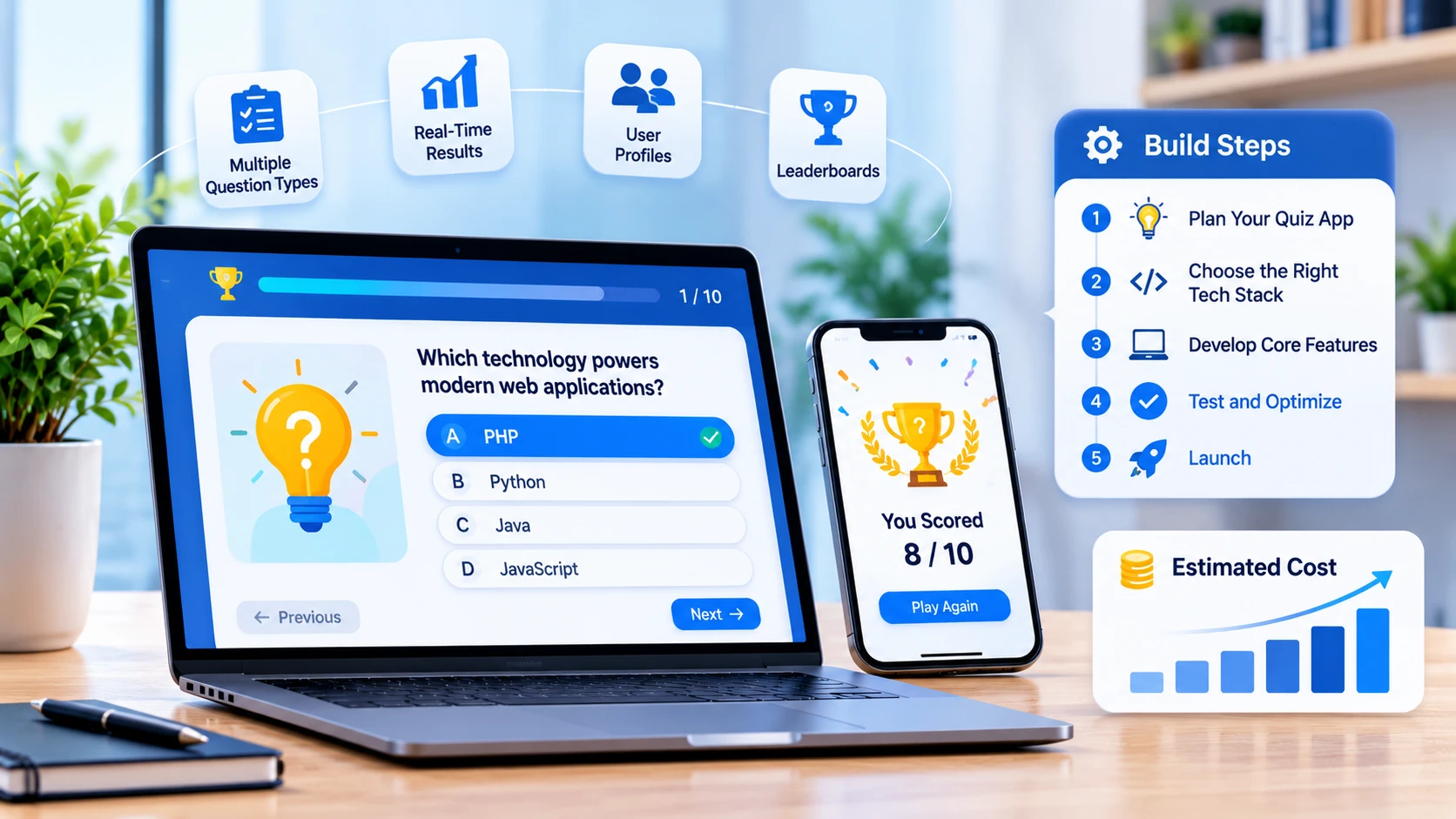

- A quiz app is easy to prototype and hard to finish. The quiz player is a few weeks of work; question banks, scoring rules, analytics, and integrity controls are where the real schedule goes.
- Decide what kind of quiz app you are building first. A classroom tool, a certification exam platform, a hiring assessment, and a marketing quiz share a screen but almost nothing else.
- Budgets at our rates run about $10,000 to $39,200 for a simple quiz app, $22,500 to $98,000 for a quiz platform, and $50,000 or more for exam-grade products with proctoring and compliance.
- Cheating is the defining 2026 problem. One industry index reports that 88% of online exams now face some AI cheating risk, and proctored coding assessment fraud more than doubled in a year.
- AI can draft questions and grade short answers, but a person has to approve anything that affects a grade, a certificate, or a hiring decision.
- If schools, children, or public institutions use your app, accessibility and privacy rules apply, and those dates moved in 2026.
Quick answer: How do you create a quiz app? Pick the quiz type and audience, design the question model and scoring rules, build the question bank and authoring tools before the player, add user accounts and analytics, then layer on integrity controls and integrations such as LMS or single sign-on. A simple quiz app takes 6 to 10 weeks and costs about $10,000 to $39,200 at NewAgeSysIT rates, while an exam-grade platform takes 6 to 12 months.
Quiz apps look like the easiest product in software. A question, four options, a score. Then the requests arrive: can teachers write their own questions, can we randomize, can we stop people from Googling the answers, can it work on the school's old tablets, and can it export results to the learning system?
This guide covers what actually goes into building a quiz application in 2026: the types, the features, question formats, anti-cheating, the tech stack, US compliance, costs, and the mistakes that add months. It reflects how we scope custom mobile app development projects for education and training clients, where the quiz screen is usually the smallest part of the build.
What Kind of Quiz App Are You Building?
The word "quiz" covers products with very different requirements. Choosing one before you start saves most of the rework later.
| Type | Who uses it | What it needs most | How it makes money |
|---|---|---|---|
| Classroom and edtech quizzes | Teachers and students | Class management, teacher authoring, live modes, accessibility | School or district licenses, freemium teacher plans |
| Corporate training and compliance | Employees and HR or L&D teams | Completion tracking, certificates, audit records, LMS integration | Per-seat subscriptions, enterprise licenses |
| Certification and licensing exams | Candidates and awarding bodies | Secure delivery, proctoring, item banking, psychometrics | Per-exam fees |
| Hiring and skills assessment | Candidates and recruiters | Role-based tests, scoring models, fraud detection, ATS integration | Per-candidate or per-seat pricing |
| Marketing and lead-generation quizzes | Website visitors | Fast setup, branded results, CRM capture | Lead value rather than direct revenue |
| Trivia and entertainment | Consumers | Live multiplayer, leaderboards, content volume, retention loops | Ads, in-app purchases, subscriptions |
| Practice and test prep | Self-directed learners | Large question banks, explanations, progress tracking, spaced repetition | Subscriptions, one-time content purchases |
Most of these products also need a browser-based side for the people creating questions and reading results, which makes web application development part of the project even when the quiz itself is a mobile app.
Is There Still Room in This Market?
Yes, because the demand sits inside bigger budgets rather than in standalone quiz apps. Grand View Research puts the global e-learning services market at about $417 billion for 2026, and The Business Research Company estimates the narrower online assessment software market at $5.31 billion in 2026, rising to roughly $9 billion by 2030. Market estimates in this category vary widely between research firms, so treat them as direction rather than precision.
The practical read is simpler. Schools, training teams, certification bodies, and recruiters all need assessment, and most are unhappy with what they have: generic tools that do not fit their subject, their security needs, or their reporting. That gap is where custom quiz products win, and it is also why the first question in a scoping call is never "what should the quiz look like?" but "who is being assessed, and what happens to the result?"
Core Features of a Quiz Application
Think of a quiz app as four products stitched together: the player, the authoring tools, the results engine, and the admin layer.
For the person taking the quiz
| Feature | Why it matters |
|---|---|
| Clean quiz player | Question navigation, a visible timer, progress, and autosave so a dropped connection does not lose answers |
| Multiple question formats | Real assessments need more than multiple choice |
| Instant feedback and explanations | The main reason learners come back, and the main driver of practice app retention |
| Progress tracking | Scores over time, weak topics, and what to study next |
| Gamification | Streaks, badges, levels, and leaderboards, used carefully so they do not reward guessing |
| Offline mode | Essential where connectivity is unreliable, with queued sync when the device reconnects |
| Accessibility | Screen reader support, keyboard navigation, color contrast, and adjustable text |
For the person creating the quiz
| Feature | Why it matters |
|---|---|
| Question bank with tagging | Questions organized by topic, difficulty, and standard so quizzes can be assembled rather than retyped |
| Bulk import and export | CSV, QTI, or Word import, because nobody retypes 2,000 questions by hand |
| Media support | Images, audio, video, and formulas, which many subjects need |
| Randomization rules | Draw 20 questions from a pool of 200, shuffle options, and set versions per attempt |
| Scheduling and access rules | Open and close windows, attempt limits, passwords, and group assignment |
| Review and approval workflow | A second pair of eyes before a question reaches a graded assessment |
| Preview and test mode | See exactly what the learner sees before publishing |
For results and analytics
| Feature | Why it matters |
|---|---|
| Scoring rules | Points per question, weighting, negative marking, and partial credit |
| Automatic and manual grading | Objective items scored instantly, written answers routed to a human |
| Item analysis | Which questions everyone gets right, which ones nobody does, and which ones fail to separate strong from weak candidates |
| Cohort reporting | Results by class, team, location, or role |
| Certificates and records | Completion certificates, expiry dates, and an audit trail for compliance training |
| Exports and integrations | Gradebook sync, CSV exports, and API access for your own reporting |
Question Types and Scoring Rules
Most quiz projects underestimate this section. Each question type is its own authoring interface, rendering logic, scoring rule, and analytics case.
| Question type | Scoring approach | Build complexity |
|---|---|---|
| Multiple choice (one answer) | Exact match | Low |
| Multiple select | Partial credit or all-or-nothing | Low to medium |
| True or false | Exact match | Low |
| Fill in the blank | Exact match with accepted variations | Medium |
| Numeric entry | Tolerance ranges and units | Medium |
| Matching and ordering | Per-pair or per-position credit | Medium |
| Drag and drop or hotspot | Position-based scoring | Medium to high |
| Short written answer | Rubric scoring, human or AI-assisted with review | High |
| Code or formula questions | Automated test cases | High |
| Media-based questions | Depends on the underlying type, plus media handling | Medium |
Two scoring decisions are worth making early. First, whether a quiz is fixed or adaptive: adaptive tests change the next question based on the last answer, which improves measurement but needs a calibrated question bank and far more content. Second, how results are expressed: a raw score, a percentage, a pass or fail cut score, or a scaled score. Certification products usually need the last one, and that choice reaches back into the data model.
Anti-Cheating and Assessment Integrity
If the result matters, someone will try to game it. The scale of that problem changed with generative AI: Talview's 2026 AI Threat Index reports that 88% of online exams and assessments now face some AI cheating risk, and CodeSignal measured proctored coding assessment fraud rising from 16% to 35% in a single year. In a Wiley survey of more than 2,900 students and instructors in North America, 46% of students said AI makes cheating easier, while 69% said proctoring during online exams reduces misconduct.
Build integrity in layers, starting with the cheap ones:
- Question pools and randomization. Drawing 20 questions from 200 and shuffling options makes shared answer keys far less useful.
- Time limits per question. A tight clock does more to limit outside lookups than most monitoring features.
- Attempt and session controls. One attempt, one device, one active session, with tokens that expire.
- Behavior signals. Tab switching, paste events, impossible response speeds, and answer patterns that match another candidate.
- Secure delivery. Serve questions one at a time from the server rather than shipping the whole quiz to the device.
- Proctoring where the stakes justify it. Recorded, live, or AI-assisted monitoring, usually through a specialist vendor rather than built in-house.
On managed devices, a kiosk or lockdown mode keeps the quiz in the foreground and blocks other apps. On Apple hardware that uses Guided Access or single app mode through mobile device management, which is one of the places iOS app development specifics shape the build.
Two cautions belong in every integrity design. A flag is a signal, not a verdict: a person reviews the evidence before any penalty, which protects both the candidate and you. And monitoring carries privacy and accessibility costs, so match the level of surveillance to what the result is worth. A weekly practice quiz does not need a camera.
AI Features Worth Building (and Where to Draw the Line)
AI is genuinely useful in quiz products, mostly in authoring rather than in the quiz itself.
Question generation from source material. Point the model at a chapter, policy document, or course transcript and get draft questions with distractors. This turns a week of authoring into an afternoon of editing, and it only works with a review step where a subject expert approves, edits, or rejects each item. Building that review workflow properly is the difference between faster content and a bank full of wrong answers, and it is the kind of AI agent development work we scope with a human approval gate from the start.
Distractor improvement. Weak wrong answers make questions too easy. Models are good at suggesting plausible alternatives for an expert to approve.
Short answer grading assistance. AI can score written responses against a rubric and explain its reasoning, with a human reviewing anything near a boundary or anything a candidate disputes.
Explanations and feedback. Auto-drafted explanations for why an answer is wrong, again reviewed before publication.
Adaptive difficulty. Choosing the next question based on performance so far, which keeps learners in the useful zone between bored and lost.
Item analysis summaries. Plain-language reports telling an author which questions are not working and why.
The line is simple: AI drafts, a person decides. Anything that affects a grade, a certificate, a license, or a hiring outcome needs human sign-off, and that rule belongs in the product rather than in a policy document nobody reads.
Tech Stack and Architecture
| Layer | Common choices |
|---|---|
| Mobile app | React Native or Flutter for both platforms, Swift or Kotlin when the app needs deep device features |
| Web app | React or Next.js with server-side rendering for public pages |
| Backend | Node.js, Python (Django or FastAPI), or .NET |
| Database | PostgreSQL for questions, attempts, and results, with Redis for sessions and live modes |
| Live quiz modes | WebSocket for real-time rounds, buzzers, and leaderboards |
| Media | Cloud storage with a CDN for images, audio, and video |
| Search | Elasticsearch or similar for large question banks |
| Auth | Email, social sign-in, plus SAML or OpenID Connect single sign-on for schools and enterprises |
| Standards | LTI 1.3 for LMS launch and grade passback, SCORM or xAPI for training records, QTI for question import and export |
| Analytics | Event tracking for item analysis, completion, and drop-off |
Offline support deserves its own decision. Queuing attempts locally and syncing later is straightforward for practice quizzes and hard for graded exams, where you need to prevent tampering with stored answers. School and training deployments also run on a wide range of hardware, which is why Android app development for this category targets older devices and smaller screens rather than only current flagships.
Standards matter more than teams expect. If schools or corporate training buyers are in your market, LTI 1.3 support often decides the deal, because it lets your quiz launch from inside their learning system and push scores back to the gradebook without a separate login.
Exam traffic is also unusually spiky. A class of 30 is nothing; 8,000 candidates starting a certification exam at 9 a.m. is a load test you cannot fail. Autoscaling, queueing, and a rehearsal before launch day are the fix, and teams without a platform group usually hand that layer to cloud managed services.
US Compliance for Quiz and Assessment Apps
Which rules apply depends on who takes the quiz and who buys the product. A trivia app for adults carries almost none of this; a quiz used by a school district carries most of it.
| Requirement | When it applies | What it means for the build |
|---|---|---|
| FERPA | Apps handling student education records for US schools | Access controls, parent and student rights, data sharing limits, and clear contracts with districts |
| COPPA | Apps directed to children under 13, or that knowingly collect their data | Verifiable parental consent, data minimization, retention limits, and a written security program under the amended rule in force since April 22, 2026 |
| State student privacy laws | Apps used by schools in states with their own rules | Restrictions on advertising, profiling, and data resale, plus deletion duties |
| Accessibility (WCAG 2.1 AA) | Public schools, universities, and government buyers under the ADA Title II rule | Screen reader support, keyboard navigation, contrast, captions, and accessible timers. The DOJ extended compliance to April 26, 2027 for large public entities and April 26, 2028 for smaller ones, but the underlying obligation already applies |
| App store rules | Any app shipped to the App Store or Google Play | Current build requirements, age ratings, and privacy disclosures. Apple has required Xcode 26 builds since April 28, 2026, and Google Play has required Android 16 targeting since August 31, 2026 |
| Payment rules | Apps selling subscriptions or exam fees | In-app purchase rules for digital goods, plus PCI compliance handled through your processor |
Security carries extra weight here because a leaked question bank destroys the value of an exam program. Encryption, access control by role, watermarking of question exports, and regular testing from an IT security and cybersecurity services team protect the asset buyers actually pay for. This section is general information, not legal advice.
How to Build a Quiz App in 8 Steps
- Step 1: Define the assessment, not the app. Who is assessed, what decision follows the score, and what level of integrity that decision justifies. A practice quiz and a licensing exam share a UI and nothing else.
- Step 2: Design the question and attempt model. Question types, metadata, versioning, randomization rules, scoring, and how an attempt is stored. Changing this later is the most expensive rework in the project. Our guide to building an e-learning app in the United States covers the wider learning platform around it.
- Step 3: Build authoring before the player. Teams that build the quiz screen first end up with a beautiful player and no content. Import tools, tagging, and preview come first.
- Step 4: Build the player and scoring engine. Timer, navigation, autosave, offline behavior, and the scoring rules you defined in Step 2.
- Step 5: Add accounts, groups, and permissions. Learners, authors, reviewers, and administrators, plus the class, team, or cohort structures your buyers use.
- Step 6: Add analytics and integrity controls. Item analysis, cohort reporting, and the integrity layers that match your stakes. This is also where load testing belongs, since exam day is the one day it must not fail, and independent coverage through QA consulting services catches what the build team stops seeing.
- Step 7: Integrate. LMS, single sign-on, payment, CRM, or ATS, depending on your market. Each integration is its own test cycle.
- Step 8: Pilot with real users, then launch. One class, one team, or one exam sitting, with feedback captured in the product. Fix the top three complaints before a wider rollout.
What a Quiz App Costs to Build
| Product | What it includes | Approximate effort | NewAgeSysIT estimate | Timeline |
|---|---|---|---|---|
| Simple quiz app | Quiz player, question bank, results, basic admin, one platform | 400 to 800 hours | $10,000 to $39,200 | 6 to 10 weeks |
| Quiz platform | Multiple question types, roles and groups, analytics, payments, one integration | 900 to 2,000 hours | $22,500 to $98,000 | 3 to 6 months |
| Exam-grade platform | Proctoring, certification records, single sign-on, offline, accessibility, compliance | 2,000 to 4,000+ hours | $50,000 to $196,000+ | 6 to 12 months |
For a first estimate before you talk to anyone, try our app cost calculator.
Here is how the work splits inside a build:
| Feature or module | Approximate hours | NewAgeSysIT cost |
|---|---|---|
| Quiz player with timer, navigation, and autosave | 80 to 160 | $2,000 to $7,840 |
| Question bank and authoring tools | 100 to 220 | $2,500 to $10,780 |
| Question types beyond multiple choice | 60 to 160 | $1,500 to $7,840 |
| Scoring engine and result processing | 60 to 140 | $1,500 to $6,860 |
| Accounts, roles, and group management | 80 to 180 | $2,000 to $8,820 |
| Leaderboards, badges, and streaks | 40 to 100 | $1,000 to $4,900 |
| Live multiplayer quiz mode | 120 to 280 | $3,000 to $13,720 |
| Analytics and item analysis dashboards | 80 to 200 | $2,000 to $9,800 |
| Payments and subscriptions | 60 to 140 | $1,500 to $6,860 |
| LMS integration (LTI 1.3 or SCORM and xAPI) | 80 to 200 | $2,000 to $9,800 |
| AI question generation with review workflow | 120 to 300 | $3,000 to $14,700 |
| Proctoring or lockdown integration | 100 to 240 | $2,500 to $11,760 |
| Offline mode and sync | 80 to 200 | $2,000 to $9,800 |
| Accessibility work to WCAG 2.1 AA | 60 to 160 | $1,500 to $7,840 |
Running costs continue after launch: hosting that can absorb exam-day peaks, media storage, AI usage if you generate or grade with it, proctoring fees charged per exam by specialist vendors, store fees ($99 a year for Apple and $25 once for Google Play), and maintenance at roughly 15% to 25% of the build cost each year.
If the budget is not approved yet, start smaller. Our MVP cost guide explains how to launch a narrow first version and expand once real users confirm demand.
How Quiz Apps Make Money
| Model | How it works | Fits best |
|---|---|---|
| Freemium | Free quizzes with paid question banks, analytics, or class sizes | Consumer and teacher-led products |
| Subscription | Monthly or yearly access for learners or organizations | Test prep, training, practice apps |
| Per-exam fee | A charge for each attempt or certificate | Certification and licensing |
| B2B licensing | Site or seat licenses for schools, districts, and employers | Education and corporate training |
| White label | Your platform under a customer's brand | Training providers and associations |
| Advertising | Ad revenue against high-volume free play | Trivia and entertainment |
| In-app purchases | Hints, extra lives, themes, or question packs | Games and casual quizzes |
One practical note: Apple and Google take 15% to 30% of digital purchases made inside an app, so products selling courses or exam fees often sell on the web and let the app unlock access, which is allowed when handled correctly.
Mistakes That Add Months
- Building the player first. The authoring and import tools decide whether the product can ever hold enough content.
- Hardcoding one question type. Adding a second type later often means reworking the data model.
- Treating scoring as simple. Partial credit, negative marking, and retake rules multiply quickly.
- Ignoring the gradebook. Without LMS integration, teachers and trainers do double entry and quietly stop using the app.
- Leaving accessibility to the end. Timers, keyboard traps, and color-coded feedback are expensive to fix after launch.
- Skipping the load test. Everything works with 30 users and falls over with 3,000.
- Letting AI write questions unreviewed. One wrong answer key in a graded exam costs more trust than the saved time was worth.
How NewAgeSysIT Builds Quiz and Assessment Products
NewAgeSysIT is a US software company based in Princeton, New Jersey, with more than 30 years of experience and its own offshore development centers, which is how we deliver at $25 to $49 per hour with US-based project leadership.
- Assessment design support covering question models, scoring rules, and integrity levels matched to your stakes.
- Authoring tools and question banks with import, tagging, versioning, and review workflows.
- Quiz players for web, iOS, and Android, including offline support and accessibility to WCAG 2.1 AA.
- Analytics and item analysis so authors can see which questions work.
- Integrations with LMS platforms through LTI 1.3, SCORM, and xAPI, plus single sign-on, payments, and CRM or ATS systems.
- AI features with review gates, from question drafting to short answer grading.
This work sits inside our wider edtech app development services, which cover learning platforms, school systems, and training products beyond assessment alone.
Conclusion
Creating a quiz application is less about the quiz and more about everything around it: where questions come from, how scores are calculated and trusted, who reads the results, and what happens when someone tries to cheat. Decide those four things first, build the authoring tools before the player, and keep a person in the loop wherever a score carries consequences.
If you want a costed plan for your version of this, talk to one of the leading AI software companies in the United States for a free consultation.
Frequently Asked Questions
How do I create a quiz app?
Start by defining who is assessed and what the score is used for. Then design the question and attempt model, build the authoring tools and question bank, build the quiz player and scoring engine, add accounts and analytics, layer on integrity controls, and integrate with the systems your buyers already use, such as an LMS or single sign-on.
How much does it cost to build a quiz app?
At our rates, a simple quiz app runs about $10,000 to $39,200, a quiz platform with analytics and integrations $22,500 to $98,000, and an exam-grade platform with proctoring and compliance $50,000 or more. US agencies typically charge several times those figures for the same scope.
How long does it take to build a quiz application?
About 6 to 10 weeks for a simple app, 3 to 6 months for a platform, and 6 to 12 months for an exam-grade product. Integrations, accessibility work, and proctoring are the items that most often extend a schedule.
What features does a quiz app need?
At minimum: a quiz player with a timer and autosave, several question types, a question bank with tagging and import, randomization, a scoring engine, user accounts and groups, results and analytics, and accessibility support. Add gamification for consumer products and integrity controls for anything graded.
Should I build for web, mobile, or both?
Follow the user. Classroom and corporate tools are usually web first, because people take quizzes on whatever device is in front of them and administrators work on desktops. Consumer practice and trivia apps are mobile first. Cross-platform frameworks let one codebase serve iOS and Android when you need both.
What question types should I support?
Start with multiple choice, multiple select, and true or false, then add fill in the blank, numeric entry, and matching. Short written answers, code questions, and drag and drop cost more to build and grade, so add them only if your assessment genuinely needs them.
How do I stop cheating in an online quiz?
Layer the defenses: pull questions from a larger pool, shuffle options, set per-question time limits, serve questions one at a time from the server, limit attempts and sessions, and watch for behavior signals such as tab switching or impossible response times. Use proctoring only where the result justifies it, and always have a person review a flag before any penalty.
Can AI generate quiz questions for me?
Yes, and it is one of the better uses of AI in this category. A model can draft questions and wrong answers from your source material, which turns days of authoring into hours of editing. Every generated item still needs a subject expert to approve it before it reaches a graded assessment.
How do quiz apps make money?
Common models are freemium, subscriptions, per-exam fees, business licensing to schools or employers, white labeling, advertising, and in-app purchases. Education and training products usually earn more from organization licenses than from individual users.
Does my quiz app need to integrate with an LMS?
If you sell to schools, universities, or corporate training teams, usually yes. LTI 1.3 lets your quiz launch from inside their learning system and send scores back to the gradebook, and SCORM or xAPI records training completions. Without it, administrators copy results by hand and adoption suffers.
What rules apply if students or children use my app?
FERPA governs student education records handled on behalf of US schools, COPPA governs data from children under 13 with stricter requirements in force since April 22, 2026, and several states add their own student privacy rules. Contracts with districts often add security and data deletion terms on top.
Does a quiz app have to be accessible?
If public schools, universities, or government buyers use it, yes. The ADA Title II rule sets WCAG 2.1 Level AA as the standard, and the Department of Justice moved compliance to April 26, 2027 for large public entities and April 26, 2028 for smaller ones. The underlying obligation to provide accessible services applies now, and accessibility is far cheaper designed in than retrofitted.
Can a quiz app work offline?
Yes for practice and low-stakes quizzes: cache questions, store answers locally, and sync when the device reconnects. Graded exams offline are harder, because you must prevent tampering with stored answers and verify timing, which usually means a locked-down device or a managed testing environment.
What is the fastest way to launch?
Pick one audience and one quiz type, support three question formats, and ship the authoring tools, the player, and basic results. That first version runs 6 to 10 weeks, gives you real usage data, and tells you which of the expensive features, such as proctoring or adaptive testing, your users actually need before you build a quiz app with all of them.
Sources
- Grand View Research, E-learning Services Market (global market estimated at $417.1 billion for 2026): https://www.grandviewresearch.com/industry-analysis/e-learning-services-market
- The Business Research Company, Online Assessment Software Market ($5.31 billion in 2026, projected to about $9.03 billion by 2030): https://www.openpr.com/news/4635534/online-assessment-software-market-demonstrates-long-term
- Integrity Advocate summary of Wiley's academic integrity survey of more than 2,900 students and instructors in North America: https://www.integrityadvocate.com/resources/ai-and-online-exams-what-the-data-reveals-about-assessment-security
- Talview AI Threat Index 2026 and CodeSignal assessment fraud data, summarized: https://aiseptor.com/blog/prevent-ai-cheating-online-assessments
- US Department of Justice interim final rule extending ADA Title II web and mobile accessibility compliance dates (April 2026): https://www.reedsmith.com/articles/doj-extends-digital-accessibility-compliance-dates-under-title-ii-of-the-ada/
- Davis Polk on the amended COPPA Rule taking full effect on April 22, 2026: https://www.davispolk.com/insights/client-update/ftc-prioritizes-coppa-enforcement-new-compliance-obligations-take-effect
- Apple Developer, Upcoming Requirements (Xcode 26 builds required since April 28, 2026): https://developer.apple.com/news/upcoming-requirements/
- Google Play Console Help, target API level requirements (Android 16 since August 31, 2026): https://support.google.com/googleplay/android-developer/answer/11926878


