
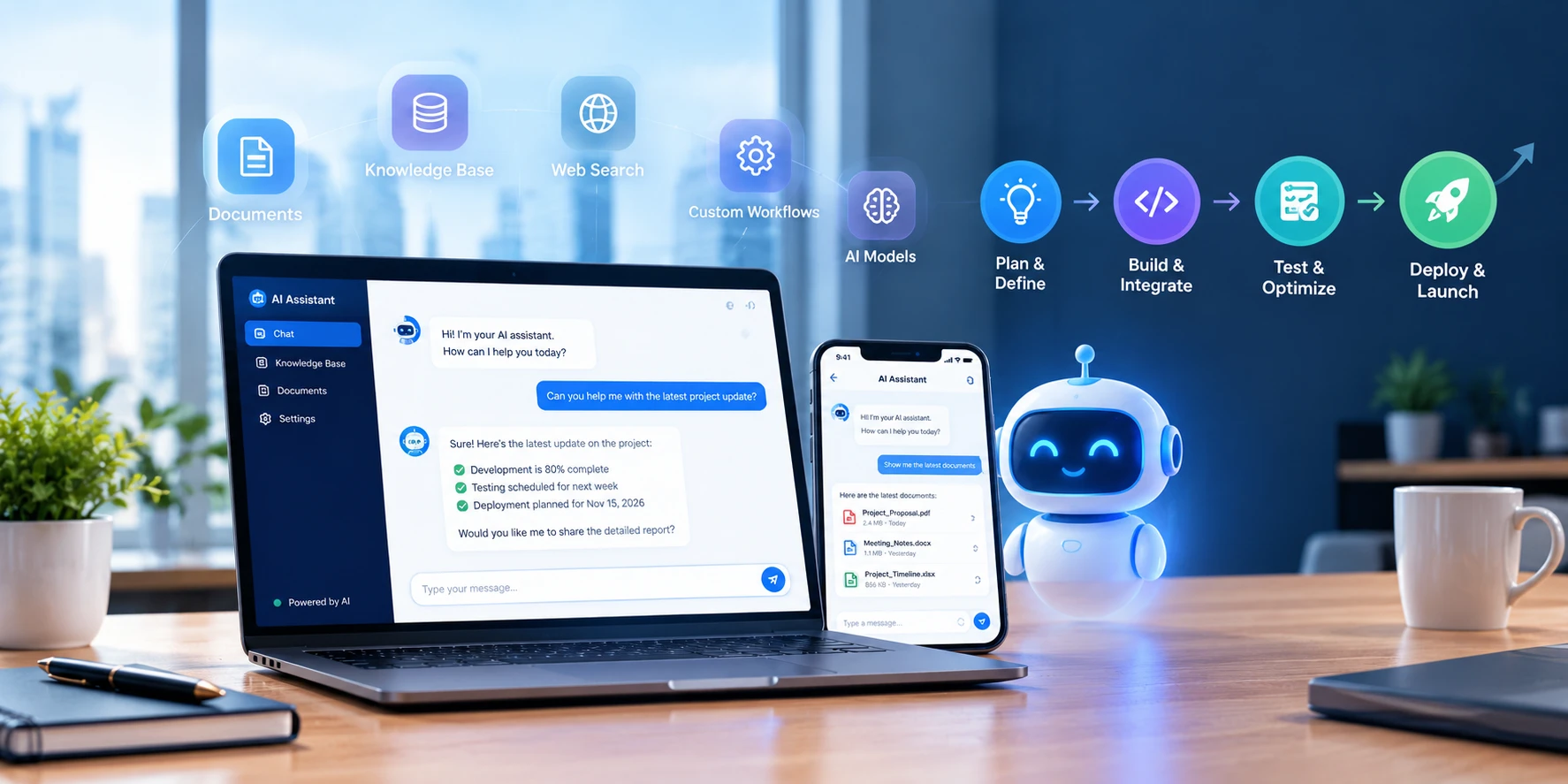

- A custom AI assistant is an assistant built on your own data, your own permissions, and your own workflows, rather than a general tool everyone else is using.
- Most AI projects still fail commercially: MIT's 2025 study found about 95% of enterprise generative AI pilots produced no measurable profit or loss impact, and Gartner expects more than 40% of agentic AI projects to be canceled by the end of 2027.
- The projects that work are narrow. One workflow, one owner, one measurable before-and-after number.
- Typical budgets run $10,000 to $39,200 for a departmental assistant and $20,000 to $98,000 for a company-wide one at our rates, plus monthly usage costs.
- Connecting assistants to business systems got easier: the Model Context Protocol became a vendor-neutral standard under the Linux Foundation in December 2025, and the major AI platforms support it.
- Governance is now the deciding factor. Shadow AI showed up in 43% of breached organizations in IBM's 2026 study, and the EU's transparency rules for AI interactions have applied since August 2, 2026.
Quick answer: What is a custom AI assistant? It is an AI assistant built for one organization, grounded in that organization's documents, data, and systems, with its own permissions, guardrails, and interface. Unlike a public chatbot, it answers from your content rather than the open internet, respects who is allowed to see what, and can take actions in your tools. A departmental assistant typically takes 6 to 10 weeks to build and costs $10,000 to $39,200 at NewAgeSysIT rates.
Every team has now tried the public AI tools. The interesting question in 2026 is no longer whether AI can write a paragraph. It is whether an assistant can answer "what did we quote this client last year, and what changed since?" without someone digging through four systems.
That question is what a custom AI assistant answers. This guide explains what one is, where it beats off-the-shelf tools, how it is built, what it costs, and how to keep it secure and governed. It reflects how we scope custom AI software development for US companies, where the first decision is always which single workflow is worth automating first.
What Is a Custom AI Assistant?
A custom AI assistant is software that understands requests in plain language, finds answers in your own content and systems, and either responds or carries out a task. The model behind it may be a commercial one, but everything around it is yours: the knowledge it draws on, the permissions it respects, the tone it uses, the tools it can touch, and the record of what it did.
The terms in this space get used loosely, so here is the practical difference.
| Type | What it does | Best for |
|---|---|---|
| Chatbot | Answers common questions from a script or a limited knowledge base, usually on a website | Front-line support, lead capture, FAQ deflection |
| Public AI tool | Answers general questions from public training data, with no access to your systems | Drafting, summarizing, brainstorming |
| Custom AI assistant | Answers from your documents and data, respects user permissions, and connects to your systems | Internal knowledge, customer context, document-heavy work |
| AI agent | Takes multi-step actions in systems with some autonomy, such as updating records or triggering workflows | Repetitive processes with clear rules and approval points |
If what you need is a website assistant that answers product questions and books a call, a chatbot is usually the cheaper and faster answer, which is what our AI chatbot development work covers. A custom assistant earns its budget when the answers live inside your own systems and the people asking have different access rights.
Custom AI Assistant vs Off-the-Shelf AI Tools
Subscription assistants are excellent at general work. They struggle with the parts that make your business yours.
| Factor | Off-the-shelf AI tool | Custom AI assistant |
|---|---|---|
| Knowledge | Public information plus whatever a user pastes in | Your documents, records, and systems, kept current |
| Permissions | The same answers for everyone with a seat | Answers filtered by what each user is allowed to see |
| Integrations | A fixed set of connectors | Any system you run, including legacy and internal tools |
| Data handling | Governed by the vendor's terms and settings | Governed by your own policies, hosting, and retention rules |
| Cost shape | Per seat, every month, rising as headcount grows | A build cost plus usage, which you control |
| Audit trail | Limited visibility into who asked what | Full logging of questions, sources, and actions |
| Fit to workflow | Users adapt their process to the tool | The assistant sits inside the process people already follow |
The honest version: most companies end up with both. Public tools for general drafting, a custom assistant for the work that touches customer data, regulated content, or internal systems.
Why Most AI Projects Fail, and What the Successful Ones Do Differently
Before scoping anything, it helps to know the failure rate. MIT's Project NANDA study found roughly 95% of enterprise generative AI pilots delivered no measurable profit or loss impact, against $30 to $40 billion in spending, and the researchers put the cause down to organizational issues rather than model quality. Gartner expects more than 40% of agentic AI projects to be canceled by the end of 2027 because of rising costs, unclear business value, and weak risk controls. McKinsey's 2026 survey found only about 20% of organizations had scaled AI agents in even one function.
The pattern behind the 5% that work is unglamorous:
- One workflow, not a platform. Successful assistants replace a specific step that someone already owns, such as drafting a first-pass response or finding the right clause in a contract.
- A number you can compare. Average handle time, days to close, tickets resolved without escalation, or hours spent searching. Measure it before the build.
- Real integration. An assistant that cannot see your systems is a demo. Most of the engineering effort is plumbing, not prompts.
- A human decision point. The assistant drafts, suggests, or prepares. A person approves anything that affects money, people, or compliance.
- An owner. Projects without a named business owner drift into the backlog within a quarter.
Our post on common mistakes companies make with AI in product development covers the organizational traps in more detail.
What a Custom AI Assistant Can Actually Do
Use cases that pay off share a trait: lots of documents or records, repeated questions, and a measurable cost of delay.
| Function | What the assistant does | Measurable result |
|---|---|---|
| Customer support | Drafts replies grounded in your product docs, past tickets, and account history | Faster first response, fewer escalations |
| Sales | Pulls account history, past quotes, and contract terms into a prep brief before a call | Shorter prep time, better quotes |
| Internal knowledge | Answers policy, process, and technical questions from your own documentation | Less time searching, fewer interruptions for experts |
| Finance and operations | Extracts figures from invoices, statements, and reports for a person to verify | Faster close, fewer manual errors |
| HR | Answers benefits and policy questions with the correct, current document | Fewer repeat questions to a small team |
| Field and service teams | Surfaces manuals, part numbers, and job history on a phone | Fewer callbacks, faster jobs |
| Engineering and product | Searches code, tickets, and design decisions to explain why something works the way it does | Faster onboarding and debugging |
Teams that want this in the hands of people who are not at a desk usually pair it with custom mobile app development, since a technician or a rep will use an assistant on a phone or not at all.
Regulated work needs an extra rule: in healthcare, finance, and law, the assistant prepares and a qualified person decides. That is not only good practice, it is what keeps the deployment inside professional and regulatory boundaries.
How a Custom AI Assistant Works
Under the surface, nearly every production assistant has the same seven parts.
| Layer | What it does |
|---|---|
| Interface | Where people ask: a web app, an in-app panel, a mobile screen, or a chat tool your team already uses |
| Orchestration | Decides what the request needs: a direct answer, a search, a tool call, or a handoff to a person |
| Retrieval | Finds the right passages from your content, which is what keeps answers grounded instead of invented |
| Knowledge store | A vector database and document index, kept in sync as your content changes |
| Tools and integrations | Read and write access to the systems that hold the real answers, such as your CRM, ERP, or ticketing system |
| Guardrails | Permission checks, content rules, approval steps, and limits on what the assistant may do unattended |
| Evaluation and logging | Test sets, quality scoring, and a full record of questions, sources, and actions |
Retrieval is the part most people underestimate. An assistant is only as good as its ability to find the right three paragraphs out of fifty thousand, which is why document preparation and search tuning take more of the schedule than prompt writing. Our post on enterprise AI architecture with LLMs, RAG, and vector databases goes through the pieces in depth.
Connecting assistants to business systems also got easier. The Model Context Protocol, which standardizes how an assistant discovers and uses external tools, moved to the Linux Foundation's Agentic AI Foundation in December 2025 and is now supported by the major AI platforms, with more than 10,000 public connectors available. In practice that means less custom glue code for each system you connect.
Most assistants also need a browser-based admin area for managing content sources, reviewing conversations, and tuning behavior, which is a web application development job sitting alongside the AI work.
Must-Have Features in a Custom AI Assistant
| Feature | Why it matters |
|---|---|
| Grounded answers with sources | Every answer links to the document or record it came from, so users can verify rather than trust |
| Permission-aware retrieval | The assistant sees only what the person asking is allowed to see, enforced at the data layer |
| Conversation memory with limits | Useful context inside a session, with clear rules on what is retained afterwards |
| Tool and system actions | Lookups and updates in your CRM, ERP, ticketing, or internal tools, with approval steps where needed |
| Human handoff | A clean path to a person when confidence is low or the request is sensitive |
| Feedback capture | Thumbs, corrections, and comments that feed the next round of tuning |
| Admin console | Manage sources, permissions, prompts, and limits without a developer |
| Usage and quality analytics | Adoption, deflection, accuracy scores, and cost per conversation |
| Audit logging | Who asked what, which sources were used, and what action was taken |
| Cost controls | Rate limits, model routing, and caching so a busy week does not produce a surprise invoice |
How to Build a Custom AI Assistant in 8 Steps
- Step 1: Pick one workflow and a baseline number. Choose a task with volume, repetition, and a cost you can measure today. Write down the current number before anything is built.
- Step 2: Check data readiness. Find where the answers actually live, who owns them, how current they are, and what is sensitive. Most delays in these projects come from content that is scattered, outdated, or contradictory, not from the model.
- Step 3: Design the retrieval layer. Decide how documents are chunked, indexed, refreshed, and filtered by permission. This is where answer quality is won or lost.
- Step 4: Build the assistant logic. Prompts, routing rules, tool definitions, and the boundary between what the assistant answers directly and what it hands to a system or a person. Building assistants that behave predictably, with documented limits, is the core of our AI agent development work.
- Step 5: Add guardrails. Permission checks, refusal rules for out-of-scope questions, approval gates for anything that writes to a system, and protection against prompt injection in documents and web content the assistant reads.
- Step 6: Build an evaluation set. A few hundred real questions with expected answers, scored on every change. Without it, you are tuning by anecdote and every release is a guess.
- Step 7: Pilot with a real team. One department, two to four weeks, with feedback captured in the product. Compare against the baseline from Step 1.
- Step 8: Roll out with training and ownership. Adoption is a change management problem as much as a technical one, which is why our AI integration and adoption services cover enablement, review routines, and the question of who owns the assistant after launch.
A realistic schedule for a first assistant is 6 to 10 weeks for a departmental scope, 3 to 6 months for a company-wide one, and longer when it takes actions in regulated systems.
Security, Privacy, and Governance
This is where most custom assistant projects are won or lost with the security team.
Keep data where your policies require it. Decide early whether the model runs in your cloud account, through a vendor API with no training on your data, or in a private deployment. That decision drives architecture, cost, and which customers you can sell to. Companies that cannot send data to a third-party model at all move to a private deployment, which our post on building a secure private AI system on your own documents walks through.
Mirror existing permissions. If a user cannot open a document in SharePoint, the assistant must not summarize it for them. Permission filtering belongs in retrieval, not in the prompt.
Plan for prompt injection. Content the assistant reads can contain instructions aimed at the model. Treat retrieved text as untrusted input, restrict what tools can do without approval, and test with adversarial examples before launch.
Log everything. Questions, retrieved sources, tool calls, and outcomes. Logs are what let you answer "why did it say that?" and what regulators and enterprise buyers will ask to see.
Govern the tools people already use. Shadow AI, meaning unapproved tools, appeared in 43% of breached organizations in IBM's 2026 study, with those breaches averaging $5.39 million. An approved assistant with a sensible policy is a better control than a ban nobody follows.
Know which rules apply. If you serve EU users, the AI Act's transparency obligations have applied since August 2, 2026, which means telling people when they are interacting with AI and marking AI-generated content, while the heavier high-risk obligations were deferred to December 2, 2027. In the US, state AI rules are still moving, so confirm your current obligations with counsel rather than last year's summary.
Security testing for assistants looks different from a standard application test, since it covers prompt injection, data leakage between users, and over-permissioned tools, which is work our IT security and cybersecurity services team runs before launch and on a schedule afterwards.
What a Custom AI Assistant Costs
Cost follows scope: how many knowledge sources, how many systems it touches, whether it only answers or also acts, and how strict the compliance requirements are. Here are typical ranges at NewAgeSysIT's rates of $25 to $49 per hour.
| Assistant type | What it covers | Approximate effort | NewAgeSysIT estimate | Timeline |
|---|---|---|---|---|
| Departmental assistant | One knowledge base, one or two integrations, web or in-app chat | 400 to 800 hours | $10,000 to $39,200 | 6 to 10 weeks |
| Company-wide assistant | Multiple sources, single sign-on, permission filtering, admin console | 800 to 2,000 hours | $20,000 to $98,000 | 3 to 6 months |
| Customer-facing or acting assistant | External users or write actions in business systems, with compliance controls | 2,000 to 4,000+ hours | $50,000 to $196,000+ | 5 to 9 months |
Here is how the work breaks down inside a build:
| Work item | Approximate hours | NewAgeSysIT cost |
|---|---|---|
| Discovery, use case selection, and success metrics | 40 to 80 | $1,000 to $3,920 |
| Data preparation and knowledge base setup | 80 to 200 | $2,000 to $9,800 |
| Retrieval pipeline and search tuning | 80 to 180 | $2,000 to $8,820 |
| Assistant logic, prompts, and integrations | 60 to 160 | $1,500 to $7,840 |
| Chat interface | 80 to 200 | $2,000 to $9,800 |
| Guardrails, evaluation, and testing | 60 to 160 | $1,500 to $7,840 |
| Admin console, analytics, and feedback loop | 80 to 200 | $2,000 to $9,800 |
| Security, access control, and audit logging | 60 to 140 | $1,500 to $6,860 |
Running costs continue after launch: model usage billed by volume, hosting for the search index, monitoring, and a maintenance allowance for content updates and model changes. Budget for usage to be lumpy in the first months while you tune how much context each answer needs. For a fuller budget comparison, including private deployments, see our breakdown of private AI system costs.
How to Measure Whether It Worked
Pick two or three numbers before the build and report them monthly.
- Time saved per task: average minutes to complete the target task, before and after.
- Deflection or self-service rate: share of questions resolved without a human.
- Quality: answer accuracy against your evaluation set, plus user corrections per hundred answers.
- Adoption: weekly active users in the target team, which is the number that quietly predicts everything else.
- Cost per conversation: model and infrastructure cost divided by usage, tracked as volume grows.
A simple example: a support team handling 4,000 tickets a month at 11 minutes each spends roughly 733 hours. Cutting 3 minutes off the average through drafted replies returns about 200 hours a month, which is the kind of arithmetic that keeps a project funded.
Mistakes to Avoid
- Starting with the tool instead of the task. The model is the easy part; the workflow decision is the hard one.
- Pointing the assistant at messy content. Outdated and duplicate documents produce confidently wrong answers.
- Skipping permissions. One leaked salary document ends the project.
- No evaluation set. Without it, nobody can tell whether a change helped.
- Letting it act without approval. Write actions need a human gate until the error rate is known.
- Treating launch as the finish. Content drifts, models change, and usage patterns shift within weeks.
How NewAgeSysIT Builds Custom AI Assistants
NewAgeSysIT is a US software company based in Princeton, New Jersey, with more than 30 years of experience and its own offshore development centers, which is how we deliver at $25 to $49 per hour with US-based project leadership.
- Use case selection and baselining so the first assistant targets a workflow with measurable cost.
- Data and retrieval engineering, including document preparation, indexing, and permission-aware search.
- Assistant and agent development with documented guardrails and human approval points.
- Integration with your CRM, ERP, ticketing, and internal systems, including MCP-based connections.
- Evaluation, security testing, and monitoring before and after launch.
- Adoption support and ongoing tuning, because the first version is never the last one.
Conclusion
A custom AI assistant is worth building when the answers people need live inside your own systems, when access rules matter, and when the same questions keep stealing hours from people who should be doing something else. Start with one workflow, measure it before you build, keep a person in the loop for decisions that matter, and treat governance as part of the product rather than paperwork.
If you want that scoped properly before any budget is committed, talk to one of the leading AI software companies in the United States for a free consultation.
Frequently Asked Questions
What is a custom AI assistant?
A custom AI assistant is an AI assistant built for one organization, grounded in that organization's own documents, data, and systems. It answers from your content rather than the public internet, respects each user's permissions, can take actions in your tools, and keeps a record of what it did.
How is a custom AI assistant different from ChatGPT or Copilot?
Off-the-shelf tools answer from public information and whatever a user pastes in, charge per seat, and give everyone the same answers. A custom assistant is grounded in your data, filtered by who is allowed to see what, connected to your systems, and governed by your own data and retention policies.
What is the difference between an AI assistant, a chatbot, and an AI agent?
A chatbot answers common questions from a limited script or knowledge base. An assistant answers from your content and context and can use tools. An agent goes further and carries out multi-step actions in systems with some autonomy, which is also where the risk and the governance requirements increase.
How much does a custom AI assistant cost?
At our rates, a departmental assistant runs about $10,000 to $39,200, a company-wide assistant $20,000 to $98,000, and a customer-facing or acting assistant $50,000 to $196,000 or more. Add running costs for model usage, hosting, and maintenance after launch.
How long does it take to build?
About 6 to 10 weeks for a departmental assistant, 3 to 6 months for a company-wide one, and longer when the assistant writes to regulated systems or needs formal compliance review.
What data do we need before starting?
The documents and records that hold the answers, with owners identified, duplicates removed, and sensitivity classified. Content readiness, not model choice, is the most common reason these projects slip.
How do we stop it from making things up?
Ground every answer in retrieved content, show the source next to the answer, let the assistant say it does not know, and score responses against a fixed evaluation set on every change. Guardrails and retrieval quality matter more than the model you pick.
Will it respect who can see what?
It should, and that filtering belongs in the retrieval layer rather than the prompt. The assistant should only search content the person asking is already allowed to open, and the logs should show which sources each answer used.
Is our data used to train someone else's model?
That depends on the deployment. Enterprise API agreements from the major providers generally exclude customer data from training, and private deployments keep data inside your own environment entirely. It is the first question to settle, because it drives architecture and cost.
What is the Model Context Protocol and does it matter to us?
It is an open standard for connecting AI assistants to tools and data, so each integration does not need custom glue code. It moved to the Linux Foundation in December 2025 and is supported by the major AI platforms, which means more of your existing systems now have ready-made connectors.
Do AI rules apply to a company-internal assistant?
Some do. If you serve EU users, the AI Act's transparency obligations have applied since August 2, 2026 and cover telling people when they are dealing with AI. In the US, sector rules such as HIPAA and financial regulations apply to the data the assistant touches, and state AI laws keep changing, so check current obligations with counsel.
Why do so many AI projects fail?
MIT's 2025 research put about 95% of enterprise generative AI pilots in the no-measurable-return category, and Gartner expects more than 40% of agentic AI projects to be canceled by the end of 2027. The causes are consistent: no connection to a real workflow, no baseline number, weak risk controls, and no business owner.
Can a custom AI assistant work on mobile?
Yes, and for field, sales, and service teams it has to. The same backend serves a web interface and a mobile app, with the mobile version usually trimmed to the few tasks people actually do between stops.
How do we start without committing a large budget?
Run a two-week scoping exercise on one workflow: current cost, data sources, access rules, and the measurement you will use. That produces a costed plan and tells you whether a custom AI assistant is the right answer or whether a simpler tool would do the job.
Sources
- MIT Project NANDA, The GenAI Divide: State of AI in Business 2025 (about 95% of enterprise generative AI pilots with no measurable profit or loss impact): https://aie.griddynamics.com/insights/articles/why-ai-initiatives-fail
- Gartner, "Gartner Predicts Over 40% of Agentic AI Projects Will Be Canceled by End of 2027" (June 2025), summarized with the McKinsey 2026 scaling figure: https://www.deployedlabs.com/blog/why-ai-agent-projects-fail-2026-data
- IBM, Cost of a Data Breach Report 2026 (shadow AI in 43% of breached organizations, averaging $5.39 million): https://www.kiteworks.com/cybersecurity-risk-management/ibm-2026-breach-report-ai-governance/
- Model Context Protocol governance and adoption, including the December 2025 move to the Linux Foundation's Agentic AI Foundation: https://en.wikipedia.org/wiki/Model_Context_Protocol
- MCP enterprise adoption data (public servers and platform support): https://increatech.com/blog/mcp-model-context-protocol-2026-guide
- EU AI Act Article 50 transparency obligations from August 2, 2026 and the Digital Omnibus deferral of high-risk obligations to December 2, 2027: https://www.gibsondunn.com/eu-ai-act-omnibus-agreement-postponed-high-risk-deadlines-and-other-key-changes/


