Guaranteed Expert Consultation Within 1 Hour. Click Here!
Guaranteed Expert Consultation Within 1 Hour. Click Here!

Guaranteed Expert Consultation Within 1 Hour. Click Here!
Guaranteed Expert Consultation Within 1 Hour. Click Here!
USA Health Advisors' field agents were completing health insurance intake forms on paper: slow to fill, easy to get wrong, and slower still to get back signed, particularly when a spouse's signature was needed and the spouse was not at the visit. NewAgeSysIT built a mobile application that takes an agent through a structured seven-step intake form on a phone or tablet and collects signatures two ways, on the agent's device there and then, or through an emailed link that shows the customer the completed form and lets them and their spouse sign remotely. Both paths produce the same finished record, visible to the admin team immediately and downloadable as a formatted PDF.
Remote Signing
No account required
Intake Steps
Validated one at a time
7
Sequential intake steps, validated one at a time
2
Signature paths: on device, or remote by emailed link
4
Device form factors supported: iPhone, Android, iPad, tablet
Whichever signature path is used, the submission that lands is identical.
USA Health Advisors is a health insurance brokerage in Auburn, Alabama, working through a field agent force that meets customers in their homes. Before this build, agents completed standard intake forms by hand during those visits.
The problems followed from the format rather than from the people. Handwritten forms are slow to complete and easy to get wrong, and the errors surface after the agent has left. A signed document has to physically travel back to the office before anyone else can act on it. And health insurance intake frequently needs a spouse's signature, which is difficult to obtain when the spouse is at work during the visit.
USA Health Advisors sits in the same insurance and financial services app development practice we run across regulated commercial clients, where the constraint is usually process and record-keeping rather than raw functionality.
Agents were completing standard health insurance intake forms by hand during customer visits. That is slow to do, easy to get wrong, and produces a document that then has to physically travel back to the office before anyone else can act on it. Every stage added time between the customer agreeing to something and the business being able to process it, and errors surfaced only after the agent had left, at which point correcting them meant another contact or another visit. Taking a working paper process apart and rebuilding it digitally, without losing the parts of it that worked, is what digital transformation means in a field business: not a new system alongside the old one, but the end of the paper form.
Health insurance intake frequently requires a spouse's signature, and the spouse is frequently at work when the agent visits. On paper this leaves three options, all bad: schedule a second visit, leave the form and hope it comes back, or lose the momentum of a customer who had already decided. The platform needed to handle the in-person case and the absent-signatory case through the same workflow, producing an identical finished record either way, and without asking a customer's spouse to download an app or create an account in order to sign one form.
Agents in the field get interrupted, switch apps, and lose connectivity. A seven-step sequential form that discards progress when any of that happens is a form agents will stop using. Local state persistence means an interrupted session resumes where it left off rather than starting over. Validation runs per step rather than at submission, so an agent gets immediate feedback on a missing required field while they are still with the customer who can answer it, rather than a list of errors at the end, after the customer has gone.
The admin team needed to download any submission as a document suitable for print and filing, but no two submissions look the same. Optional fields go unfilled, and spousal sections only exist where a spouse is involved. The PDF template had to handle conditional sections without leaving gaps, orphaned headings or blank blocks where content was skipped, which is a template design problem rather than a rendering one, and it required accounting for the full range of possible form states rather than the typical one.
An insurance intake form collects a substantial amount of personally identifiable information about a customer and their household, so access control was a structural requirement rather than a later hardening pass. Role-based access control at the API level means an agent can reach only their own submissions and customer records while administrators see the full platform, and the OTP-verified flow for credential changes adds a check on any account modification made from a device in the field.

The hardest signature to collect is from the person who is not in the room. Building a tokenised, account-free web signing page, one that shows the customer the completed form before they sign and expires after use, removed the second visit from a field sales process entirely.
Two collection paths should produce one record. Whether a customer signs on the agent's device or remotely through a link, the submission that lands is identical, which is what keeps the downstream admin and document process simple regardless of how the signature was obtained.
A multi-step form used in the field has to survive interruption. Local state persistence so a session resumes where it stopped, and validation applied per step rather than at submission, are the two decisions that determine whether agents keep using a digital form or drift back to paper.
PDF generation from variable form data is a template design problem, not a rendering one. Optional fields go unfilled and conditional sections only exist sometimes, so the template has to account for the full range of form states rather than the typical one.
In a field force, account administration is a recurring cost. Creating agents from the admin panel with credentials automatically issued to both administrator and agent removes a round trip that repeats with every hire.
If your field team is still carrying paper, NewAgeSysIT has replaced that process end to end, covering intake, signature, filing and oversight, for a US insurance brokerage.

Get expert guidance before you invest in AI software development. Work directly with Giovanni and Bibin to validate your technology direction, align AI with business goals, and make confident decisions that reduce risk and accelerate outcomes.
Request a Strategic Consultation
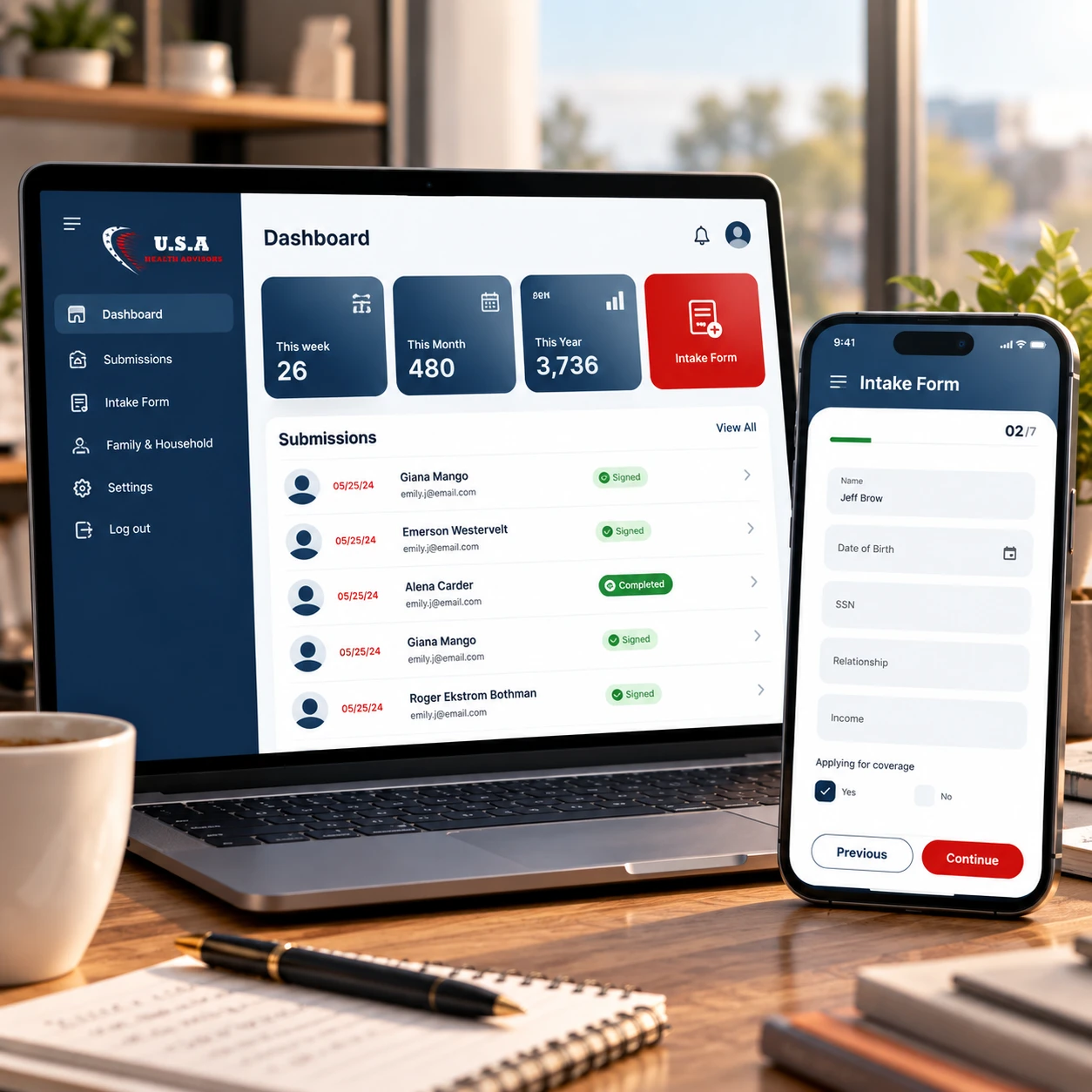
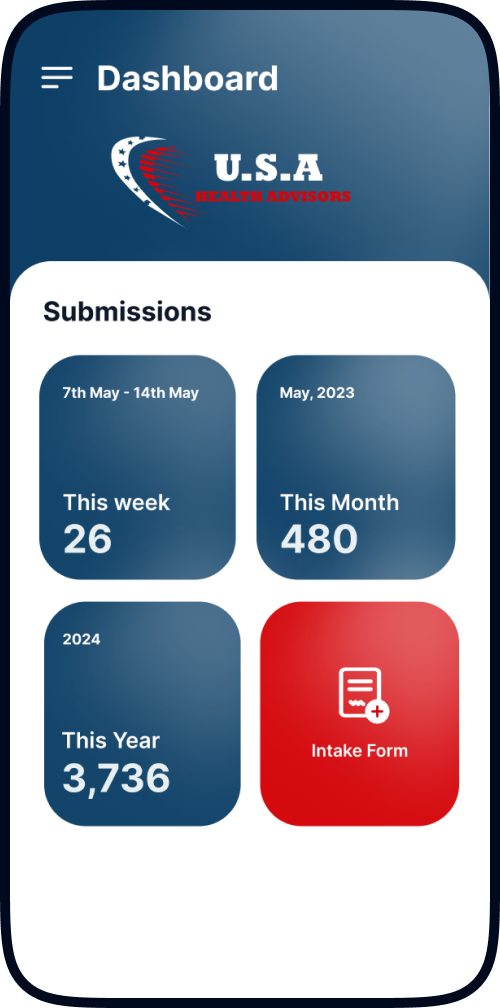
Agents log in to a dashboard showing their own submission counts for the current week, month and year, an immediate read on personal activity without opening a report. A new intake form launches directly from that screen, with everything else reachable from a side menu. The design assumption throughout is that an agent opens this app standing in someone's living room, so the path from launch to first form field is as short as it can be.
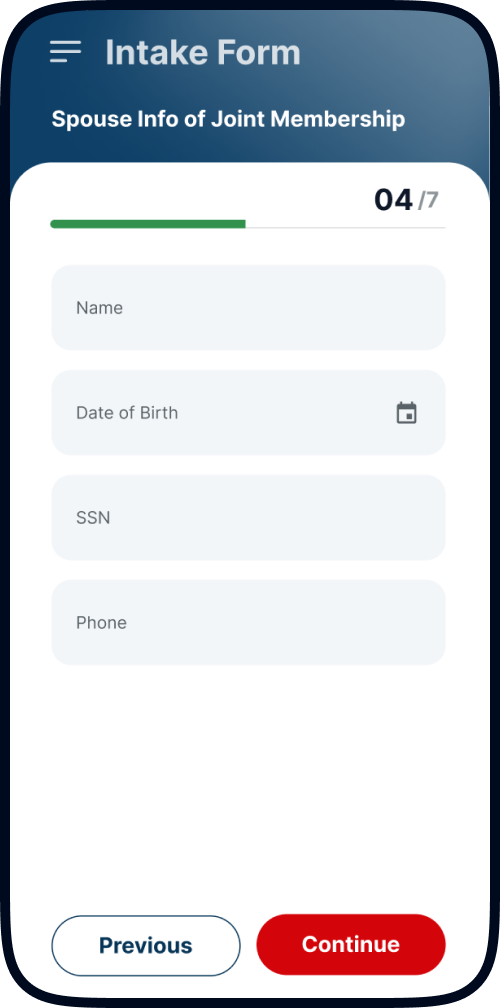
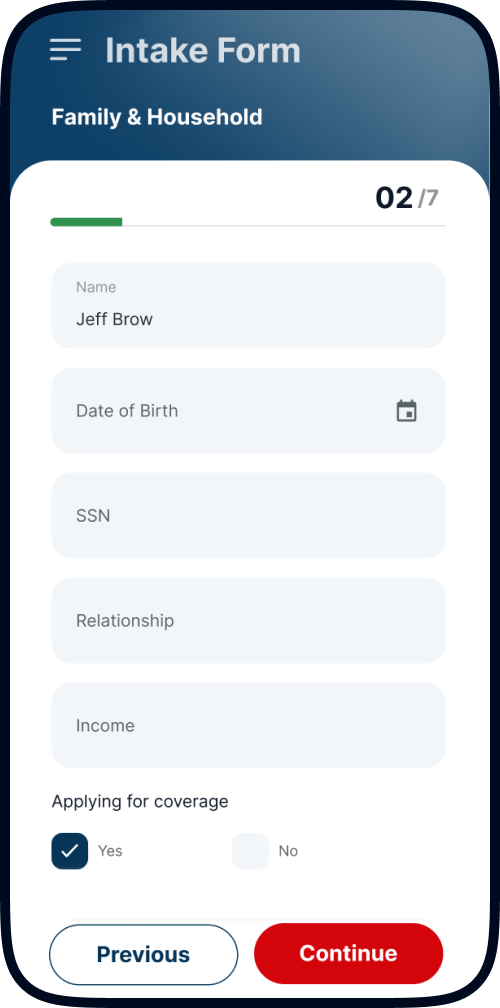
The intake form is the core of the application: a field agent intake form app structured as seven sequential steps, each covering one section of the customer's situation, from personal details, family and household, employment and health coverage through qualifying questions to the signature step. The agent completes it on the customer's behalf during the visit. Per-step validation catches missing required fields as the agent moves through rather than at the end, and local state persistence means an interrupted session resumes where it stopped. Both decisions exist for the same reason: a form that punishes interruption is a form that goes back to paper.
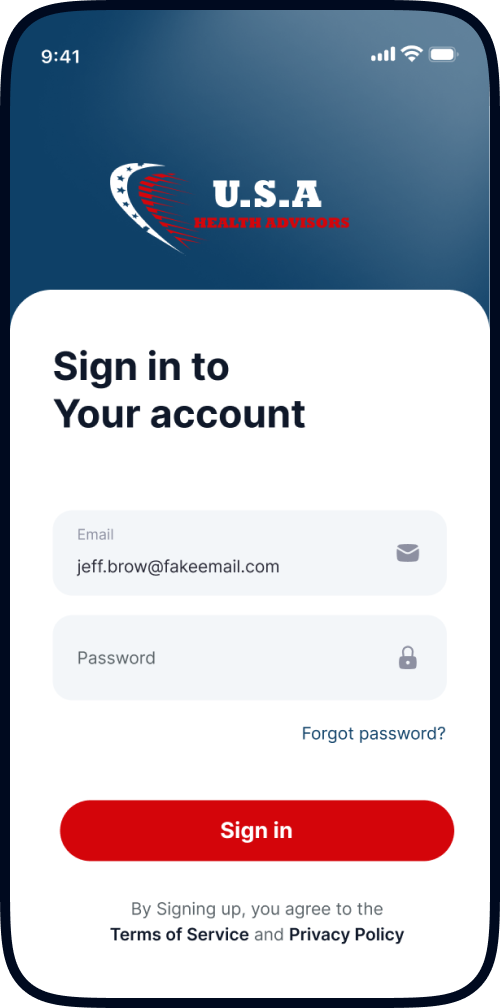
At the final step the agent collects signatures and dates from the customer and, where applicable, their spouse. Either the customer signs directly on the agent's device, or the agent triggers an email containing a link to a branded web page showing all the details the agent entered, laid out for review, with touch-friendly signature fields for customer and spouse. That page requires no login and no account. The remote e-signature workflow runs on a tokenised URL that carries the full form context, is valid only for the form it was generated against, and expires to prevent stale submissions being completed later. Whichever path is used, the result is the same fully signed submission recorded against the agent's account.
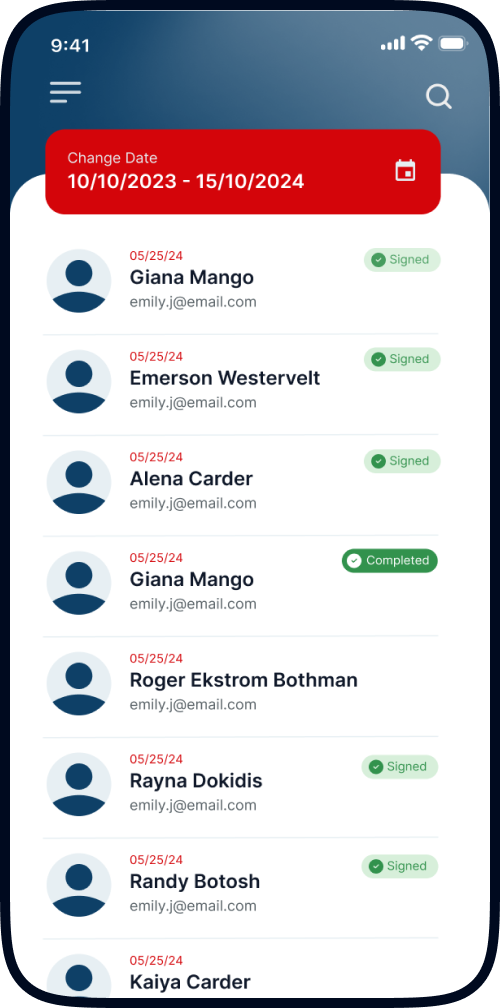
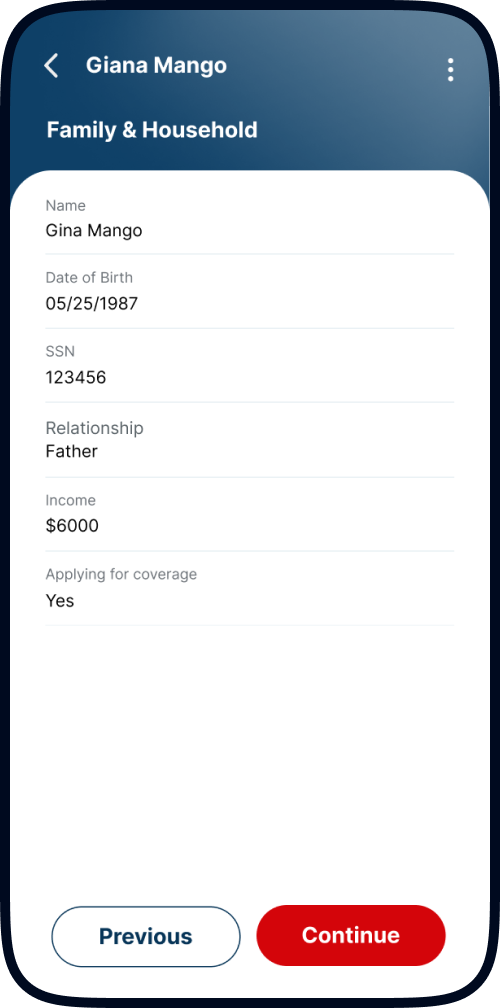
Agents get a searchable, date-filterable history of everything they have submitted, with each submission viewable in the same step-by-step layout as the original form. The practical value shows up when a customer calls with a question weeks later: the agent has the exact submission in front of them on the phone, rather than a memory and a filing cabinet at the office.
Administrators create agent accounts directly from the panel, with credentials emailed automatically to both the administrator and the new agent on creation, removing the onboarding round trip for a business that adds field staff regularly. The agent listing searches and filters by name and status, with individual profiles showing full activity including customers served. The customer listing covers everyone an intake form has been submitted for, filterable by submission date, agent and location, with any customer's form downloadable as a formatted PDF for print or filing. Email template management lets the team edit the content of every system-generated message, covering submission confirmations, agent onboarding and signature request links, and the terms of use and privacy policy served inside the agent app are maintained from the same panel. The panel and the customer signing page were both delivered through web application development, as separate front ends serving very different users.
Access control and application security were treated as structural rather than as a hardening pass: role scope enforced at the API, OTP verification on credential changes, and signing links valid only for the single form they were issued against. An agent reaches their own submissions and customer records only, while administrators see the platform. Agents manage their own profile, photo and password, with password changes running through an email-verified OTP flow, and can delete their own account through a confirmation step.
React Native mobile app development delivered the field application across iPhone, Android, iPad and tablet form factors from a single codebase, which matters when a field force buys whatever devices it already has. The customer-facing signing page is served as a separate web front end, over a NestJS and TypeScript backend on Node.js handling API requests, authentication, submission processing, email dispatch and PDF generation, with Socket.IO carrying live status updates as submissions and signature requests move through. Data sits in MongoDB with MySQL on Amazon RDS behind a Redis cache, files in Amazon S3, hosted on AWS EC2 on Ubuntu behind Nginx with PM2, CI/CD through GitHub Actions, and CloudWatch monitoring with AWS Backup Manager.
An agent signs in, sees their own submission counts on the dashboard, and launches a new intake form from the same screen. The seven-step form carries them through the customer's details one section at a time, and every submission stays searchable in the agent's history afterwards.
Take the free assessment right here and get an instant 100-point validation score plus a stage-by-stage diagnostic of exactly what to strengthen first.
USA Health Advisors replaced all of it with a seven-step digital intake and two ways to sign, and their admin team stopped chasing paperwork.
Intake Steps
7 validated
Signature Paths
2, one record

Discover your project budget with our interactive AI-powered app cost calculator.
| Layer | Technology |
|---|---|
| Field Mobile Application | React Native, TypeScript, across iPhone, Android, iPad and tablet |
| Mobile Navigation & State | React Navigation, React Redux |
| Customer Signing Page | Next.js, Tailwind CSS |
| Admin Panel | ⚠️ CONFIRM FRAMEWORK |
| Backend | NestJS, Node.js, TypeScript |
| Real-Time | Socket.IO, live status on submissions and signature requests |
| Databases | MongoDB (primary), MySQL on Amazon RDS |
| Cache | Redis |
| Object Storage | Amazon S3 |
| Document Generation | Server-side PDF generation with conditional section handling |
| Web Server / Process Manager | Nginx, PM2 |
| CI/CD | GitHub Actions |
| Monitoring & Backup | AWS CloudWatch, AWS Backup Manager |
| Hosting | AWS EC2, Ubuntu Linux |
The signing page and the admin panel are separate front ends because they serve people with nothing in common: one is a customer signing a single document, the other is an operations team managing a field force.
The build started from the existing paper form rather than from a feature list, because the intake structure was already settled by what the brokerage and its carriers required and the job was to move it rather than redesign it. The two signature scenarios, in-person and absent-signatory, were scoped together from the start so that both would land the same submission record rather than one being retrofitted onto the other later. UI/UX design then ran across four device form factors for the agent app plus a separate branded page for a customer who will see it once.
| Role | Responsibilities |
|---|---|
| N × Project Lead | Requirements, form mapping against the existing paper process, client sessions |
| N × React Native Engineer | Field application across four device form factors, form state persistence, signature capture |
| N × Frontend Engineer | Customer signing page and admin panel |
| N × Backend Engineer (NestJS) | API and access control, tokenised signing flow, PDF generation, email dispatch |
| N × UI/UX Designer | Agent form flow, signing page, admin interface |
| N × QA Engineer | Cross-device testing, both signature paths, PDF output across form states |
Testing a build like this means testing the combinations rather than the features: both signature paths, four device form factors, and a PDF template against every shape a partially completed form can take. Teams can be extended with that profile through our IT staff augmentation services, which place vetted engineers into an existing product team under the client's own sprint direction.
Agents complete a structured, validated intake form on their device in about the time the paper form used to take, and the result is a digital record available to the admin team immediately, with no transcription or scanning step in between. The remote signing path removed the second visit entirely: a submission completes as soon as both parties have signed, wherever they happen to be.
| Area | Before | After | What Changed |
|---|---|---|---|
| Form completion | Handwritten during the visit | Seven-step validated digital form | Errors caught while the customer is still present to answer |
| Getting a record back to the office | Physical transport, then transcription or scanning | Available immediately on submission | The delay between agreement and action disappeared |
| Absent spousal signature | Second visit, postal return, or a lost deal | Emailed link, signed remotely, no account needed | The single biggest workflow gap in the previous process |
| Agent recall of past submissions | Paper records at the office | Searchable in-app history in the original form layout | An agent can answer a customer's question on the phone |
| Metric | Before | After | Change |
|---|---|---|---|
| Chasing paperwork | Admin team pursued agents for completed forms | All submissions centralised on arrival | Removed an entire recurring administrative task |
| Document retrieval | Physical filing | On-demand PDF download, formatted for print or filing | Conditional template handles variable form completeness |
| Agent onboarding | Manual account setup and credential handover | Created from the panel with credentials auto-emailed | Faster addition of new field staff |
| Oversight | Visibility only once paperwork arrived | Real-time view of agent activity and customers served | Management sees the field force as it works |
Field applications built for the devices a team already carries.
Paper and spreadsheet processes rebuilt as systems the business runs on.
Related case study, replacing manual process with a custom system and a field app.
We grow strong with a 100% in-house team, 30+ years of industry expertise, and proven results. From concept to launch, we deliver innovation with precision and reliability.
Your idea is 100% protected by our non-disclosure agreement
Guaranteed expert consultation within 1 hour
Call directly: 1-609-919-9816
Get a free project estimate in under 60 minutes.
