Welcome to Blogs
Discover actionable insights, in-depth research, and expert perspectives, all in one place.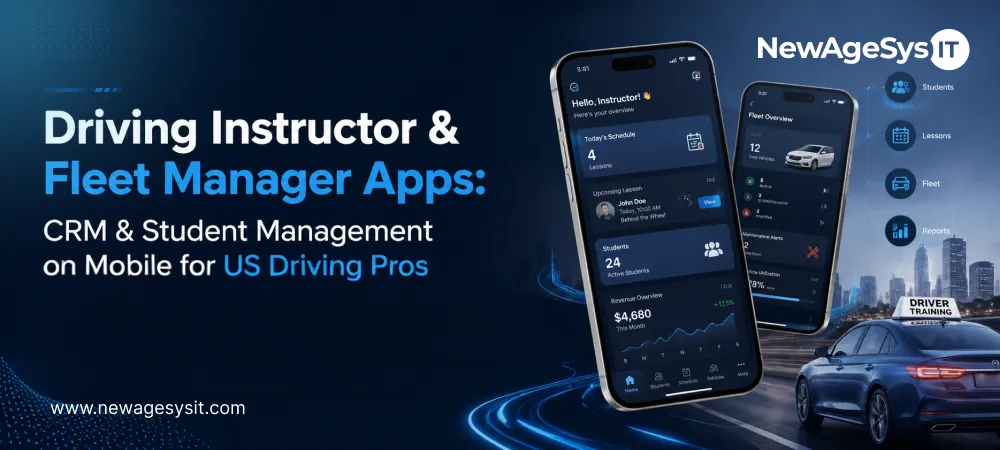
Driving School Software 6 min read
Driving Instructor & Fleet Manager Apps: CRM & Student Management on Mobile for US Driving Pros

| This article is part of our series on CDL Driving School Mobile Apps in the USA: Building Smarter Driver Training Experiences in 2026 |
An instructor app should start from the reality of the workday. Instructors are not sitting at desks. They move between vehicles, pickup points, student sessions, and range blocks. If their tools live in a desktop CRM, every lesson creates follow-up work later.
A driving instructor app in the USA should turn that fieldwork into a usable daily workflow. It should open with the day’s roster, pickup locations, and assigned vehicle. Student history should be one tap away before the lesson starts.
Fleet managers need the same mobile visibility for vehicle status, assignments, maintenance needs, and schedule gaps. CDL programs also need reliable field capture for FMCSA ELDT documentation.
This is why driving school mobile and web app development services should account for instructor workflows from the start. For CDL programs, custom CDL software and CRM development services should also support offline-ready logging for ranges and rural routes.
Instructor workflows work best when they connect with the student-facing side of the platform. For the student-side workflows, see Must-Have Features in Modern US Driving School Mobile Apps.
Daily Schedule and Student Roster Management
An instructor app built through custom software development should not make instructors search for the day’s work. It should open with the daily session brief.
That brief should show the student’s name, pick-up address, license type, training stage, assigned vehicle, and remaining hours. This removes the need for pre-session file review before every lesson.
Student profiles should be one tap away. Instructors need completed sessions, assessed skills, previous notes, current training objectives, and special instructions before the drive begins.
The app should also help manage the gaps between lessons. Late cancellations, open slots, and waitlisted students should be visible so instructors can recover productive teaching time.
Fleet managers need a wider schedule view. A web application multi-instructor dashboard should show instructor assignments, vehicle allocations, and available slots across the team.
Student contact should stay inside the app. In-app messaging keeps route changes, pick-up confirmation, and post-session feedback inside the school’s system.
BTW Session Logging and Skill Assessment on Mobile
BTW(Behind-The-Wheel) session logging is where instructor apps, built through custom mobile app development carry real compliance weight
Each lesson should be captured at the point of training, not reconstructed later from memory. The app should record start time, end time, vehicle used, route driven, skills practiced, and instructor notes.
The instructor-side workflow usually breaks into three parts.
Session Log Capture
The app should support one-tap session start and end. GPS timestamps can calculate duration automatically and reduce manual time-entry errors.
GPS route logging should also capture the route driven during the session. This adds objective geographic evidence to the BTW record and supports safety accountability.
Instructors should confirm the vehicle used before closing the session. That creates a vehicle-level record for DMV audits, fleet tracking, and internal review.
Skill Assessment on Mobile
After each session, instructors should rate core competencies on a defined scale. This can include mirror use, lane positioning, speed management, gap selection, intersection technique, parking, and emergency response.
Free-text notes still matter. They help capture specific incidents, student behavior, or coaching points that a checklist cannot explain.
Student Sign-Off and Compliance
Digital instructor sign-off across iOS app development and Android app development should confirm session completion and hour accuracy.
Some schools may also use student acknowledgment for logged hours. Once signed, BTW logs should become immutable session records. These are legal compliance records, and post-session edits can create compliance risk.
Once BTW logs and skill assessments are structured, AI can use that data for lesson planning and performance insights. That next layer is covered in AI & Automation in US Driving School Apps.
CDL ELDT Compliance Documentation on Mobile
For CDL programs, instructor apps need a deeper compliance layer.
Instructors should be able to check off ELDT theory and BTW curriculum elements as training happens. Each completed domain should include a digital instructor sign-off, creating a field-captured FMCSA compliance record.
CLP date tracking is also important. The app should alert instructors when a student has not held a Commercial Learner’s Permit for the required 14 days. That helps prevent premature BTW training.
CDL skill assessments should be separate from standard driving evaluations. Backing maneuvers, coupling/uncoupling, pre-trip inspection, and on-road driving need CDL-specific competency ratings.
Offline ELDT logging is non-negotiable. CDL range training and rural on-road sessions often happen in low-connectivity areas. The app should capture logs offline and sync reliably when connectivity returns.
Fleet managers and coordinators also need visibility into TPR submissions. They should see which student records are complete, pending, or successfully submitted to the FMCSA Training Provider Registry.
Fleet Management Features for Driving School Apps
Fleet managers need mobile visibility because vehicle issues rarely wait for someone to return to a desk.
A fleet manager app should show which vehicle is assigned to each instructor. It should also show the expected location and return time. This helps larger schools coordinate vehicles across lessons, road routes, and CDL range sessions.
The app should also support:
- Vehicle maintenance tracking: Mileage-based and time-based alerts for oil changes, inspections, tire rotation, and insurance renewals.
- Incident reporting: Mobile reports with photos for damage, minor contact, mechanical issues, or safety concerns.
- Fuel and mileage logging: Instructor-submitted fuel entries and odometer readings after assigned sessions.
- Vehicle availability status: Marking vehicles unavailable for maintenance, repair, or inspection with an expected return date.
This gives operations teams cleaner fleet visibility. It also helps prevent vehicle availability problems from disrupting the training schedule.
Build vs Buy for Driving Instructor Apps
Off-the-shelf tools can work when the need is simple scheduling.
Acuity supports online booking, reminders, payments, and scheduling automation. Driving School Manager supports bookings, instructor schedules, student records, payments, websites, and notifications.
Those tools can help with general operations. The gap appears when the workflow becomes driving-school specific.
BTW compliance logging, GPS route records, skill assessments, and instructor sign-off often need deeper customization. For CDL programs, the gap is usually larger.
White-label tools can shorten launch time, but they often create CDL workflow gaps. If the app lacks ELDT documentation, TPR-ready records, or offline range logging, your team creates workarounds. Those workarounds often mean spreadsheets, paper logs, and admin follow-up.
Custom development makes more sense when your school needs FMCSA TPR integration from the instructor app. It also fits when you need a branded instructor experience or integration with a custom student-facing platform.
A branded instructor app can also signal operational maturity. It shows instructors that the school has invested in field-ready tools, not only student-facing convenience. That can help attract instructors who want better daily workflows and reduce frustration for the existing team.
Cost should be part of the decision. A scheduling tool is cheaper upfront. A custom instructor app costs more, but it can reduce manual workarounds when compliance, offline access, and fleet workflows matter.
Final Thoughts
A strong instructor and fleet manager app gives your team more than mobile access. It helps instructors manage training as it happens. Fleet managers also get clearer visibility into vehicles, schedules, and operational gaps.
Daily schedules, student rosters, digital BTW logging, vehicle status, and CDL ELDT documentation should all work from the field.
Paper logs and generic tools create too much room for delays, missing context, and record gaps. Purpose-built mobile tools help teams produce more consistent compliance documentation and faster administrative turnaround.
If your driving school is equipping instructors with mobile tools, start with the workflows that protect training quality. BTW logging, skill assessment, fleet dispatch, and CDL documentation should be planned before the app is built.
Working with an experienced driving school technology partner helps align instructor tools with operational and compliance requirements. Learn more about digital transformation solutions from a leading AI software company in the United States.
Core Development
Keep exploring the custom services.

AI Software Development
Custom AI Software Development
Build intelligent, production-ready software from machine-learning models to AI-driven automation designed around your business goals.
Learn more
Mobile App Development
Custom Mobile Application Development
Native and cross-platform mobile apps that are fast, secure, and built to scale across iOS and Android.
Learn more
Web App Development
Custom Web Application Development
Scalable, secure web applications, from customer portals to complex dashboards, tailored to how your business actually works.
Learn more