Welcome to Blogs
Discover actionable insights, in-depth research, and expert perspectives, all in one place.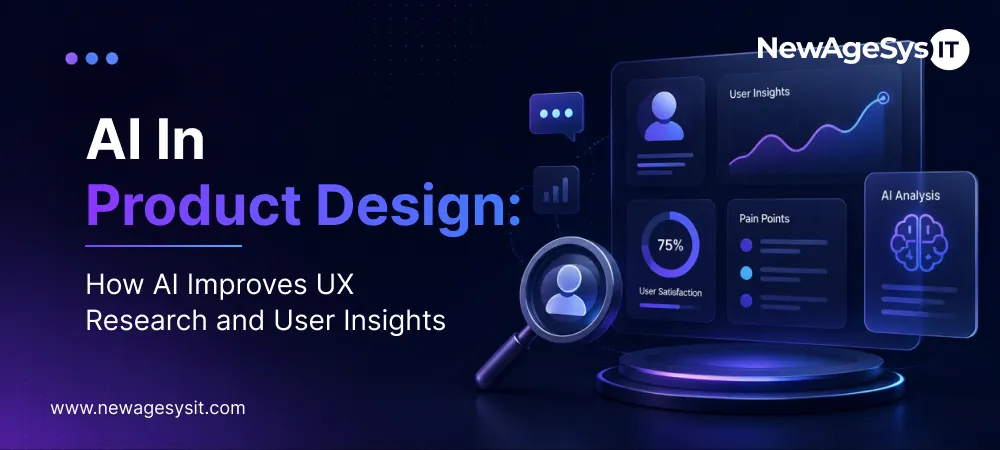
Artificial Intelligence 9 min read
AI in Product Design: How AI Improves UX Research and User Insights

| This article is part of our series on AI-Powered Product Development: How Companies Build Smarter Digital Products Faster |
AI in Product Design is changing how product teams understand their users. Most teams still make design decisions on incomplete information. They run a few interviews. They review session recordings manually. Features get built for users who were never properly understood.
That gap is closing. Product teams now use AI UX research tools to understand users at a depth and speed that was not possible five years ago.
Many product teams first explore AI-powered product development broadly before focusing on AI-driven UX research and design workflow. This article goes deep on the design and research side, where AI is delivering the fastest, measurable wins. Teams looking to implement AI effectively often start with custom software development services or custom mobile app development to build the right foundation.
What is AI in Product Design?
AI in product design uses machine learning, behavioral analytics, and data analysis tools to understand how users interact with digital products. It supports design teams by processing large volumes of user data, identifying patterns, and surfacing insights that inform design decisions.
The technology stack typically includes machine learning models that detect behavioral patterns. Natural language processing analyzes user feedback and support conversations. User interaction analytics capture every meaningful event inside a product. Together, these tools give design teams a continuous, evidence-based view of how products actually perform in the hands of real users.
Companies adopt AI-driven product design for three core reasons. It shortens the time between observation and action. It removes the bias of small sample sizes. And it lets design teams personalize experiences at a scale that manual research cannot reach. The result is a tighter feedback loop between user behavior and product decisions.
Why Traditional UX Research Falls Short
Traditional UX research has a scale problem. A team can interview ten users. They can run a usability test with thirty participants. That is not enough data to build reliable conclusions.
Insights are also slow. By the time research wraps up and findings get presented, weeks have passed. The product has already moved on.
AI fixes both problems. It processes behavioral data from thousands of real sessions and surfaces insights in near real time. It tracks what users actually do, not what they say they do.
How AI Behavioral Analytics Works in Practice
Machine learning UX analysis sits between your product and your design team. It captures every user interaction. Every click, scroll, form field touched, and point where a user stopped and left.
The AI layer processes that raw event data and looks for patterns. It clusters users by behavior type. It identifies which paths lead to conversion and which lead to drop off. It flags sessions where users showed signs of frustration, like rage clicks or repeated failed attempts.
This is not just reporting. Traditional dashboards show what happened. AI behavioral tools show why it likely happened and where to focus next.
What Teams Actually Learn From This Data
At the feature level, AI user insights tell you which features get used, by whom, and how often. They show which features users try once and abandon. That is useful prioritization data.
At the flow level, the data reveals exactly where users drop off in onboarding, checkout, or activation. The drop-off point is specific. It is a screen, a field, a moment. At the cohort level, behavior is separated by segment automatically. Power users move through the product differently from new users, and AI groups them cleanly.
Heatmaps, Clickstream Tools, and Session Intelligence
Heatmaps powered by AI go beyond click tracking. Earlier tools showed where users clicked. AI heatmaps aggregate that data across segments and surface statistically significant anomalies automatically.
A designer no longer has to stare at a heatmap and guess whether a pattern matters. The AI flags it. It shows that users in a certain segment consistently avoid a navigation element the team assumed was working.
Clickstream Analysis at Scale
Clickstream tools trace the full path a user takes through a product. AI makes clickstream analysis practical at scale. The tool identifies the most common journeys, the most common exit points, and the journeys that correlate most strongly with retention.
Product teams use clickstream analysis to validate whether users take the paths designers intended. Often they do not. The intended flow is logical on paper. The actual flow shows users finding workarounds or getting stuck at steps the team thought were obvious.
Session Recordings With AI Tagging
Session recording tools now use AI to tag and categorize recordings automatically. Instead of watching hours of recordings, a designer filters for sessions tagged as high frustration or sessions where users hit an error. They can also pull sessions from users who churned within 48 hours. The AI handles the triage; the designer handles the interpretation.
AI Product Design Tools and AI Design Assistants
AI product design tools have moved into the core of the design workflow. They are no longer add-ons. For many product teams, they are now the starting point for early-stage design work.
Wireframing and Prototype Generation
AI design assistants generate wireframes from text descriptions. A product manager types a brief description of a screen’s purpose, and the AI produces a structural layout. The designer refines it.
For teams running short sprints, this matters. A design concept that took two days to wireframe can be ready for review in a few hours. More concepts get explored, and better ideas surface earlier.
Layout Suggestions and Design Variants
AI tools suggest layout variations based on content type and intended user action. They recommend placement for calls to action based on where users typically look. They flag layouts likely to create visual confusion.
Some AI product design tools now pull in behavioral data directly. They recommend layouts based on what has performed well with similar user cohorts. Design decisions get grounded in evidence, not preference.
Accessibility and Contrast Checking
AI design assistants run accessibility checks automatically. They flag contrast ratios that fail WCAG standards. They identify interactive elements too small for reliable touch input on mobile. These checks used to require a separate audit step. Now they happen inside the design tool in real time.
Designing for Personalization From Day One
Personalization used to be added late in the product cycle. It was complex to implement and required significant data. AI has changed both constraints.
Modern AI systems personalize experiences with relatively small data sets. They adapt onboarding based on a user’s role or first-session behavior. They surface different features to different segments.
The implication is clear. Personalization should be designed into the product architecture early, not bolted on later. Users who get a personalized experience engage more, return more often, and hit activation milestones faster.
Key Benefits of AI in Product Design
Teams that adopt AI in their UX research and design process see measurable gains across four areas:
• Faster insight cycles. Behavioral data that took weeks to analyze now surfaces in hours.
• Stronger evidence base. Decisions get backed by real behavior at scale, not small interview samples.
• Better engagement and retention. AI-driven personalization lifts activation rates and reduces churn.
• Higher design throughput. AI product design tools speed up wireframing and prototyping, freeing designers for strategic work.
These gains compound over time. Teams that invest early build a research and design feedback loop that competitors find hard to match.
Challenges of Using AI in Product Design
AI tools deliver speed and scale, but they introduce real challenges that design teams need to plan for.
Poor data quality is the most common limitation. AI models reflect the data they read. If event tracking is incomplete or inconsistent, the insights will be too. Many teams also lack in-house AI expertise. Designers and researchers know their craft, but interpreting model outputs and understanding the limits of automated analysis requires new skills.
Tool integration adds friction. AI platforms rarely work in isolation. They need to plug into existing analytics, design platforms, and product pipelines, and that work is not trivial. Overreliance on automation is another risk. When teams stop questioning AI outputs and treat them as ground truth, blind spots widen.
Privacy and ethical concerns sit on top of all this. Behavioral tracking handles sensitive data, and teams must build human oversight into every layer of an AI workflow.
How Product Teams Are Putting AI UX Research Into Practice
The teams getting the most value from AI UX research follow a consistent pattern. They start with a specific question, not a general ambition to use AI.
Useful starting questions: where are users dropping off in onboarding? Which features are ignored by our highest-value segment? AI tools surface specific answers fast.
High-performing product design teams typically structure their AI UX research like this:
• Define the research question first. AI tools produce a lot of data; without a clear question, teams drown in it.
• Set up behavioral event tracking properly. AI is only as good as the data it reads.
• Segment users before analyzing. Aggregate data hides patterns that matter.
• Combine AI insight with qualitative research. AI tells you where users struggle; interviews tell you why.
• Act on findings in the current sprint. Insights lose value quickly; the closer the action is to discovery, the faster the learning loop.
The Future of AI in Product Design
AI in product design is moving from analysis to creation. The next few years will reshape how teams build and test interfaces.
AI-generated design prototypes are already replacing early-stage manual work. Designers will input a brief, and the tool will produce multiple production-ready prototype variations within minutes.
Predictive UX insights will go further than today’s behavioral reporting. Instead of explaining what users did, AI will forecast what they are likely to do. Teams can then prevent friction before it appears in the data.
Automated usability testing is on the same track. AI agents will simulate user behavior at scale, surfacing usability issues without the cost of recruiting human testers for every change.
AI design assistants will sit alongside designers as standard tools, much like spell-checkers in writing. Teams that learn to work with them well will ship faster and make sharper decisions.
Final Thoughts
AI does not replace good design judgment. It removes the conditions that lead to bad design judgment. Without real behavioral evidence and time for proper research, teams make expensive mistakes.
AI in Product Design closes those gaps. Behavioral data becomes abundant, evidence surfaces fast, and designers get the inputs they need to make sharper calls. Working with experienced AI software development experts ensures your product design, research, and development workflows are built on a solid technical foundation.
If your team is evaluating AI UX research and design tools, start with one workflow where the gap between effort and insight is widest. That is where AI delivers the fastest return.
Core Development
Keep exploring the custom services.

AI Software Development
Custom AI Software Development
Build intelligent, production-ready software from machine-learning models to AI-driven automation designed around your business goals.
Learn more
Mobile App Development
Custom Mobile Application Development
Native and cross-platform mobile apps that are fast, secure, and built to scale across iOS and Android.
Learn more
Web App Development
Custom Web Application Development
Scalable, secure web applications, from customer portals to complex dashboards, tailored to how your business actually works.
Learn more