
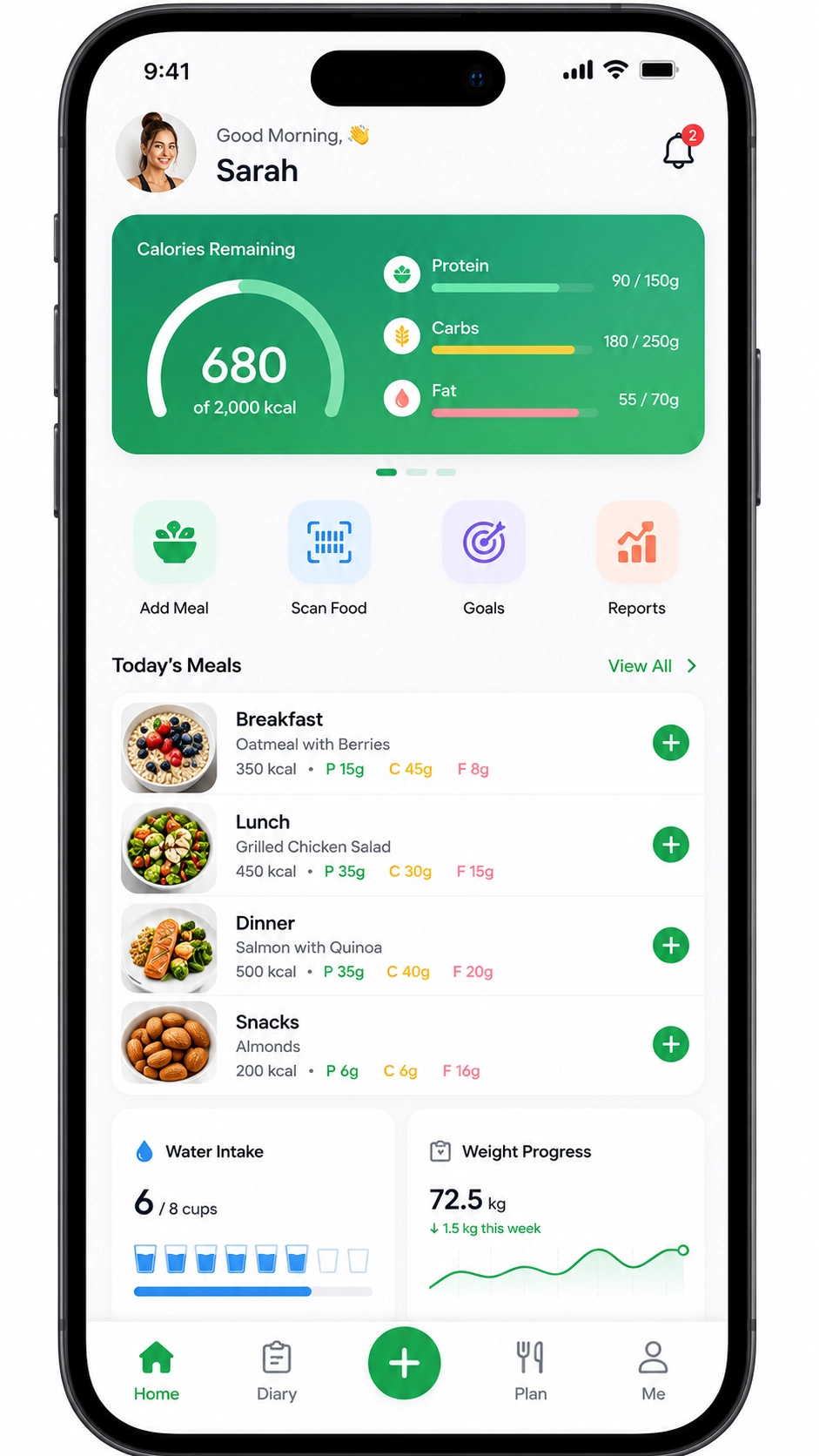
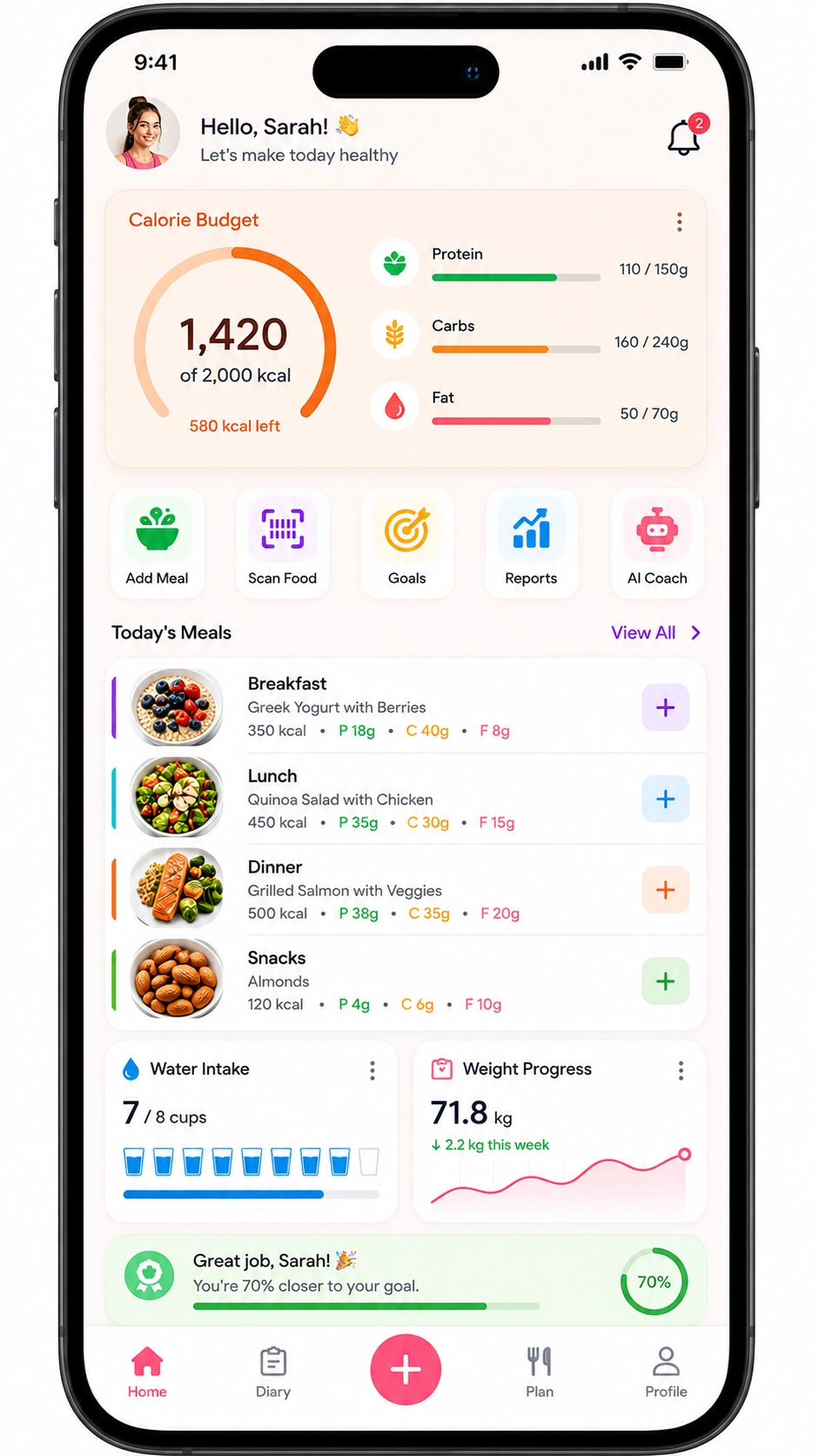


Differentiate with low-friction “Zero-Type” logging, using AI photo recognition, voice, or natural language, plus wearable sync.
In the United States in 2026, a basic MVP costs $15,000 to $40,000. Cost scales up from there based on AI logging and wearable depth.
- This guide covers the full path from idea to a launched US diet app. It includes food-data strategy, AI logging, features, tech stack, cost, timeline, and compliance.
- The calorie-counter app market reached $4.14 billion in 2026. MyFitnessPal alone has over 280 million users. This is the year of Zero-Type logging, where AI photo and voice input is the real differentiator.
- This guide is written for health-tech founders, nutritionists, and fitness brands. Product managers and CTOs will also find it useful, whether the goal is a pure tracker like Lose It! or a coaching program like Noom.
- By the end, readers should be able to scope a build. They should also be able to set a budget and brief a build clearly.
Two master decisions run through everything here. The first is your food-data strategy. The second is your logging experience, manual versus AI. Getting both right shapes every stage of custom nutrition app development, from architecture to launch.
What Is a Diet / Calorie Tracking App?
A diet or calorie-tracking app is a mobile application that helps users log food intake. It manages nutrition goals through a food database and fast logging. Logging methods include manual search, barcode scanning, or AI photo and voice recognition. Calorie and macro tracking, goal setting, and progress analytics round out the core. This spans pure trackers like MyFitnessPal and Lose It!, and micronutrient-focused apps like Cronometer. Behavioral coaching programs like Noom sit at the other end of the spectrum.
These apps handle several jobs at once. Food logging is the core loop users repeat daily. A food-database lookup calculates calories, macros, and often micronutrients. Goal setting covers TDEE, target weight, and macro splits. Progress dashboards, reminders, and wearable or activity sync close the loop. Some apps add coaching and meal planning on top.
One distinction matters most here. A pure tracker, like MyFitnessPal, Lose It!, or Cronometer, is a fast and accurate logging tool. A coaching program, like Noom, is different. It blends psychology and behavior change with lessons and human or AI coaches. Treat it as a program, not a tracker.
The 2026 logging spectrum runs from manual search to barcode scanning to AI photo, voice, or natural-language input. That last stage is often called Zero-Type logging. Some apps, like MacroFactor, add adaptive target recalculation on top of this spectrum. The food database and logging speed are what determine whether users stick around. Strong food data and fast logging are also the foundation of effective nutrition software and CRM solutions.
Why Build a Diet / Calorie Tracking App in 2026? US Market and Opportunity
You build a diet app in 2026 because demand is large and shifting fast toward AI. The calorie-counter app market reached $4.14 billion in 2026, growing roughly 9.3% a year, according to Business Research Insights. MyFitnessPal has more than 280 million users. AI-assisted tracking holds behavior change at 64% over six to twelve months. Manual tracking holds only 23% over the same period, per JMIR research.
Logging speed drives that gap directly. Database-search trackers average about 47 seconds per item logged. AI natural-language apps cut that down to roughly 8 seconds. Willingness to pay is strong too, with premium tiers running $9.99 to $19.99 monthly. Noom charges closer to $209 a year for its coaching program.
$4.14B
The calorie-counter app market reached $4.14 billion in 2026, growing roughly 9.3% a year, according to Business Research Insights.
280M+
MyFitnessPal has more than 280 million users, the clearest proof of mass-market demand for calorie tracking.
64%
AI-assisted tracking holds behavior change at 64% over six to twelve months. Manual tracking holds only 23% over the same period, per JMIR research.
8 sec
Database-search trackers average about 47 seconds per item logged. AI natural-language apps cut that down to roughly 8 seconds.
FSA and HSA reimbursement eligibility adds a real US distribution advantage. Both MyFitnessPal and Noom already qualify for this in the United States. Incumbents own broad tracking, so the real opportunity sits elsewhere. Low-friction AI logging is one clear gap. Niche audiences are another, including athletes needing macro precision, diabetics needing clinical accuracy, and GLP-1 users.
The GLP-1 wave, driven by drugs like semaglutide and tirzepatide, is actively reshaping nutrition app demand. Apps built around that shift, or around specific cuisines, regions, or privacy-first design, have real room to grow.
Micronutrient precision is another underserved niche worth naming directly. Cronometer already proves demand exists for lab-verified, 80-plus-nutrient accuracy among serious athletes and clinical users. A newer entrant targeting that same precision niche, but with faster AI-assisted logging layered on top, has a genuine opening. That combination, accuracy plus speed, is rare among current market leaders. Most incumbents chose one strength over the other rather than building both from day one.
Share your idea, and let’s build the best diet app ever!
What Types of Diet / Nutrition Apps Can You Build?
The main types are calorie and macro trackers, micronutrient-precision apps, and AI photo-logging apps. Behavioral coaching programs and nutritionist or meal-planning tools round out the list. MyFitnessPal and Lose It! define the tracker category. Cronometer leads on micronutrient precision. Cal AI represents the photo-logging approach, and Noom defines coaching. Each type carries a different data strategy, logging experience, and cost profile.
Type determines data and AI scope more than almost anything else. A pure macro tracker is lighter to build than an AI photo-logging app, since that adds computer vision and GPU costs. A coaching program adds its own weight too, through content, coaches, and behavior science work.
Calorie & Macro Trackers
A macro tracker MVP typically falls in the $15,000 to $40,000 range. These apps focus on fast logging against calorie and macro goals, usually with barcode scanning built in. MyFitnessPal and Lose It! are the defining examples of this core category.
Micronutrient-Precision Apps
A micronutrient-precision build typically runs $40,000 to $90,000, given the added data verification work. These apps track 80 or more nutrients using lab-verified data, built for clinical or diabetic accuracy. Cronometer is the clearest example, often pulling from USDA FoodData Central.
AI Photo-Logging Apps
An AI photo-logging build typically starts at $90,000, given the computer vision and GPU costs involved. Users snap a photo and get an instant calorie and macro estimate. Cal AI represents this category, built on computer vision and LLM vision models. This is the lowest-friction option, but also the heaviest to build.
Behavioral Coaching Programs
A coaching-program build typically runs $60,000 to $120,000, given the added content and behavior-science work. These combine psychology lessons with human or AI coaching and community support. Noom is the reference point here, often incorporating behavioral science and GLP-1 context. This is a program, not a simple tool.
Nutritionist & Meal-Planning Tools
A nutritionist or meal-planning tool typically runs $40,000 to $80,000, depending on client-management complexity. These serve dietitians and their clients directly, with meal plans and live chat built in. This category focuses more on B2B and clinical users than consumer-facing apps.
How Do You Choose a Food Database and Build the Logging Engine?
You choose a food database by licensing a commercial API, using a free government source, or building proprietary data.
License a Commercial API
Licensing a commercial API is the quickest way to a broad, ready-made food database. Nutritionix offers over a million verified and restaurant items through licensing.
Free or Open-Source Data
USDA FoodData Central is free, US-based, and authoritative for whole foods. Open Food Facts is open-source, with more than 2.3 million global packaged products, searchable by barcode.
Build Proprietary Data
Building your own data is the premium route. A proprietary, verified database costs more but creates a real quality moat, similar to Cronometer’s edge.
Accuracy and breadth pull in different directions here. Crowdsourced data like Open Food Facts carries real inconsistency risk. Verified data is the premium play, and it matters more outside the US, where coverage varies widely by region.
This data decision also shapes what your computer vision layer can actually do later. A thin, inconsistent database gives AI photo recognition weak ground truth to match against, no matter how good the underlying model is. A strong food-data foundation, whichever source you pick, is what makes every later logging feature genuinely reliable rather than a novelty.
The logging engine is the second half of this decision, and it’s just as important. Barcode scanning is reliable for packaged foods and a safe starting point. AI photo recognition enables snap-and-track logging, but accuracy ranges from 75% to 97% depending on food complexity. It drops to roughly 50% on complex homemade meals. Photo recognition also adds 30% to 50% to development time, plus ongoing GPU and LLM costs.
Natural-language and voice input is the fastest option available today. It logs food in roughly 8 seconds, against about 47 seconds for manual search. Low-friction logging is the real retention battle in this category. The app users actually keep using is the one that wins. Every later feature depends on this foundation, making it central to custom software development.
What Features Does a Diet / Calorie Tracking App Need?
A diet app needs, at minimum, fast food logging backed by a food database. It also needs barcode scanning, calorie and macro tracking, and goal setting around TDEE, weight, and macros. Progress dashboards, reminders, and user accounts round out the core list. Advanced builds add AI photo and voice logging, wearable sync, adaptive targets, meal planning, and AI coaching.
Core or MVP Features
Must-haveFood logging paired with database search, typically through Nutritionix, is the foundation of the entire app. Barcode scanning speeds up packaged-food entry considerably. Calorie and macro tracking calculates totals against the user’s daily goals. Goal setting around TDEE gives users a personalized daily target. Progress dashboards visualize trends over time in a readable format.
Reminders keep users logging consistently without becoming intrusive, typically delivered through the Apple Push Notification service. User accounts, typically through Firebase Auth, secure each user’s data properly. Stripe usually handles payment processing for any premium tier, with RevenueCat managing subscription logic across iOS and Android.
Health-Data and Engagement Features
RetentionWearable and activity sync, through Apple HealthKit, Google Fit, or the Fitbit API, closes the energy-balance loop. Streaks should stay supportive rather than punitive, celebrating consistency without shaming a missed day. Social sharing adds a light community layer for users who want it. Water and fasting tracking, including a simple fasting timer, round out this tier for many users.
Advanced / Differentiating Features
AdvancedAI photo and voice logging, built on computer vision and the OpenAI API, cuts logging friction dramatically. Many teams run this recognition on-device through TensorFlow Lite or Core ML, keeping food photos private and avoiding per-inference fees.
Adaptive targets recalculate calorie and macro goals from real weight and intake trends. Meal planning and micronutrient tracking extend the app well beyond basic counting. AI coaching, built on an LLM, can offer personalized guidance within safe limits.
Wellbeing safeguards belong here as a real requirement, not an afterthought. Healthy minimum-calorie guardrails should prevent users from setting unsafe targets. Non-restrictive defaults and language that avoids moralizing food both matter throughout the app. Signposting professional help, when usage patterns suggest it, protects users genuinely at risk.
What actually retains users
Logging speed and accuracy form the retention core. Minimize taps at every step.
Supportive, non-restrictive design is equally non-negotiable, covered fully in the section ahead. Wearable and activity sync closes the energy-balance loop for users tracking both intake and output.
Adaptive targets, in the style of MacroFactor, are a genuine 2026 differentiator.
How Do You Build a Diet / Calorie Tracking App? Step by Step
You build a diet app in seven stages. Define the niche and MVP first. Choose the food-data strategy and logging approach next. Design fast, supportive logging UX. Choose a cross-platform tech stack and AI approach. Develop the app, backend, database integration, and tracking logic. Test logging accuracy, wearable sync, and edge cases. Deploy to the App Store and Google Play, then iterate with analytics.
Define Niche & MVP
Decide on your target audience and the one core logging loop you’ll build first. Draw a clear feature cut-line for launch, and resist adding barcode or AI logging at this stage. Validating the core logging loop before adding AI or barcode features saves real time and budget. This stage produces the PRD every later decision depends on. It should be specific enough that a developer could start work from it directly.
Choose Food-Data Strategy & Logging
Pick Nutritionix, USDA FoodData Central, or Open Food Facts as your data source. Decide whether MVP logging starts manual, with barcode and AI layered in later as the product grows.
Design Fast, Supportive Logging UX
Minimize taps at every step of the logging flow. Build in healthy defaults from the start, not as a later patch. Wireframe the full flow in Figma before writing any code.
Choose Tech Stack & AI Approach
Select React Native or Flutter for cross-platform mobile, since both cut build cost meaningfully versus native development. Decide between on-device AI, using TensorFlow Lite or Core ML, and cloud-based AI. On-device keeps data private with no per-inference cost, which matters for a health app handling sensitive data. Cloud ships faster and updates more easily, without needing a separate release for every model improvement. Most apps land on a hybrid approach, running simple recognition on-device and complex cases in the cloud.
Develop App, Backend, Database & Tracking Logic
Build the frontend, a Node.js backend, and a PostgreSQL database together. Wire in the food-database API, tracking logic, and billing through Stripe. This stage produces the working core product.
Test Logging Accuracy, Wearable Sync & Edge Cases
Test food-database accuracy across a wide range of real entries, including homemade and mixed dishes where accuracy typically drops. Test wearable sync across Apple Health, Google Fit, and Fitbit devices under real-world conditions, not just a demo account. Run load testing to catch edge cases before launch, particularly around barcode misreads and photo recognition failures.
Deploy & Iterate
Submit to App Store Connect and Google Play Console for store review. Use analytics from day one to guide the ongoing AI feature roadmap.
What Tech Stack Is Used to Build a Diet / Calorie Tracking App?
The dominant 2026 tech stack for a US diet app starts with React Native or Flutter for mobile. Native iOS in Swift is worth considering where Core ML integration matters most. Node.js or Python runs the backend, with PostgreSQL handling data. AWS, Google Cloud, or Azure covers hosting.
A food-database API, Nutritionix, USDA FoodData Central, or Open Food Facts, anchors the data layer. Apple HealthKit, Google Fit, and the Fitbit API handle activity sync. TensorFlow Lite or Core ML power on-device AI, with cloud vision or LLM APIs as the alternative. Stripe, paired with RevenueCat, manages subscriptions.
| Layer | Recommended Tools | Why It Matters |
|---|---|---|
| Mobile Frontend | React Native, Flutter, Swift for native iOS | Cross-platform reach, native option for camera-heavy AI |
| Backend | Node.js, Python | Scalable APIs, Python common for AI workloads |
| Database | PostgreSQL | Reliable, structured storage for logs and users |
| Cloud | AWS, Google Cloud, Azure | Managed hosting and scaling |
| Food-Database API | Nutritionix, USDA FoodData Central, Open Food Facts | The core data backbone of the app |
| Health & Wearables | Apple HealthKit, Google Fit, Fitbit API | Closes the energy-balance tracking loop |
| AI Layer | TensorFlow Lite, Core ML, cloud vision or LLM APIs | Powers photo and voice logging |
| Subscriptions | Stripe, RevenueCat | Handles billing and premium tiers |
| Barcode Scanning | Native camera APIs, ML Kit | Fast, reliable input for packaged foods |
| Notifications | Apple Push Notification service, Firebase Cloud Messaging | Drives consistent daily logging |
| Analytics | Mixpanel, Amplitude | Guides the ongoing feature and AI roadmap |
Two architecture decisions matter more than the rest here. The food-database integration is your entire data backbone, so choose it carefully. On-device versus cloud AI for photo and voice logging is the second.
On-device keeps data private with no per-inference fee. Cloud is faster to ship and easier to update later. Most teams land on a hybrid setup. Cross-platform frameworks typically cut mobile build cost 30% to 40% versus native.
Most diet apps include both web application development for the admin or dietitian portal and mobile app development for the user-facing consumer experience, both served from the same backend.
What AI and Automation Features Belong in a 2026 Diet App?
The AI features that define a competitive 2026 diet app start with photo recognition for snap-and-track logging. Natural-language and voice food logging come next. Adaptive calorie and macro targets, recalculated from weight and intake trends, add real value too. AI nutrition coaching, built on LLMs like GPT-4o or Claude, and personalized meal suggestions round this out.
AI-powered photo recognition
Photo recognition consumes food images and returns a calorie and macro estimate. Accuracy ranges from 75% to 97% depending on food complexity. It drops to roughly 50% on complex homemade meals. This capability runs through computer-vision models, either on-device via Core ML and TensorFlow Lite, or in the cloud.
Natural-language and voice logging
Natural-language and voice logging is the 2026 differentiator. It cuts logging time to roughly 8 seconds and lifts retention because users who can log quickly actually keep logging. The cost tradeoff is real too. GPU and LLM operating costs for AI coaching run around $2.50 per million tokens.
Adaptive calorie and macro targets
Adaptive targets deserve their own mention here, since they work differently from logging features. Rather than recognizing food, this feature analyzes a user’s actual weight and intake trends over time. It then recalculates calorie and macro targets automatically, rather than leaving a static goal in place indefinitely. This is a lighter AI lift than photo recognition, but it meaningfully increases perceived personalization for users.
Keep AI coaching supportive and safe
AI coaching must give supportive, non-restrictive guidance at all times and must never suggest harmful or extreme dietary restriction, regardless of how a user phrases the request. This ties directly back to both cost and the on-device-versus-cloud decision covered earlier.
How Much Does It Cost to Build a Diet / Calorie Tracking App in the US? (2026)
In the United States in 2026, a basic calorie-tracking MVP costs $15,000 to $40,000. A mid-tier app with barcode scanning, macros, and wearable integration runs $40,000 to $90,000. An AI-first app with photo recognition and LLM coaching reaches $90,000 to $200,000 or more.
The biggest cost drivers are AI photo recognition, food-data strategy, wearable integrations, and ongoing AI or GPU costs.
Cost by Build Tier (Basic / Mid-tier / AI-First)
| Tier | Scope | Typical US Range | Timeline |
|---|---|---|---|
| Basic | Core logging, licensed food database, goal tracking | $15,000–$40,000 | 2–4 months |
| Mid-Tier | Barcode scanning, macros, 1–2 wearable integrations | $40,000–$90,000 | 4–6 months |
| AI-First | Photo recognition, LLM coaching, multi-wearable support | $90,000–$200,000+ | 6–9+ months |
What Drives Diet App Cost the Most?
AI photo recognition adds 30% to 50% to development time on its own, largely due to computer vision model tuning and testing across food types. Food-data strategy matters too, since a proprietary database costs far more than a licensed API like Nutritionix. Each wearable integration beyond the first adds $5,000 to $15,000. AI coaching, design quality, and accuracy-focused QA round out the major cost drivers, with QA effort rising sharply once photo recognition enters the build.
Ongoing & AI/Operating Costs
LLM and GPU inference for AI logging and coaching runs around $2.50 per million tokens. Food-database API fees and cloud hosting add further recurring cost. General maintenance typically runs 15% to 25% of build cost annually. Model these ongoing costs before launch, not after the first invoice.
A simple estimator combines tier, food-data choice, AI logging, wearables, maintenance, and AI or GPU run cost. For example, a mid-tier app (base $40,000 to $90,000) with Nutritionix licensing, one wearable integration ($5,000 to $15,000), no AI photo recognition, and 20% annual maintenance ($8,000 to $18,000 in Year 1) produces a total first-year cost of approximately $53,000 to $123,000 before AI or GPU costs.
Wish to Calculate How Much Your Diet App Will Cost?
We can help you determine the cost of your diet and nutrition application and provide assistance in quickly building your dream solution.
How Long Does It Take to Build a Diet / Calorie Tracking App?
A diet app takes about 2 to 4 months for a basic MVP. A mid-tier app with barcode scanning, macros, and wearable sync takes 4 to 6 months. An AI-first app with photo recognition and coaching needs 6 to 9 months or longer. AI photo recognition and multi-wearable integration are what most extend these timelines.
Discovery and design typically take 3 to 5 weeks at the outset. Food-data integration, often against Nutritionix, and logging UX come next, alongside core development. AI photo or voice logging, built on computer vision, and wearable sync through Apple HealthKit usually run in parallel with the main build rather than after it. QA should emphasize logging accuracy above almost everything else. Store submission through App Store Connect and Google Play Console closes out the process.
AI photo recognition alone adds roughly 30% to 50% to overall development time. Each additional wearable integration adds real weeks on top of that baseline.
What Are the Biggest Challenges and Mistakes When Building a Diet App?
The biggest mistakes when building a US diet app start with high-friction logging that causes users to quit. A weak or inaccurate food database ranks close behind. Over-investing in AI before validating the core loop is another common trap. Ignoring wearable sync, neglecting supportive design, and overlooking privacy rules round out the list.
Logging Friction
This is the number-one churn driver in the entire category. Minimize taps everywhere, and prioritize speed over adding more fields.
Weak Food-Database Quality
Crowdsourced data brings real inconsistency risk compared to verified sources. Weigh that tradeoff carefully before committing to a data provider.
Premature AI Investment
Validate the core logging loop first, before adding photo recognition or voice input. AI is a differentiator, not a substitute for a solid foundation.
Missing Wearable Sync
Skipping this breaks the energy-balance loop that many users expect from a serious tracker.
Unsupportive or Harmful Design
Apps that moralize food choices or encourage extreme restriction can genuinely harm users with disordered eating. Non-restrictive defaults, healthy goal ranges, and clear signposting to professional support all matter here.
Privacy and FTC Blind Spots
Health and weight data carries real sensitivity, and FTC scrutiny on this category keeps rising.
What Compliance, Privacy and Wellbeing Rules Apply to US Diet Apps?
US diet apps must protect sensitive health and weight data under CCPA and CPRA. The FTC Act and its Health Breach Notification Rule apply broadly across this category. HIPAA applies only if the app connects to healthcare providers or insurers, which most consumer trackers don’t. Payments must meet PCI-DSS, usually through a tokenized gateway. Apple and Google enforce their own health-data policies. COPPA applies if the app serves minors. A real wellbeing duty runs alongside all of this, requiring supportive design that avoids promoting disordered eating.
Data privacy starts with recognizing that nutrition and weight data is inherently sensitive. CCPA, CPRA, and the FTC Health Breach Notification Rule all apply, and that last rule reaches many consumer health apps well beyond HIPAA’s scope. Encryption and clear consent matter throughout.
Most consumer diet apps sit outside HIPAA entirely, since they aren’t tied to a provider or insurer. That changes the moment clinical integration enters the picture.
Payment processing needs to satisfy PCI-DSS, though tokenized gateways scope that obligation down considerably. Apple HealthKit and Google Fit both carry strict rules against using health data for advertising. Apps serving minors carry COPPA obligations on top of everything else.
FTC rules against deceptive weight-loss and health claims apply directly to this category. This is educational content, not legal advice. Verify current obligations with qualified counsel before launch. Beyond legal exposure, there’s a genuine ethical duty here. Non-restrictive defaults, healthy minimum-calorie guardrails, and supportive language all protect users from real harm. Signposting professional help when needed matters just as much as any feature on the list.
How Do Diet / Calorie Tracking Apps Make Money?
Diet apps make money primarily through subscriptions and freemium upgrades, typically priced at $9.99 to $19.99 monthly. Coaching programs, in the style of Noom, command far higher pricing. One-time purchases and B2B or clinical sales, often FSA and HSA eligible, round out the list.
Subscriptions & Freemium
Freemium and subscription is the dominant model in this category. MyFitnessPal moved barcode scanning behind its Premium tier as one example of this pattern, and Lose It! follows a similar freemium structure.
Coaching Programs
Coaching programs price differently, since Noom charges closer to $209 a year, positioned as a program rather than a simple tool. That pricing gap reflects real differences in what each model actually delivers, a logging tool versus an ongoing behavior-change program.
One-Time Purchase
One-time purchase models still exist too, in the style of Fooducate.
B2B & Clinical Sales
B2B and clinical sales offer a durable channel of their own, and FSA or HSA eligibility gives a real US distribution advantage. Both MyFitnessPal and Noom already qualify for this.
The dominant 2026 pattern combines a free tier as the funnel with premium AI features behind the paywall. Coaching commands significantly higher prices than pure tracking. RevenueCat and Stripe together typically handle the billing logic across both models.