
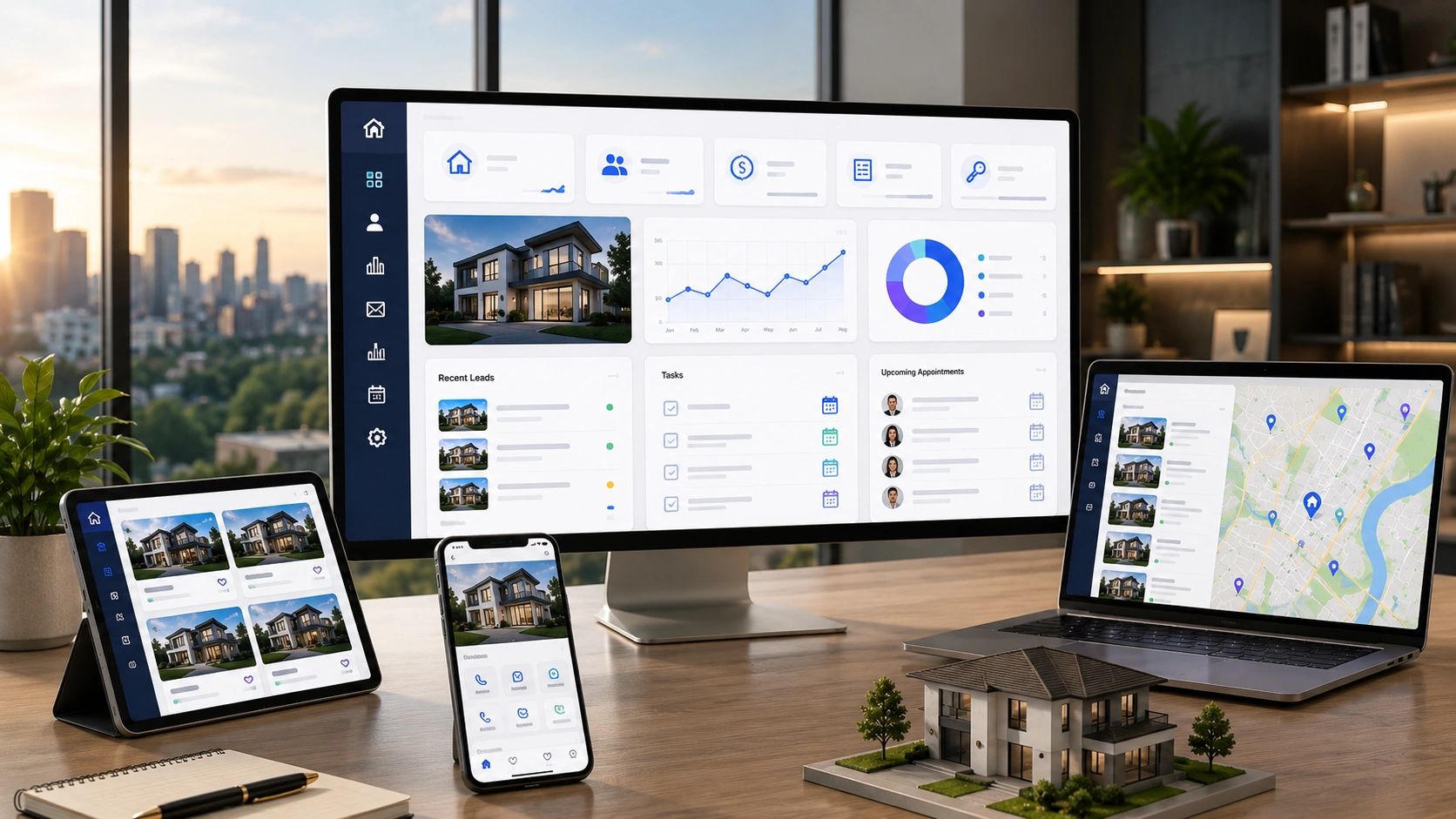

A real estate CRM is the operational core for US brokerages and agent teams. It connects leads, listings, clients, agents, and transactions in one place.
Most brokerages rely on generic CRMs that weren’t built for real estate in the first place. These generic CRMs can’t handle MLS data, property transaction workflows, or US compliance requirements. Even with 15–30 custom fields, they still fall short on real estate-specific features.
The impact this gap has on real estate operations in the US market is tangible. A custom-built CRM improves lead conversion by 20–40%. Agents also reclaim 30–50% of their admin time, freeing them to focus on closing deals.
This article covers the must-have real estate CRM features for US brokerages and agent teams.
Lead Management: The Foundation of Your Real Estate CRM
Every deal starts with a lead. How your CRM captures, routes, and follows up on that lead decides the outcome.
An efficient US real estate CRM extracts leads automatically from every major source. These include Zillow Premier Agent, Realtor.com, website IDX forms, Facebook Lead Ads, Google Ads, open house sign-ins, and referrals. Most importantly, the CRM must also track the source through to closing.
Speed matters more than most agents realize. US real estate data says that responding within 5 minutes of an inquiry ensures better conversion rates. Your CRM should also ideally send instant lead alerts and enable one-click responses, so no inquiry goes unanswered. Those alerts arrive through native push, which is custom iOS app development and custom Android app development scope.
For brokerages managing multiple agents, smart lead routing is a non-negotiable feature. Round-robin assignment, geographic routing, buyer vs. seller segmentation, and performance-weighted distribution are all configurable. Together, these ensure that every lead lands with the right agent at the right time.
Lead scoring extends this by analyzing behavioral signals like search frequency, property saves, price range, and stated timeline. With this information, your CRM identifies which leads are most likely to convert. This helps agents prioritize follow-ups by data and not instinct. This is where follow-up automation becomes vital. When a lead opens an email, clicks a listing, or saves a property, the CRM scores that engagement signal. This automatically triggers the next follow-up action, without waiting for agent intervention. Agents don’t receive raw lead lists. They receive prioritized queues, with the highest-intent leads surfaced at the top.
Finally, lead source attribution closes the loop. Your CRM should track which marketing channels produce closed deals. That data gives you the business intelligence to invest your budget where it actually works.
Contact and Pipeline Management for Real Estate
Real estate relationships are long-term. The average buyer in many US markets takes at least 6–18 months from first inquiry to closing. For this reason, your CRM must maintain the prospect relationship personally and consistently across the full search timeline.
Real Estate Contact Types and Relationship Tracking
Not every contact is the same. An efficient brokerage CRM software proactively distinguishes between active buyers, active sellers, past clients, investors, referral sources, and vendors. Each of these requires different workflows and communication cadences.
Real estate decisions rarely involve just one person. Couples buy together, families refer to each other, and co-investors split purchases. All these relationships are central to how deals actually happen. Generic CRMs treat contacts as isolated records and miss this part entirely. A purpose-built real estate CRM links people together, so agents always see the full relationship picture and plan communication accordingly. That relationship view is custom web application development work, since it's where agents do their desk-based planning.
Buyer Search Criteria and Property Matching
A good CRM stores each buyer’s search criteria, like price range, location, bedrooms, and must-have features. The CRM then matches these criteria against new MLS listings automatically. When a relevant property hits the market, the client gets an alert. The brokerage stays relevant without the agent having to remember every buyer’s wishlist.
Consistent and timely property matches keep buyers engaged and position the team as proactive advisors.
Pipeline Stage Management
Real estate pipeline management should reflect how deals actually move and not act as a generic sales funnel. Stages should map to the real transaction lifecycle. Prospect → Qualified → Active Search → Under Contract → Closed → Past Client → Referral Network.
Visual pipeline views make it easy to see where every client stands at a glance. Stage transitions automatically trigger the next set of tasks. Agents spend less time managing their to-do list and more time working with their clients.
Transaction Management and Compliance Features
Real estate transactions involve a lot of steps. Inspections, appraisals, contingencies, title clearance, and loan approval. All these run on separate timelines, and missing one of these results in compliance issues. A purpose-built CRM manages this complexity through structured transaction tracking. Managing that many parallel timelines is custom software development work rather than configuration of a generic pipeline tool.
Milestone tracking maps every deal through the full lifecycle. Contract execution → inspection period → appraisal → loan contingency → title clearance → closing preparation → closing → post-close. Each milestone carries its own task list and required documents, so nothing gets overlooked.
Compliance checklists keep transactions audit-ready. US state licensing boards require specific documentation for every transaction file, and those requirements vary by transaction type. A custom-built CRM for real estate supports customizable checklists for buyer, seller, lease, and commercial deals.
Document storage with version control keeps every offer draft, executed contract, addendum, and disclosure linked directly to the transaction. Agents always know which version is current.
Deadline alerts flag inspection periods, contingency removal dates, and closing deadlines before they become problems. In real estate, missed deadlines carry real legal and financial consequences.
Audit trail maintenance connects it all together. When a licensing board requests a complete transaction file, your CRM should make that retrieval straightforward. That means no scrambling through email threads and shared drives.
Communication and Automation Features
Real estate runs on relationships, and relationships need consistent communication over months and sometimes years. No agent can maintain that manually across an entire database. The right CRM handles the cadence without making every message feel automated.
Personalization is what separates real estate automation from generic broadcast emails. Clients expect communications that reflect their actual search criteria and history, and not one-size-fits-all messaging. Email sequences handle long nurture cycles: 6, 12, and 24-month drip campaigns built for buyers still actively searching. They run automatically, without requiring agent intervention at every step. SMS automation responds to every client enquiry within 60 seconds, significantly improving early engagement. Once the lead responds, the CRM routes it to the agent immediately.
Market report automation keeps past clients from going cold. Monthly neighborhood updates sent automatically position your brokerage as a trusted local resource, and not just a transaction partner. When a new MLS listing matches a buyer’s saved search, the CRM sends an instant alert via email and SMS. Every open, click, and response is tracked automatically in the CRM. Open house follow-up sequences automate post-visit outreach for registered attendees. This is a high-value touchpoint that many brokerages still handle inconsistently, or not at all.
MLS and Third-Party Integration Requirements
A real estate CRM doesn’t work in isolation. It needs to connect cleanly with the tools and data sources your team depends on every day. This is where native integrations matter, and why webhook-based workarounds fail. Webhooks can technically link two systems, but they break, require maintenance, and lose data fidelity over time. In a real estate context, that’s not just an inconvenience, but a business problem.
When a webhook fails between your MLS and CRM, listing updates stop flowing. Buyers receive stale property matches. Agents work from outdated records. In an active transaction, stale data creates real problems, like missed showings, delayed offers, and damaged client trust.
Native integration solves this problem directly. RESO Web API (MLS integration) is one of the most complex and most valuable connections your CRM can have. It extracts live listing data directly into the CRM. This enables property matching, listing activity tracking, and showing coordination without leaving the client record.
E-signature integration with platforms like DocuSign, Dotloop, and zipForm keeps contract preparation and execution inside the CRM. Documents stay linked to the transaction without switching between tools. Accounting integration with QuickBooks or Xero gives brokerages commission tracking, expense management, and transaction-level P&L visibility in one place.
Marketing platform integration ensures your CRM remains the system of record while tools like Mailchimp or Constant Contact handle execution. ShowingTime integration lets agents request and confirm showings directly from the client record. It removes the back-and-forth from showing coordination entirely.
Mobile CRM for Real Estate Agents in the Field
Real estate agents spend 60–70% of their working hours away from a desk. Contacts are met on the move and need to be captured on the spot. A quick card scan logs them directly into the CRM. For field agents, mobile CRM is the default, not the backup. That makes custom mobile app development a core part of the CRM build rather than a later phase.
Showing notes works the same way. Client reactions are sharpest right after walking out of a property. Logging feedback on the spot leads to better follow-up conversations and a clearer picture of the buyer’s intent. Voice note transcription handles the moments when typing is not practical. After a long day of listing appointments, agents record their observations out loud. The CRM converts them into structured notes automatically.
Connectivity is the one thing agents cannot control. Many properties sit in areas with weak or no signal. The CRM must work offline and sync seamlessly once the connection is restored. Background sync limits on Android shape how offline capture is built, which makes it custom Android app development scope in its own right.
A mobile CRM that handles these scenarios well isn’t just convenient. It directly improves the quality of client service your agents can deliver in the field.
Choosing the Right CRM for Your Real Estate Business
A purpose-built real estate CRM does what a generic platform cannot. It supports the full lead-to-close lifecycle without forcing your team to work around its limitations.
The right system brings together MLS integration, compliance checklists, transaction milestone tracking, automated communication, and mobile-first design. These features help US brokerages close more transactions per agent, reduce administrative overhead, and stay audit-ready throughout.
If you’re evaluating your next CRM purchase, the features covered in this guide are your baseline. A platform built specifically for US real estate doesn’t just perform better. It removes the friction that holds brokerages back every single day.
Learn more about digital transformation solutions from one of the leading AI software companies in the United States.
Frequently Asked Questions
What makes a real estate CRM different from a generic CRM?
A generic CRM tracks contacts and deals. A real estate CRM tracks properties, transactions, and compliance alongside them. That means live MLS listing data, buyer search criteria matched against new listings, transaction milestones from contract execution through post-close, state-specific compliance checklists, and linked household or co-investor relationships. Adding 15–30 custom fields to a generic platform does not reproduce any of it. Brokerages that move to a purpose-built system typically see lead conversion improve by 20–40% and agents reclaim 30–50% of their admin time.
How fast should a CRM respond to a new real estate lead?
Within five minutes of the inquiry. US real estate data consistently shows conversion rates drop sharply beyond that window. Your CRM should send instant lead alerts, support one-click responses, and trigger SMS automation that acknowledges an enquiry within 60 seconds, then route the lead to the right agent by round-robin, geography, buyer vs. seller segmentation, or performance weighting.
Why does MLS integration need to be native rather than webhook-based?
Webhooks can technically link two systems, but they break, need maintenance, and lose data fidelity over time. When a webhook fails between your MLS and CRM, listing updates stop flowing: buyers receive stale property matches and agents work from outdated records. A native RESO Web API connection pulls live listing data directly into the CRM, so property matching, listing activity tracking, and showing coordination all happen inside the client record.
How does a real estate CRM keep transactions audit-ready?
Through four connected features. Customizable compliance checklists for buyer, seller, lease, and commercial deals cover what US state licensing boards require per transaction type. Document storage with version control links every offer draft, executed contract, addendum, and disclosure to the transaction. Deadline alerts flag inspection periods, contingency removal dates, and closing deadlines before they become legal or financial problems. Audit trail maintenance means that when a licensing board requests a complete file, retrieval is straightforward instead of a hunt through email threads and shared drives.
Which third-party systems should a real estate CRM integrate with?
At minimum: your MLS via the RESO Web API, e-signature platforms such as DocuSign, Dotloop, or zipForm, accounting through QuickBooks or Xero for commission tracking and transaction-level P&L, marketing tools like Mailchimp or Constant Contact, and ShowingTime so agents can request and confirm showings from the client record. Native connections keep the CRM as the system of record while each specialist tool handles execution.
Do agents really need a mobile CRM, or is desktop access enough?
Agents spend 60–70% of their working hours away from a desk, so mobile is the default rather than the backup. A field-ready CRM handles card scanning to capture contacts on the spot, showing notes logged immediately after a walkthrough while client reactions are still sharp, and voice note transcription for when typing is not practical. It also has to work offline and sync cleanly once signal returns, since many properties sit in areas with weak coverage.
How long should a CRM nurture a buyer who is not ready to transact?
The average US buyer takes 6–18 months from first inquiry to closing, so nurture has to run on that timeline. Email sequences built as 6, 12, and 24-month drip campaigns keep active searchers engaged without agent intervention, automated market reports keep past clients warm, and saved-search alerts fire the moment a matching MLS listing appears. Personalization against each contact's actual search criteria is what separates this from generic broadcast email.


