
Welcome to Blogs
Discover actionable insights, in-depth research, and expert perspectives, all in one place.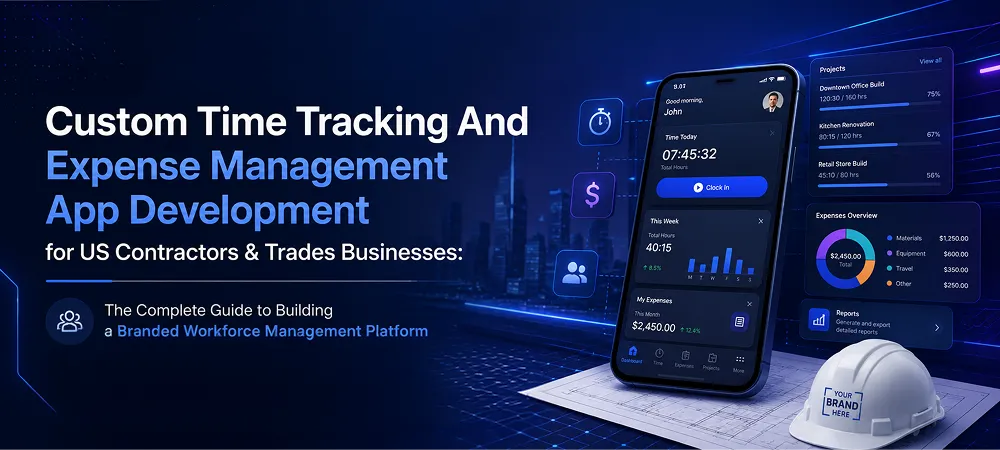
App Development 12 min read
Custom Time Tracking And Expense Management App Development for US Contractors & Trades Businesses: The Complete Guide to Building a Branded Workforce Management Platform

Friday afternoon should not become a payroll cleanup session. Yet for most US contractors and trades businesses, that is exactly what happens. Paper timesheets pile up. Texted job updates get buried. Loose receipts fall out of truck dashboards before anyone logs them. By the time payroll prep starts, half the crew’s hours need chasing.
This guide answers the question owners ask most: is building a custom workforce management app worth it, and where do you start? The short answer is yes, especially once your crew reaches a size where manual records create real financial and compliance risk.
Below, you will find a complete breakdown of features, GPS design, compliance rules, cost ranges, and the break-even case. Each section links out to deeper companion pieces where the full detail lives.
Paper Timesheets and Envelope Receipts Are Costing More Than You Think
Most contractors do not track what bad record-keeping actually costs. They feel the friction but rarely put a number to it. The damage shows up in payroll delays, disputed hours, failed audits, and slow reimbursements. All of it is preventable.
Here is where the leaks happen most:
- Decoded Guesswork: Office staff decipher handwritten hours and chase supervisors for missing job codes or site names. Billable admin time burns before payroll even starts.
- Lost Expenses: Receipts left in cup holders or jacket pockets disappear. Fuel, materials, and vendor stops go undocumented. Reimbursement trails fall apart.
- Audit Vulnerabilities: Incomplete records create gaps in wage documentation. Tax refund delays follow. So do compliance risks.
The legal side of this matters too. Under the Fair Labor Standards Act, employers must retain payroll records for at least three years. Records used to calculate wages, including time cards and work schedules, must be kept for a minimum of two years. IRS employment tax records require retention for at least four years after the tax due date or payment date, whichever comes later. Best practice: retain all time and payroll records for a minimum of four years, or longer if an audit or claim is open.
Custom software development solves this at the source. Instead of renting a generic platform and reshaping your field process to fit it, you build a data structure around your actual crews, trades, sites, and approval flows. That gives you a stronger base for future additions including GPS logging, compliance guardrails, CSV exports, and scoped consulting support.
What a Purpose-Built Contractor App Actually Looks Like
A platform built for contractors is designed as a two-role system. Field employees use a straightforward mobile app for clock-ins, site selection, and receipt uploads. Office teams and managers use a web application dashboard to monitor activity, control settings, and prepare exports. That split keeps field use fast and keeps admin controls in one place.
The structure matters because contractors do not need software loaded with irrelevant menus and unused modules. They need a frontline tool that works on a phone in the field. Admins need to update active projects, crews, and status changes without waiting on outside vendor support. Compared to rental SaaS systems, that is a significant operational difference.
Business owners also gain more control over expansion. The company invests in a platform that reflects its own operational model, stores data the way it needs to, and grows on its own roadmap. Annual per-user price hikes stop being a factor.
Employee Mobile Features
The mobile experience for field workers needs to stay fast and friction-free. Workers are on-site, often mid-task, and will not tolerate a slow or confusing app. Every feature in the mobile layer should serve one goal: capture clean records without slowing down the job.
A strong mobile experience is built on four core capabilities. Each one is straightforward in isolation, but together they eliminate the most common data gaps that create payroll headaches every week.
Secure Access and Validated Onboarding
Not every app download should turn into live system access. A proper setup requires manual admin approval before a worker enters the active environment. This prevents unauthorized access and keeps employee records tied to verified company personnel only.
Intentional Clock-In Flow
A good clock-in flow requires the employee to select their trade and project location before starting a shift. That one extra step adds significant value downstream. Hours do not sit in a vague bucket with no site or trade context attached. Reports become cleaner from day one.
Point-in-Time Timestamps with Location
Single-tap event capture records the exact time of the action and logs location at that moment. This supports clean attendance verification. For most trades businesses, point-of-event GPS checks solve the real business need with far less legal and cultural friction than all-day monitoring.
Structured Receipt Capture
Expense capture needs more than a photo upload. Employees capture the receipt and categorize the amount, vendor, category, and business purpose while still in the field. IRS Publication 463 requires contemporaneous documentation of amount, date, vendor, and business purpose. Structured field capture meets that standard. A photo alone does not.
The complete employee and admin feature checklist, along with a custom versus SaaS comparison table, belongs in a dedicated companion piece on Contractor Time Tracking App Features.
Admin Dashboard Features
The admin dashboard is where raw field entries become usable business records. It gives owners and office staff visibility into who is active, what requires approval, and what is ready for payroll or reimbursement workflows. This is the operational command center for the entire platform.
Good dashboard design does not try to do everything. It focuses on three practical pillars that cover the full admin workflow, from onboarding a new hire to exporting clean payroll data at week’s end.
Workforce Control
Admins see pending registrations and approve or reject access from one screen. They can deactivate former workers, organize employees by crew, trade, or region, and keep the system roster tied to actual active personnel. This creates a cleaner offboarding path and reduces the risk of old accounts staying live.
Live Configuration
Office teams update trades, job locations, and dropdown items from the dashboard and push changes to mobile users in real time. No developer intervention needed. This matters when projects shift often and field teams move across sites during a single week.
Practical Reporting
Admins filter by date, crew, or worker and export clean CSV files for payroll processing. Expense review works the same way. Staff sort submissions, inspect receipt images beside the entered data, and approve or flag a claim quickly. No context switching between systems.
The Integrations: GPS, Receipt Storage, Dropdowns, and CSV Export
The value of a contractor app depends on how cleanly data moves behind the scenes. The goal is to capture accurate records once and route them into the right system with minimal rework. Four integration layers make that possible.
Each layer serves a distinct purpose. Together, they form the data backbone that separates a purpose-built contractor platform from a generic time tracking tool patched together with workarounds.
GPS Event Logging
For most contractors, the right model is event-based location capture. The system records coordinates when a user clocks in, clocks out, or performs another approved action. This supports job site verification while avoiding the noise, battery drain, and privacy concerns tied to continuous location trails.
Receipt Image Storage
Receipt handling needs a reliable image pipeline. The photo is captured and stored in an AWS S3 bucket or another secure cloud application environment. This preserves original documentation for expense approval and keeps field uploads manageable without overloading the mobile experience.
Dynamic Dropdown Sync
Trades, cost codes, crews, and site lists change regularly on active jobs. A purpose-built system syncs these dropdown values from the admin panel so field employees always choose from current, accurate options. Free-form text entry creates messy, inconsistent reports. Synced dropdowns eliminate that problem.
CSV Export Design
Contractors achieve payroll and accounting alignment more quickly by mapping a custom CSV file to the exact fields required by their accounting platform, whether that is QuickBooks, ADP, or Gusto. Direct API integrations with those platforms are worth evaluating in later build phases. A well-structured CSV export handles the core need in phase one.
A companion piece on GPS Location Logging, Receipt Image Storage, and CSV Export Integrations covers the full architecture in detail.
Compliance: FLSA Records, IRS Expense Documentation, and GPS Privacy
Compliance requirements should shape the build from the start, not get retrofitted later. This section is educational and does not replace legal or tax advice. Business owners should, however, understand the recordkeeping rules that directly affect time and expense workflows.
Getting this right early matters more than most owners expect. A platform built with compliance in mind from day one avoids costly rework later and holds up far better during any wage dispute or tax review.
FLSA Recordkeeping Requirements
Under the US Department of Labor’s FLSA recordkeeping guidance, employers must preserve payroll records for at least three years. Records used to calculate wages, including time cards and work schedules, must be retained for at least two years. IRS employment tax records must be retained for at least four years after the tax due date or payment date, whichever is later. Best practice: retain all time and payroll records for at least four years, or longer if a claim or audit is pending.
IRS Expense Documentation
Expense handling requires structure too. IRS Publication 463 requires contemporaneous documentation of the amount, date, vendor, and business purpose for any reimbursed expense to qualify under accountable plan rules. When the contractor app requires those fields at the point of receipt submission, the company builds stronger documentation than end-of-month paper bundles ever could.
GPS Privacy Considerations
GPS policies need equal attention. Continuous tracking raises significant privacy concerns and adds legal complexity, particularly in states with stricter employee monitoring rules. An event-driven design captures only what is needed for attendance and site verification. That gives contractors a more defensible operating model with less exposure.
The full discussion on FLSA, IRS accountable plan rules, state wage and hour law, and employee data privacy belongs in a dedicated piece on FLSA, State Wage and Hour Law, and Employee Data Privacy Compliance.
GPS at Clock Events vs. Continuous Tracking
Continuous location monitoring sounds thorough. In practice, it creates more problems than it resolves. It generates large volumes of data, erodes crew trust, and may expose the company to privacy regulations in states that closely scrutinize employee monitoring.
Point-of-event tracking gives owners a simpler, more defensible answer. The app checks location when someone clocks in or out, logs the coordinates with the action, and stops there. Site presence gets verified at the moment that matters. The worker’s full day movement does not become a company record.
This design also benefits performance. It reduces storage volume, lowers processing overhead, and eliminates the battery drain that makes field workers resent tracking tools in the first place. For any business evaluating build approach, this is a decision worth settling before development starts, not after.
Cost and the MVP-to-Advanced Build Path
A smart build starts with scope discipline. Most contractors do not need a full platform on day one. They need to close the biggest leaks in labor tracking and expense capture first, then expand once the workflow proves itself in the field.
Starting with a minimum viable product lets owners validate the core workflow before committing to advanced feature sets. The investment scales with confidence, not assumptions. A realistic 2026 cost range looks like this:
| Build Tier | Estimated Range | What’s Included |
| Lightweight MVP | $20,000 – $40,000 | Core clock-in/out flows, event-based GPS, basic admin reporting, CSV exports |
| Standard Custom Scope | $40,000 – $75,000 | Dedicated iOS and Android app, admin web panel, secure receipt storage, configurable lists, robust reporting |
| Advanced Setup | $75,000 – $150,000+ | Geofencing logic, offline-first behavior, deeper ERP/accounting integrations, complex role permissions, live system connections |
The best starting point is usually narrower than owners expect. If time leakage, missing records, and expense confusion are the biggest pain points, solve those first. The full tier breakdown, cost drivers, and build-stage math belong in a companion piece on Cost to Build a Custom Time Tracking App.
Custom App vs. Per-User SaaS: The Break-Even Math
Subscription software looks affordable upfront because the monthly fee feels manageable. The real cost picture changes once per-user pricing is factored in. Two platforms commonly used in the contractor and trades space illustrate this well.
Workyard prices at approximately $50 per month base fee plus $6 per user per month.
ClockShark runs at approximately $40 per month base fee plus $9 per user per month.
The math becomes clear once you run actual crew numbers through it. At 20 employees on the minimum per-user tier:
- Workyard: $50 + (20 x $6) = $170 per month, or $2,040 per year
- ClockShark: $40 + (20 x $9) = $220 per month, or $2,640 per year
At 30 employees, the gap widens further:
- Workyard: $230 to $440 per month, or $2,760 to $5,280 per year, depending on per-user tier
- ClockShark: $310 per month, or $3,720 per year
Stretched across three years, a 30-person crew on either platform lands between $12,000 and $20,000 or more, with zero equity at the end of that spend. A custom build in the $45,000 to $80,000 range becomes a company-owned asset instead. It breaks even in two to three years and keeps delivering value without recurring seat charges.
Here is the full comparison:
| Feature / Metric | Off-the-Shelf SaaS (e.g., Workyard, ClockShark) | Custom Built Platform |
| Upfront Cost | Low subscription or setup fee ($0 to $500) | Higher initial investment ($40,000 to $75,000+) |
| Monthly / Annual Fees | Per-user scaling fees; cost rises with every new hire | Zero per-user fees; fixed hosting and maintenance only |
| 3-Year Cost for 30-Person Crew | $12,000 to $20,000+ with zero ownership | $45,000 to $80,000 one-time build; you own the asset |
| Data and Workflows | Fixed templates; operations must adapt to the software | 100% custom; matches your trades, crews, and approval logic |
| Compliance Control | Generic guardrails that may not fit state privacy laws | Hardcoded compliance logic including event-only GPS |
| Long-Term ROI | Ongoing operational expense; price increases can happen anytime | Breaks even in two to three years; becomes a business asset |
The math becomes clearer as headcount grows. Every new hire adds to the SaaS bill indefinitely. With a custom platform, the per-user cost is zero from day one.
What the Next Two to Three Years Look Like for This Space
The field workforce management space is changing fast. AI-driven tools are already reshaping how mid-market contractor businesses handle scheduling, expense anomaly detection, and compliance flagging. By 2027 and 2028, AI-assisted payroll reconciliation and real-time budget tracking against labor actuals will be baseline expectations, not differentiators.
AI and machine learning are moving into contractor platforms in practical ways: predictive overtime alerts, automatic expense categorization, and smart flagging of time entries that fall outside normal patterns. Owners who build their own platform now integrate these capabilities on their own terms. They are not waiting on a SaaS vendor’s product roadmap or absorbing price increases for features they did not request.
The platform evolves when the business decides it should. That level of control becomes more valuable every year as the tools themselves grow more capable.
Final Thoughts
Contractors do not lose money only through missed billable hours. They lose it through broken workflows, weak records, slow payroll prep, and tools that never quite fit how the field actually operates. A purpose-built system brings time, expense, and workforce data into one operating model the business controls entirely.
For owners evaluating next steps, the best move usually starts with a discovery phase. Map your crew workflows, approval paths, payroll handoff points, and compliance requirements against what generic SaaS actually delivers. That gap analysis is where the decision becomes obvious.
Explore digital transformation solutions from NewAgeSysIT, one of the leading AI software development companies in the United States. Whether you are starting lean or building a full-featured workforce platform, our team covers everything from UI/UX design to ongoing maintenance and support.
FAQ
What features should a contractor time tracking and expense app include?
A contractor workforce app should include mobile clock-in and clock-out, project and cost-code selection, timesheet review, expense submission, receipt images, mileage or travel records, manager approvals, reporting, and payroll exports. More advanced systems can add offline operation, geofencing, configurable overtime rules, crew management, job-cost reporting, accounting integrations, and controlled location capture.
How should the mobile clock-in and clock-out process work?
The employee should select the correct job, project, trade, or cost code before starting time. The application can then record the timestamp, user, selected assignment, device information, and approved location data. Clock-out should allow employees to confirm breaks, travel, job changes, and total hours. The workflow should remain fast enough for field use while preserving the information required for payroll review.
What employee time records does the FLSA require?
Covered employers must maintain accurate records that include hours worked each day and workweek, the workweek start, pay basis, regular rate, straight-time earnings, overtime earnings, additions or deductions, total wages, and pay-period information. Payroll records generally must be kept for at least three years, while time cards, schedules, and other wage-calculation records generally must be retained for two years.
How should the app handle overtime, breaks, and state wage rules?
The rules engine should be configurable by employee, work location, workweek, classification, and applicable state law. It can flag overtime, missed breaks, unusually long shifts, and incomplete entries for review. It should not automatically erase recorded work or insert unpaid time without an appropriate confirmation and correction process. Federal rules are only the baseline because state and local wage requirements can be more protective.
Should travel between construction sites be tracked as work time?
Yes, when the travel is part of the employee’s workday. Ordinary home-to-work commuting is generally not compensable under the FLSA, but travel between job sites during the workday generally counts as hours worked. Construction employers can also create wage risk when employees report to a shop, collect instructions or equipment, and then travel to a job site without recording that time.
How should supervisors edit or approve employee timesheets?
The system should preserve the original submission and record every later edit with the previous value, new value, editor, timestamp, and reason. Employees can be asked to review corrected time before payroll closes. Approval workflows should not be used to suppress unauthorized overtime because employees generally must still be paid for work the employer knew or had reason to believe was performed.
What information should an employee expense submission capture?
A useful expense record can include amount, date, expense category, place or destination, business purpose, job or cost code, payment method, and supporting documentation. Under an accountable plan, expenses need a business connection, adequate accounting within a reasonable period, and the return of excess reimbursements. IRS guidance generally treats accounting within 60 days as occurring within a reasonable period.
Is a photograph of a receipt enough for expense reimbursement?
Not always. A receipt can support the amount and payee, but the business purpose, project, destination, mileage, or other required context may not appear on the image. The app should therefore collect structured fields alongside the photograph. IRS guidance generally requires records entered at or near the time of the expense, together with appropriate documentary evidence.
Core Development
Keep exploring the custom services.

AI Software Development
Custom AI Software Development
Build intelligent, production-ready software from machine-learning models to AI-driven automation designed around your business goals.
Learn more
Mobile App Development
Custom Mobile Application Development
Native and cross-platform mobile apps that are fast, secure, and built to scale across iOS and Android.
Learn more
Web App Development
Custom Web Application Development
Scalable, secure web applications, from customer portals to complex dashboards, tailored to how your business actually works.
Learn more



