Welcome to Blogs
Discover actionable insights, in-depth research, and expert perspectives, all in one place.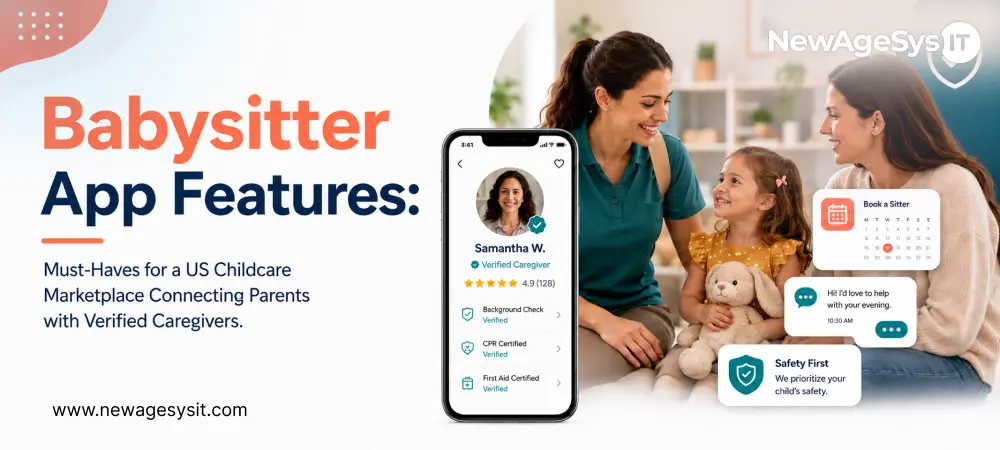
Childcare App Development 8 min read
Babysitter App Features: Must-Haves for a US Childcare Marketplace Connecting Parents with Verified Caregivers

| This article is part of our series on Custom Babysitter And Childcare Software Applications for the US Market: Building a Trust-First Caregiver Marketplace with Background Verification in 2026 |
A childcare marketplace offers three products instead of just one, which is what makes childcare app development more involved than a single-app build The most visible layer is the parent experience: search, vetting, booking, and live session visibility. Underneath that runs the sitter funnel: profile creation, identity and background verification, session check-in/out, and earnings. The trust machinery, which includes background checks, identity verification, moderation, and dispute resolution to make the first two layers credible to a parent giving their child and house keys, is the layer founders most frequently underestimate and the one most dependent on solid admin dashboard development behind the scenes.
Most founders spec the parent-facing screens first and treat everything else as plumbing. A well-designed booking flow is useless if the sitter behind it hasn’t been vetted; in childcare, the plumbing is the product.
This guide covers the babysitter app features that matter across all three layers.
Parent-Facing Features
- Needs Profile & Caregiver Matching
Parents begin by making a needs profile that includes the kids’ ages, any special needs (like allergies, medical needs, or behavioral issues), and regular schedules. Matching runs against location, availability, and those specifics, so the results a parent sees are sitters who actually fit their family, not just everyone within a five-mile radius.
- Sitter Profiles Built for Trust Evaluation
A sitter profile in a childcare marketplace has to do more work than a typical service listing. Background check status sits front and center as the badge that anchors the booking decision, alongside experience, certifications (CPR, first aid), hourly rate, parent ratings, and a short video introduction. The profile functions as a trust dossier a parent can evaluate in minutes, not a generic listing optimized for browsing.
- Messaging, Booking & Live Session Visibility
Real-time in-app messaging lets parents discuss specifics with a sitter before committing to a booking. Once a session starts, the parent can see the sitter’s live availability calendar, as well as the start time, end time, and “in-progress” state of the session. This way, they always know the session’s state..
- The In-Session Video Call & Reviews
The signature peace-of-mind feature is an in-session video call, scoped tightly to the active booking so it can’t be used outside that window. A post-session rating and review closes the loop, and subscription management handles the parent’s account and billing in the background. (The consent requirements around in-session video are covered in the compliance guide.)
Sitter-Facing Features
- Profile Builder
On the sitter side, the profile builder captures background check status, experience, certifications, hourly rate, and availability windows. This is the sitter’s storefront; every field is there to help the parent decide if they can trust the sitter on the other side of the market.
- The Verification Onboarding Flow
This is the make-or-break funnel of the entire custom software development platform: in-app consent, screening submission, and a live status indicator that moves from pending to clear. Every step has to be designed for completion, because every abandoned background check is supply the marketplace never recovers. (The FCRA requirements that govern consent and disclosure inside this flow are covered in the compliance guide.)
- Bookings & the Session Workflow
Once sitters are verified, they can accept or decline requests based on their own availability. The session itself runs as a tight loop: start session and end session, with automatic hour tracking and fee calculation. No manual timesheets, no end-of-week math disputes between parent and sitter.
- Earnings & Reputation
Verified sitters can view their earnings history; parents review their work on the platform. Together, these features make up the sitter’s on-platform record and are the reason they don’t switch to a different app.
In “Background Check API, Video Calling & Session Tracking Integrations for a US Childcare App: How Trust Infrastructure Actually Works”, we discuss the APIs and infrastructure that make the verification flow, session engine, and fee calculation work.
Trust & Admin Features
This is the layer most roadmaps shortchange, and it’s the one that makes the other two layers trustworthy. Background check integration keeps track of status through three states: pending, clear, and flagged. Based on the status, platform access is directly limited. A sitter isn’t bookable until the system confirms it.
Identity verification at registration matters just as much: a background check is only as good as the identity it’s run against, which is why identity confirmation has to happen before screening, not alongside it.
Review integrity is what the platform is really worth, and profile and review moderation protects that. Parents trust ratings because the platform polices them. Alongside moderation sits a dispute-handling workflow that tracks session, payment, and conduct issues through to a documented resolution, not an email thread that goes cold.
Rounding out this layer are the business operations admins rely on daily. Activation, booking frequency, and verification completion rate are the metrics that show if the sitter funnel is actually converting. You can manage subscription billing through Stripe and get analytics on these areas.
In childcare, admin tooling isn’t back-office hygiene. It’s the safety system. Flagged checks and concerning reviews need human workflows with audit trails from day one.
Owned Trust-First Platform vs Care.com / UrbanSitter
Care.com and UrbanSitter exist for a reason. It is about instant distribution and brand recognition that no new platform can match on day one. Listing on an incumbent platform is a perfectly rational choice for an individual sitter who is building a client base or for a parent with a one-off need.
Where that logic breaks down is for a founder building a differentiated childcare business. A profile on someone else’s marketplace can’t have an integrated verification model, video calling during sessions, or automatic hour tracking and fee calculation.
This is because the trust model that makes the profile stand out doesn’t have a place to live. You’re renting placement inside someone else’s product, not building your own.
The pattern holds across every dimension that matters:
| Dimension | Listing on Care.com / UrbanSitter | Owned Trust-First Platform |
| Verification model control | Generic, platform-defined | Custom, designed around your screening standards |
| In-session video | Not available | Built-in, scoped to active bookings |
| Session tracking & fees | Manual or absent | Automatic hour tracking and fee calculation |
| Review integrity | Shared pool, diluted signal | Owned reviews, moderated by you |
| Brand & data ownership | Incumbent owns the relationship | You own the parent and sitter relationship |
| Monetization control | Set by the incumbent | Fully yours to design |
Incumbents rent you reach. An owned platform is the only place a real trust model can actually exist.
Final Thoughts
A babysitter app is only as strong as its weakest layer. The parent experience converts confidence into bookings. The sitter funnel, engineered around verification, converts applicants into supply you can actually trust.
And below both, the trust infrastructure, which includes verification gates, moderation workflows, dispute resolution, and session audit trails, is what makes the other two plausible. Skip it, and even the best-designed booking flow collapses the moment a parent asks “but how do you know this person is safe?”
Founders who scope all three layers with equal rigor ship a platform that earns adoption in the one category where users can’t afford to give the benefit of the doubt.
Spend as much time planning the trust mechanism as the parent-facing screens when figuring out what your childcare platform needs to do. It’s what makes everything else on this list work. Learn more about digital transformation solutions from one of the leading AI software companies in the United States.
FAQ
What features should a babysitter app include?
A babysitter app should include parent profiles, child care needs, caregiver search, sitter profiles, background check status, booking, secure messaging, session tracking, in-session video, ratings, reviews, payments, and admin moderation. For the US market, the most important features are not just convenience features. The platform must prove trust before a parent is willing to book.
Why is trust infrastructure important in a childcare marketplace?
Trust infrastructure is important because parents are choosing someone who may enter their home and care for their children. Background checks, identity verification, moderation, dispute resolution, and session audit trails are the layer many founders underestimate. Without this layer, even a strong booking flow can fail when parents ask how caregivers are verified.
What parent-facing features matter most in a babysitter app?
Parent-facing features should include a family needs profile, child age details, special care instructions, sitter search, caregiver matching, verified sitter profiles, in-app messaging, booking, live session status, video check-ins, subscription management, and post-session reviews. These features help parents evaluate fit, confirm availability, communicate expectations, and feel more confident before and during a care session.
How should caregiver matching work in a babysitter app?
Caregiver matching should go beyond distance. A strong matching system should consider location, availability, children’s ages, allergies, special needs, behavioral notes, experience, certifications, hourly rate, and parent preferences. This helps parents see sitters who actually fit their family’s needs instead of browsing every caregiver within a generic radius.
What should a sitter profile include?
A sitter profile should include background check status, identity verification status, experience, certifications such as CPR or first aid, hourly rate, availability, location range, parent ratings, reviews, and a short introduction. Think of the sitter profile as a trust dossier, not just a service listing — parents use it to decide whether a caregiver is safe and credible.
How should sitter onboarding work in a childcare marketplace?
Sitter onboarding should include profile creation, identity verification, background check consent, screening submission, certification upload, availability setup, and verification status tracking. The platform should show whether the sitter is pending, clear, or flagged. A sitter should not become bookable until verification is complete and approved by the marketplace.
How does FCRA compliance affect babysitter background checks?
FCRA compliance matters when a platform uses third-party consumer reports for sitter screening. The FTC says businesses must take specific steps before obtaining a consumer report, and both before and after taking adverse action based on that report. Babysitter apps should build consent, disclosure, report review, adverse action, and audit records directly into the onboarding workflow.
Why should babysitter apps include session tracking?
Session tracking helps reduce disputes between parents and sitters by recording when a session starts, when it ends, and how fees are calculated. Automatic hour tracking and fee calculation prevent manual timesheet errors and end-of-week payment confusion. This feature also creates a stronger operational record for customer support and dispute resolution.
Core Development
Keep exploring the custom services.

AI Software Development
Custom AI Software Development
Build intelligent, production-ready software from machine-learning models to AI-driven automation designed around your business goals.
Learn more
Mobile App Development
Custom Mobile Application Development
Native and cross-platform mobile apps that are fast, secure, and built to scale across iOS and Android.
Learn more
Web App Development
Custom Web Application Development
Scalable, secure web applications, from customer portals to complex dashboards, tailored to how your business actually works.
Learn more