Welcome to Blogs
Discover actionable insights, in-depth research, and expert perspectives, all in one place.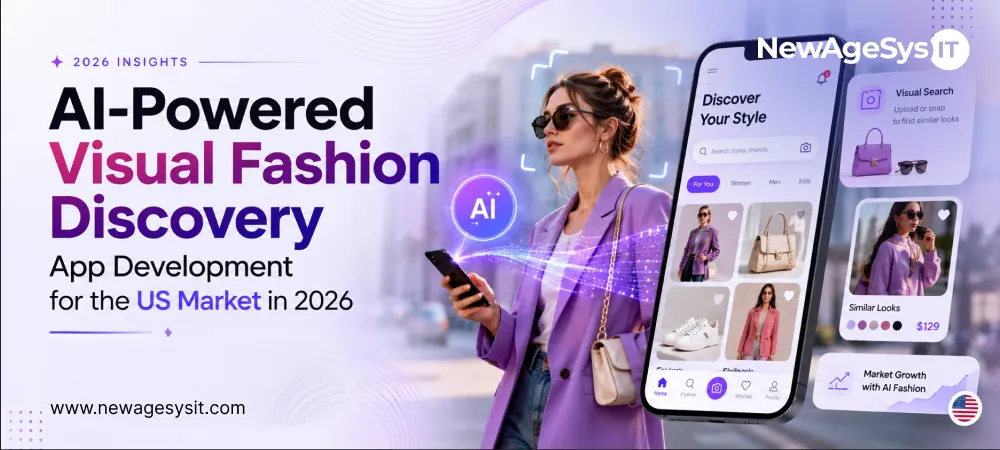
App Development 10 min read
AI-Powered Visual Fashion Discovery App Development for the US Market in 2026

Founders always begin from the same place. Imagine a fashion app, picture a catalogue. The whole nine yards is called Inventory, SKUs, Product Listings.
That instinct fails to realize what this product actually is.
The AI visual fashion discovery app development in the USA focuses on this one particular instant: a shopper sees an outfit somewhere, in feed, on a stranger walking by, and wants to know where they can get it from. A picture or a screenshot flows in. Two components carry the entire weight of this product, and both rely on the same foundation: a SERP API Google Lens setup paired with AI preprocessing.
A SERP API, the same engine behind Google Lens, handles the visual search itself. This is what separates a true visual search fashion app from a basic image gallery. An AI preprocessing layer cleans up the photo before that search ever runs. The consumer-facing camera app, image upload flow, and results screen are the AI fashion mobile app development layer, the component a shopper interacts with directly from the first photo to the shopping redirect. Super admin dashboard development covers the operational control room, SERP API cost monitoring, daily active users, latency tracking, and account management sitting behind the consumer app.
The article breaks down why anyone planning to build a fashion discovery app in 2026 needs to think about preprocessing, search architecture, and compliance as one connected system.
What Supporting Features Round Out the Experience?
Onboarding explains the value proposition before an image is even uploaded. It retains a record of queries made in the past. Shoppers can find items fast, then save the results to come back without searching again.
Filters by category, filter by item of clothing. Style filters narrow by aesthetic. Displaying an observable confidence score for each match is not burying the lead. An outfit deconstruction feature breaks a single photo into individual garments and searches each piece on its own. Fallback results appear gracefully when confidence runs low, rather than showing nothing or showing junk.
These touches turn an API response into a product people return to.
Why Does Preprocessing Decide Whether the App Works at All?
Not many teams devote enough attention to this. This is, by far and away, without a doubt, the biggest reason why matches feel accurate or like noise.
Consider a typical upload. Covered in a cluttered background, full body visible, sometimes two or three garments overlaid on each other, with lighting that changes the color to what the search engine reads.
A vision model runs before the search call, cutting out the clothing item and excluding everything else from the frame. Building that vision model as a purpose-trained component rather than relying on a generic managed API call is an AI product and agent development decision that determines whether preprocessing accuracy becomes a genuine differentiator or an off-the-shelf commodity. The managed APIs are Google Cloud Vision and AWS Rekognition for this task. If teams want more control over the pipeline, self-hosted segmentation models such as SAM or SegFormer can serve as options. In any case, the search engine is fed with only the garment in question, without context.
This step raises match quality significantly when performed well. Even a result screen that looks polished from all angles will not save the game if it is done poorly.
Segmenting garments rather than identifying the person wearing them carries a second benefit beyond accuracy. Facial data gets discarded rather than retained. No facial-identifier template gets built. That architectural choice sidesteps a large share of the biometric privacy exposure that other image-based apps walk straight into without realizing it.
Full pipeline detail lives in Google Vision AI, SERP API, and Image Preprocessing Integrations.
The No-Catalog SERP API Search Architecture
The search engine here is an API call, not a database query. That single distinction shapes the rest of the architecture, and it’s the core of what a SERP API Google Lens app actually is.
Mechanics of a Single Search Request
An image is sent to a SERP API´s visual search endpoint. Typical provider options include SerpApi, Serper, and ValueSERP. The response then contains image URLs, source URLs, titles and thumbnails, carefully gathered from across the web. None of that is filtered for fashion relevance in advance; everything has to be ranked and filtered based on what users will even see on a results screen.
Operational Benefits of Skipping a Catalog
There is no background inventory sync. Having no SKU management eats engineering hours. Listings do not languish for months being untouched. The size of a growing product database is indirectly tracked by operating cost, not search volume. With transactions playing out on the retailer’s site and therefore no payment processing at all hitting our platform, this also means that PCI-DSS scope is completely removed.
The Trade-Off of Relying on an External API
In this type of model, there is no control over the result set. You work on whatever Google Lens returns. All value is added by post-query parsing, filtering, and ranking logic. Rate limits and per-query costs require active monitoring from the first week of operation.
Full orchestration detail and cost control strategy appear in Google Vision AI, SERP API and Image Preprocessing Integrations.
The Super Admin Panel and API Cost Monitoring
This panel functions as the operational control room, and it carries more weight here than in a typical consumer app.
Core Functions of the Dashboard
A usage dashboard shows daily searches, daily active users, and categories trending upward. SERP API costs are tallied by query, user, and by the day. Latency in image processing is measured to discover slow spots beforehand. Account management and moderation tools are next to exportable analytics for review at set intervals.
Cost Awareness for Survival
Every search shows the real cost to use the SERP API. Most of the time, a dashboard showing that cost in real time helps to understand the cost and avoids post invoice surprises and irrational spending. To avoid the cost-per-query spending and alerts for a spike in queries, is the goal.
Keeping it that way is ideal. Usage analytics, cost tracking, and account management will all be included. Scope will stay small. Most of the time, people don’t want or need a huge enterprise console.
The Integration Stack: Vision AI, SERP API, Storage, and Mobile Upload
Garment isolation involves the use of Google Cloud Vision, AWS Rekognition, or self-hosted models like SAM or SegFormer. When images are finally cleaned, they are sent via the SERP API. Connecting that preprocessing output to the SERP API endpoint, parsing and ranking the unfiltered results, and routing the cleaned response into the mobile UI is an AI integration and adoption layer that requires deliberate orchestration rather than a direct API pass-through. The unfiltered results are parsed, ranked, and output in a list of search results with hyperlinks formatted to redirect.
Client-side compression significantly reduces API costs and cuts the time needed to process images as they are still on the device. Various formats, including HEIC, JPEG, PNG, and WebP, are properly handled since the camera image formats on both Android and iOS devices differ. There are also progress indicators to avoid unresponsiveness as images are being uploaded.
Personnel searches and metadata are stored and organized per user. Thumbnails and other metadata are uploaded and temporarily stored in cloud object storage. Other than a default, a deliberate decision is required on whether to cache search results or query the search results afresh. Caching is cheaper but would require more resources. Frequent queries ensure that results are up to date with the ever-changing inventory and prices. The velocity of inventory for the target audience would determine the most effective answer between the two.
Compliance: User Image Data, Biometric Risk, App Store, and PCI
Generic fashion app advice skips this section entirely, which makes getting it right a genuine differentiator rather than a checkbox exercise.
Image Data and State Privacy Law
Photos with people are considered personal information under the CCPA and CPRA. This requires a disclosure and deletion process for uploaded photos and search histories. The GDPR should not be assumed to apply, as default assumptions drain resources that would be more effectively employed elsewhere, unless users in the EU or UK are actually being served.
Biometric Law as the Underestimated Threat
The upload of full body photos with visible, full faces would draw the attention of numerous state-level biometric laws. Under the Illinois Biometric Information and Privacy Act of 2006 (BIPA), users of an app would be able to directly sue without a regulator needing to bring a lawsuit. The Texas Capture and Use of Biometric Information Act (CUBI) names facial geometry and is able to be enforced by the Texas Attorney General. The Washington My Health, My Data Act also permits private lawsuits and has a broad definition of biometric data that would include facial images.
Opting for segmented clothing instead of segmented faces and no template builds a defense against the risk. Texas’s 2026 exemption on AI may also provide a layer of defense as long as segmented clothing is maintained, although relying on that exemption has its own concerns.
App Store Submission and Payment Requirements
Requests for users’ permission for access to photos and the camera, along with privacy labels, must align and correct image collection practices. In most cases, undisclosed collection is a common reason for rejection of an app. In regard to payments, since the influx of transactions navigates to an external site of the retailer and occur there, the scope of the PCI DSS is not applicable.
COPPA becomes relevant wherever users under thirteen can upload images, requiring age verification or gating as appropriate.
None of the above constitutes legal advice. Qualified privacy counsel should review the specific data flows before launch.
How Much Does It Actually Cost to Build This in 2026?
A minimum build covering image upload, SERP API search, results display, and basic history, without an admin panel, typically falls between thirty thousand and sixty thousand dollars. Adding the preprocessing AI pipeline, full SERP API integration, search history, user profiles, and a super admin analytics panel moves the range to roughly $65,000 to $120,000.
Outfit deconstruction, personalization features, and a recommendation engine push the advanced tier to a range of one hundred twenty thousand to two hundred fifty thousand dollars or beyond, depending on how far personalization gets taken.
What Actually Pushes the Budget Higher Than Expected?
The preprocessing pipeline accounts for a meaningful share of cost, whether that means tuning a self-hosted segmentation model or integrating a managed Vision API. SERP API result parsing and relevance filtering logic add engineering time beyond a basic API call. Search history, architecture, and image storage design require careful planning around the caching question raised earlier. The admin dashboard itself takes development time proportional to how much detail gets tracked. Building properly for both iOS and Android through React Native rounds out the major cost centers.
The no-catalog design keeps operating cost roughly linear with search volume rather than tied to a database that grows in complexity over time. Two levers dominate unit economics: SERP API per-query pricing on one side, and the choice between managed Vision API costs versus self-hosted preprocessing infrastructure on the other.
Note- These figures reflect 2026 planning ranges; actual cost shifts with scope and architectural decisions made during scoping.
Where Do White-Label SDKs Like Visenze, Syte, and Snap Actually Fit?
Each offers turnkey visual search with integration timelines measured in weeks rather than months. This route suits retailers who already maintain a product catalog and simply want visual search layered on top of existing inventory.
White-label SDKs typically charge per-query licensing fees that scale poorly as search volume grows, and they assume a catalog exists to search against in the first place, which contradicts the entire premise of this product. A SERP API pass-through, paired with custom preprocessing and result handling, returns broader web-wide matches, requires no catalog, produces more predictable per-query economics, and keeps full control over the experience and branding in-house.
White-label reaches a working demo faster, no argument there. Custom architecture proves more cost-effective and more differentiated at meaningful scale, but only where real investment goes into preprocessing quality and result ranking logic. Skipping that investment while choosing the custom route produces the disadvantages of both approaches with the benefits of neither.
Final Thoughts
An image-based outfit finder succeeds or fails on three things working in concert: preprocessing accuracy, disciplined no-catalog search architecture, and a compliance posture built into the technical design rather than bolted on afterward.
Teams that treat match accuracy as a preprocessing problem, that architect search around a SERP API rather than an internal catalog, and that design data handling around garment segmentation rather than facial identification, tend to ship products that hold up under real usage and real cost pressure. Skipping any one of these three areas tends to surface later, usually as poor match quality, unsustainable per-query spend, or a compliance gap discovered during App Store review rather than before.
Planning the preprocessing approach, the search architecture, the compliance obligations, and the cost model together, before development begins, determines whether the resulting app performs well in practice rather than only in a pitch deck. Learn more about digital transformation solutions from a leading AI software company in the United States.
Core Development
Keep exploring the custom services.

AI Software Development
Custom AI Software Development
Build intelligent, production-ready software from machine-learning models to AI-driven automation designed around your business goals.
Learn more
Mobile App Development
Custom Mobile Application Development
Native and cross-platform mobile apps that are fast, secure, and built to scale across iOS and Android.
Learn more
Web App Development
Custom Web Application Development
Scalable, secure web applications, from customer portals to complex dashboards, tailored to how your business actually works.
Learn more