
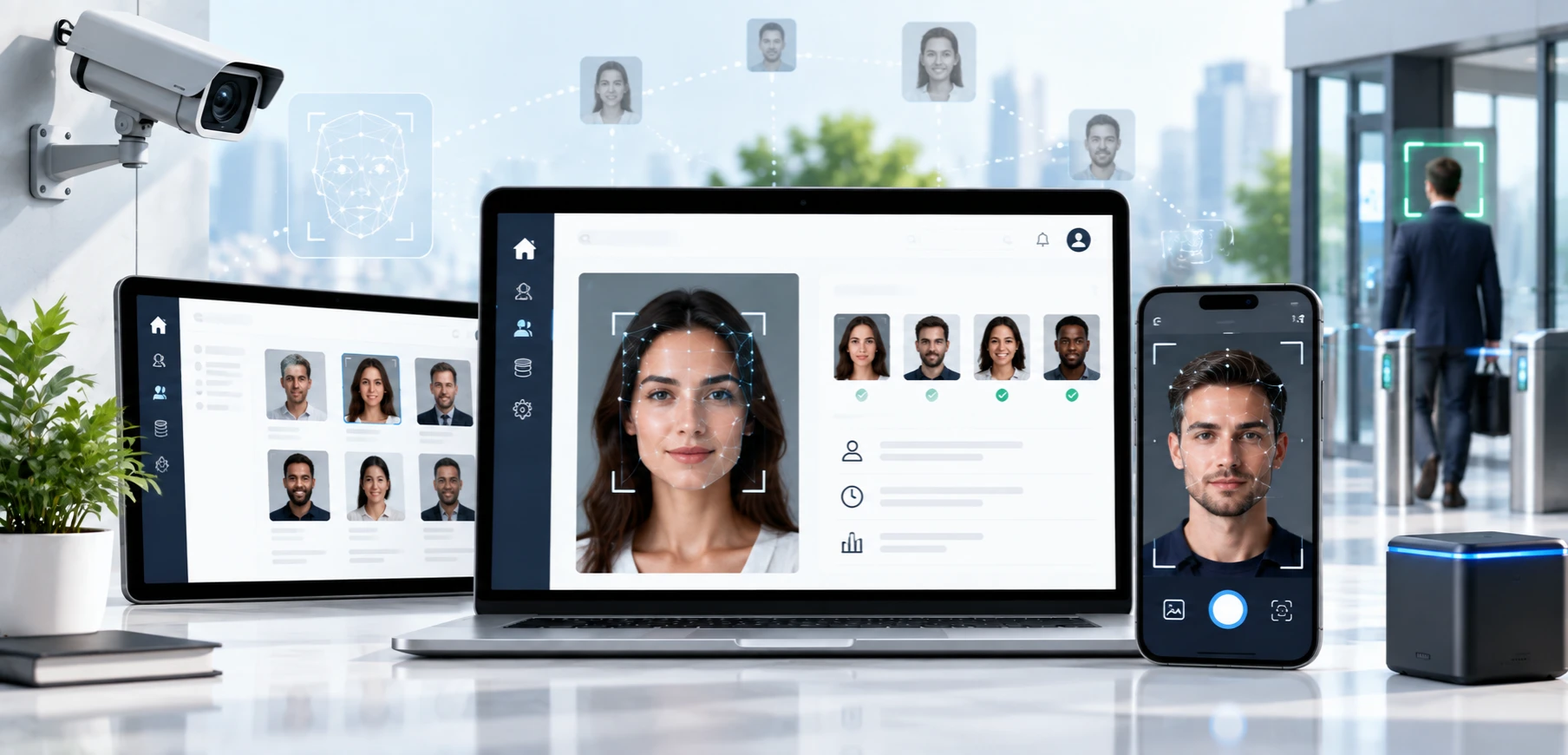

Face recognition has moved from science fiction into everyday American life. People unlock phones with a glance, verify their identity for a new bank account with a selfie, and walk into offices and stadiums without a badge. For businesses, face recognition software development can cut fraud, speed up check-ins, and replace passwords with something users cannot forget.
It is also one of the most sensitive technologies a company can build. Face data is permanent, it is tightly regulated in states like Illinois and Texas, and a wrong match can harm a real person. That is why the best facial recognition development services treat consent, accuracy, and security as core features rather than legal fine print.
This guide to face recognition explains how the technology works, which build approach fits your use case, which features and US rules to plan for, and what custom development costs. It draws on how we approach face recognition app development in our custom mobile application development and AI projects for US companies.
Quick answer: Face recognition software development is the process of building apps that detect a face, confirm a real person is present, turn the face into an encrypted numeric template, and match it against one enrolled user (1:1) or a database of people (1:N). In the US, the software must also handle consent, data retention, and anti-spoofing. A face login or verification feature typically costs $25,000 to $60,000, while a custom verification platform runs about $60,000 to $150,000.
What Is Face Recognition Software?
Face recognition software uses computer vision and machine learning to verify or identify a person from an image or video of their face. It belongs to a wider family of face technologies, and mixing them up leads to the wrong architecture, the wrong budget, and sometimes the wrong legal assessment.
| Technology | Question it answers | Typical use | Risk level |
|---|---|---|---|
| Face detection | Is there a face in this image, and where is it? | Camera focus, photo effects, capture guidance | Low |
| Face verification (1:1) | Is this the same person who enrolled? | App login, identity checks, payment approval | Moderate |
| Face identification (1:N) | Who is this person among many enrolled people? | Access control, attendance, duplicate account checks | High |
| Face analysis | What can be estimated from this face? | Image quality checks, age estimation | Varies, and some uses are restricted |
| Liveness detection | Is a real, present person in front of the camera? | Fraud prevention for all of the above | Protective |
Face detection on its own does not identify anyone. Google's ML Kit, for example, finds faces and facial features on the device but does not recognize people. Recognition begins only when software converts a face into a template and compares it with others.
Most face recognition applications also need a browser-based side, including admin consoles for enrolling users, review queues for flagged matches, consent records, and audit reports. Planning web app development alongside the mobile build keeps those tools consistent and secure.
How Face Recognition Works, Step by Step
- Capture. The camera records a photo or short video while the app coaches the user on lighting, distance, and angle.
- Quality check. The software rejects images that are blurry, too dark, or partly covered.
- Liveness check. The system confirms a real person is present rather than a printed photo, a screen replay, a mask, or a deepfake video injected into the camera feed.
- Detection and alignment. The software finds the face, locates landmarks such as the eyes, nose, and mouth, then straightens and crops the image.
- Feature extraction. A deep neural network converts the aligned face into an embedding, a list of numbers often called a template. Templates from the same person land close together, while templates from different people land far apart.
- Matching. The system compares templates and produces a similarity score. A score above the chosen threshold counts as a match.
- Decision and logging. The app grants access, asks for another method, or sends the case to a person for review, and it records what happened.
The match threshold is a business decision as much as a technical one. A stricter threshold lowers false matches, where the wrong person gets in, but raises false non-matches, where the right person is rejected. A banking app usually leans strict, while a photo organizer can afford to be more forgiving.
The Artificial Intelligence Technology Behind a Face Recognition App
Modern systems run on deep learning. Convolutional neural networks and newer vision transformer models learn to produce face templates from very large training sets, using training methods such as ArcFace that push different identities further apart. For large 1:N searches, templates live in vector search engines that can compare a new face against big galleries quickly. Detection and quality models often run on the phone itself, while heavier matching can run on a server.
Choosing, tuning, compressing, and validating these models for real users is specialized AI product development services work, especially when a model must run fast on a mid-range phone and perform fairly across your entire customer base.
Why US Businesses Are Investing in Facial Recognition Applications
- The market is growing steadily. Grand View Research values the global facial recognition market at about $8.5 billion in 2026 and projects $19.6 billion by 2033, a 12.8% annual growth rate. North America generated about 36% of revenue in 2025, and access control was the largest application, also at about 36%.
- Fraud is pushing demand for stronger checks. Gartner predicted that by 2026, deepfake attacks on face biometrics would lead 30% of enterprises to stop treating face-based identity verification as reliable on its own. That pressure is driving investment in better liveness detection and layered security rather than abandoning face checks altogether.
- Passwords are on the way out. Passkeys and built-in phone biometrics have made face-based sign-in familiar, so customers increasingly expect it in banking, health, and workplace apps.
- Contactless experiences save time. Opt-in express entry, faster check-ins, and badge-free access reduce lines and staffing pressure.
Common Use Cases for Face Recognition
| Use case | How face recognition helps | Key consideration |
|---|---|---|
| Secure app login and step-up checks | Replaces or backs up passwords in banking, health, and enterprise apps | Prefer on-device platform biometrics where possible |
| Remote identity verification (KYC) | Matches a live selfie to the photo on a government ID during onboarding | Requires strong liveness and injection attack defenses |
| Workplace access and time tracking | Lets employees enter buildings or clock in without badges | Written consent, a published retention policy, and state rules on employee biometrics |
| Event, venue, and travel check-in | Offers opt-in express entry for ticket holders and guests | Keep it opt-in, with a standard lane for everyone else |
| Healthcare patient check-in | Confirms identity to prevent record mix-ups and insurance fraud | HIPAA safeguards when linked to health records |
| Duplicate account prevention | Flags people who try to open multiple accounts | 1:N searches carry more legal risk, so limit them to your own enrolled users |
| Photo organization | Groups photos by person inside a consumer app | Opt-in and on-device processing; Texas's case against Meta centered on a photo-tagging feature |
| Age estimation | Estimates whether a user is likely above an age threshold without identifying them | This is face analysis, not recognition, but it still needs notice and data minimization |
Uses that scan members of the public without their knowledge carry the highest legal and reputational risk. The Federal Trade Commission's case against Rite Aid, covered later in this guide, shows how quickly that can go wrong.
Build vs Buy: Four Ways to Add Face Recognition
| Approach | Best for | Advantages | Watch-outs |
|---|---|---|---|
| Platform biometrics (Face ID, Android BiometricPrompt, passkeys) | Sign-in and transaction approval | No face data reaches your servers, and it is the fastest to build | Only confirms the device owner; it cannot identify people |
| Cloud APIs (for example, Amazon Rekognition or Azure AI Face) | Verification, face collections, and liveness without an in-house ML team | Managed accuracy and scaling with pay-per-use pricing | Per-check fees add up, images leave the device, and some services require approval |
| Commercial face recognition SDKs | Offline, on-device, or on-premises matching | Tuned engines, often with independently tested liveness | License fees; review NIST results and independent test letters before buying |
| Custom models | Unique requirements, edge devices, or full data control | Maximum control over accuracy, privacy, and cost at scale | Requires ML expertise, licensed training data, and ongoing bias testing |
A few platform details shape this decision. Amazon Rekognition offers face comparison, searchable face collections, and a Face Liveness feature that analyzes a short selfie video to catch printed photos, screen replays, 3D masks, and injected deepfake videos. Microsoft, by contrast, limits its Azure AI Face service to approved managed customers and partners through an application process, and it has retired emotion and gender inference.
Open-source code is not the same as open-source rights. InsightFace, one of the best-known face analysis projects, releases its code under the MIT license, but its training data and the pretrained models built on that data are limited to non-commercial research. Commercial custom facial recognition software therefore needs licensed or self-trained models.
Must-Have Features of a Face Recognition Application
| Feature | What it does | Why it matters |
|---|---|---|
| Consent and notice flow | Explains what is collected, why, and for how long, then records the user's signed consent | Required by BIPA, CUBI, and many state privacy laws |
| Guided capture | Coaches users on lighting, distance, and angle in real time | Fewer failed attempts and support tickets |
| Quality checks | Rejects blurry, dark, or covered faces before matching | Better accuracy for every user |
| Liveness and injection attack detection | Confirms a real person is in front of a real camera | Stops photos, masks, replays, and deepfakes |
| Secure enrollment | Creates and encrypts templates, with an option to re-enroll | Protects data that cannot be changed like a password |
| 1:1 verification | Matches a user against their own enrolled template | The safest and most common pattern |
| 1:N identification (optional) | Searches a gallery of enrolled people | Powers access control and duplicate account checks |
| Risk-based thresholds | Applies stricter settings to high-value actions | Balances security with convenience |
| Fallback options | Offers a PIN, passkey, document check, or staff review | No one gets locked out by a false rejection |
| Human review queue | Sends low-confidence or disputed results to trained staff | Prevents automated harm |
| Retention and deletion automation | Deletes templates on schedule or on request | Meets BIPA, CUBI, and Colorado deadlines |
| Audit logs | Records consents, matches, overrides, and deletions | Supports investigations and regulator requests |
| Admin dashboard | Manages users, devices, sites, and thresholds | Day-to-day control without developer help |
| Fairness and performance monitoring | Tracks error rates over time and, where lawful, across user groups | Catches bias and model drift early |
| Accessible alternatives | Supports screen readers and non-face sign-in options | Serves users who cannot or prefer not to use face capture |
Flags from liveness checks and low-confidence matches only help when they reach the right person quickly. Connecting those AI signals to your fraud tools, help desk, or security team is where AI integration services make a practical difference.
Face Recognition on Android, iOS, and the Web
Face Recognition in Android
For sign-in, Android's BiometricPrompt shows a system dialog and lets your app require Class 3 (BIOMETRIC_STRONG) biometrics or allow Class 2 (BIOMETRIC_WEAK), with an optional PIN, pattern, or password fallback. Cryptographic operations tied to the Android Keystore need Class 3 authentication, and not every Android phone's face unlock meets that bar, so banking-grade flows often fall back to fingerprint or the device credential.
For custom features, ML Kit detects faces and landmarks on the device, though it does not identify people. Google recommends input images of at least 480x360 pixels with faces of at least 100x100 pixels. Your own recognition model can then run on the device through LiteRT (formerly TensorFlow Lite) or ONNX Runtime, with CameraX handling capture. Supporting the huge variety of Android cameras and chipsets is where custom Android application development experience pays off.
Building a Facial Recognition Mobile App for iPhone
On iPhone, the LocalAuthentication framework lets apps use Face ID for sign-in. The app receives only a success or failure result, never the face data itself, and it must include a Face ID usage description that explains why it asks. For custom features, Apple's Vision framework detects faces and facial landmarks, and Core ML runs your own models on the device. Apple's App Review Guidelines also restrict how apps may use facial mapping data, so review them before designing features around the TrueDepth camera. Handling these details well is a core part of iPhone app development for biometric products.
Face Authentication for Web Apps
The simplest and safest way to add face authentication to a web app is passkeys. Through the WebAuthn standard, a website can let people sign in with Face ID, Windows Hello, or Android biometrics. According to the FIDO Alliance, the biometric processing stays on the user's device, and the server only receives confirmation that the check succeeded.
When a web app must verify identity against an ID photo, such as during onboarding, the browser records a short video with the user's permission and a liveness service analyzes it. Amazon Rekognition Face Liveness, for example, works in React web apps as well as native iOS and Android apps. Browsers are exposed to virtual cameras and injected video, so pair liveness with injection attack detection and the practices covered in Building Secure Web Applications: Best Practices for 2025.
What about a face recognition web app builder? No-code builders and plug-in widgets are fine for demos and internal prototypes. Production face recognition applications need consent records, independently tested liveness, encrypted template storage, retention automation, and audit logs that most builders do not provide, so plan to move to custom development before real users enroll.
US Laws and Ethics: What Your Face Recognition App Must Get Right
Biometric rules in the US come from states, cities, and federal regulators rather than one national law.
This section is general information, not legal advice. Review your plans with a privacy attorney for every state and city where you collect face data.
Illinois: Biometric Information Privacy Act (BIPA)
BIPA is the strictest US biometric law and stands out because individuals can sue under it. Before collecting a face template, a business must give written notice and obtain a written release, publish a retention and destruction policy, and destroy the data once its purpose is met or within three years of the person's last interaction, whichever comes first. BIPA also bars businesses from profiting from biometric data. Statutory damages are $1,000 for each negligent violation and $5,000 for each intentional or reckless violation. A 2024 amendment (SB 2979) limits recovery to one award per person for repeated collection and confirms that an electronic signature counts as a written release, and in April 2026 the Seventh Circuit held that the damages limit also applies to cases that were already pending.
Texas: Capture or Use of Biometric Identifier Act (CUBI)
CUBI requires notice and consent before a business captures a record of face geometry for a commercial purpose. It bars selling that data except in narrow cases and requires destruction within a reasonable time, no later than one year after the purpose for collecting it ends. Only the Texas attorney general can enforce CUBI, but penalties reach $25,000 per violation. Texas secured a $1.4 billion settlement with Meta in July 2024 over a photo-tagging feature, and in May 2025 it announced a $1.375 billion settlement with Google that included biometric claims.
Washington, Colorado, and Other State Privacy Laws
Washington's biometric identifier law requires businesses to give notice and obtain consent, or provide a way to prevent later commercial use, before enrolling a biometric identifier for a commercial purpose, and its My Health My Data Act adds protections when biometric data relates to health. Colorado's biometric amendment, in effect since July 1, 2025, requires a written policy with a retention schedule and a breach response protocol, calls for consent before collection, and extends protections to employees as well as consumers. Most comprehensive state privacy laws also treat biometric data used to identify a person as sensitive data that needs opt-in consent.
City and County Rules
Local rules add another layer. New York City requires businesses that collect customers' biometric identifiers to post clear signs at their entrances. Portland, Oregon bans private businesses from using face recognition in places of public accommodation. Erie County, New York, which includes Buffalo, put a Biometric Transparency and Privacy Act into effect on June 5, 2026 that sharply restricts how commercial establishments collect and use customer biometric data. Connecticut's Public Act 26-64, effective October 1, 2026, requires businesses that use face recognition on their premises to post signs at each entrance that link to their face recognition policy.
Federal Enforcement
There is no comprehensive federal biometric privacy law, but the FTC treats unfair biometric practices as a consumer protection issue. In December 2023, it banned Rite Aid from using facial recognition for surveillance for five years, alleging the system falsely flagged customers, particularly women and people of color, as shoplifters. The order also required Rite Aid to delete the photos and videos it collected, along with any data, models, or algorithms derived from them. The lesson applies to every project: test accuracy before launch, train the people who act on matches, and never let an automated match alone trigger a serious consequence.
Accuracy and Bias
In its landmark 2019 study of 189 algorithms from 99 developers, NIST found that many algorithms produced higher false positive rates for Asian and African American faces in one-to-one matching, often by a factor of 10 to 100, while the most accurate algorithms showed far smaller differences. Choose engines with strong results in NIST's ongoing Face Recognition Technology Evaluation (FRTE), test with a sample that reflects your own users, and keep people in the loop for consequential decisions.
Deepfakes and Spoofing
Gartner reported that injection attacks, which feed fake video straight into the capture pipeline instead of holding something up to the camera, rose 200% in 2023. Look for liveness that has passed independent presentation attack detection (PAD) testing under ISO/IEC 30107-3, plus injection attack detection evaluated against the European CEN/TS 18099 specification, which the accredited lab iBeta began testing against in 2026. For high-risk actions, add device and behavior signals rather than relying on the face check alone.
Responsible Face Recognition Checklist
| Practice | What it looks like in your product |
|---|---|
| Purpose first | Define one clear purpose and never reuse templates for anything else |
| Opt-in consent | Signed, specific consent before enrollment, with an easy way to withdraw |
| Real alternatives | A non-face option that is just as convenient |
| Templates, not photos | Store encrypted templates and discard raw images whenever possible |
| Deletion on schedule | Automated deletion that meets the strictest deadline that applies |
| Liveness plus injection defense | Presentation and injection attack protection tested by an independent lab |
| Bias testing | Error rates measured across user groups before and after launch |
| Human review | Trained staff confirm results before any adverse action |
| No sensitive inferences | No attempts to infer emotion, gender, race, or similar traits |
| Vendor diligence | Contracts that ban vendors from selling or reusing biometric data |
| Clear signage | Entrance notices wherever face recognition runs on your premises |
Recommended Tech Stack for Face Recognition Software
| Layer | Common choices |
|---|---|
| Mobile capture | CameraX on Android and AVFoundation on iOS |
| On-device face detection | ML Kit (Android), Apple Vision (iOS), or MediaPipe (cross-platform) |
| On-device inference | LiteRT (formerly TensorFlow Lite), Core ML, or ONNX Runtime Mobile |
| Model training | PyTorch with licensed, consented datasets, exported to ONNX |
| Server inference | ONNX Runtime or NVIDIA Triton Inference Server on GPU instances |
| 1:N vector search | FAISS, pgvector, or Milvus |
| Managed face services | Amazon Rekognition (face comparison, collections, Face Liveness) or Azure AI Face (approval required) |
| Platform authentication | Apple LocalAuthentication, Android BiometricPrompt, and WebAuthn passkeys |
| Backend | Python (FastAPI), Node.js, Go, or Java |
| Web apps | React or Angular with browser camera capture |
| Security | Cloud key management or hardware security modules, encrypted template storage, and TLS everywhere |
| Cloud | AWS, Microsoft Azure, or Google Cloud |
The backend ties the whole system together: consent records, template encryption, matching services, review queues, and deletion jobs. Designing it to scale and to survive an audit is the heart of custom AI software development for biometric products.
How to Develop Facial Recognition Software in 8 Steps
Step 1: Define the Use Case and Risk Level
Decide whether you need 1:1 verification or 1:N identification, what happens after a match, and who could be harmed by an error. Verification is almost always the safer starting point.
Step 2: Map the Legal Requirements
List every state and city where your users or locations are, then document the consent, retention, signage, and vendor contract rules that apply. Bring in privacy counsel before any face data is collected.
Step 3: Choose Your Build Approach
Compare platform biometrics, cloud APIs, commercial SDKs, and custom models on accuracy, independent liveness testing, data flows, and cost at your expected volume.
Step 4: Design a Consent-First, Accessible Experience
Write plain-language notices, make opting out easy, offer an equally convenient alternative, and guide users through capture so the first attempt succeeds.
Step 5: Build the Pipeline
Implement capture, quality checks, liveness, detection, template creation, matching, encrypted storage, review queues, and audit logs as one secure flow.
Step 6: Test Accuracy, Fairness, and Attacks
Tune thresholds on a test set that reflects your real users, measure error rates across groups where lawful, run presentation and injection attack tests, and commission a penetration test. Many AI projects stumble at this stage, a pattern we cover in Common Mistakes Companies Make When Using AI in Product Development.
Step 7: Pilot With Human Review
Launch with a limited group, have trained staff confirm results, and track false rejections, support volume, and user feedback.
Step 8: Monitor, Retrain, and Audit
Watch error rates and model drift, confirm that deletion jobs run, review policies at least once a year, and update the product as new laws take effect.
How Much Does Custom Face Recognition Software Development Cost in the USA?
Costs depend mostly on whether you verify or identify people, how strong your anti-spoofing must be, and how much custom AI work is involved. These planning estimates reflect typical US projects:
| Project scope | What is included | Estimated cost | Typical timeline |
|---|---|---|---|
| Face login or verification feature | Platform biometrics or a cloud API added to an existing app, a consent flow, and basic admin tools | $25,000 to $60,000 | 2 to 3 months |
| Custom face verification app | Mobile and web apps, guided capture, independently tested liveness, ID-to-selfie matching, consent and retention automation, a review queue, and audit logs | $60,000 to $150,000 | 4 to 6 months |
| Enterprise face recognition platform | 1:N identification for access control or attendance, edge devices, custom model tuning, bias testing, multi-site administration, and system integrations | $150,000 to $350,000 or more | 6 to 12 months or more |
What Drives the Cost
Identification across a large gallery costs more than one-to-one verification. Commercial liveness and injection attack protection usually adds licensing fees, and custom model training adds data licensing, GPU time, and evaluation work. Each extra platform, camera or edge device, and integration with HR, access control, or identity verification systems adds build and testing time, as do compliance documentation and security testing.
Ongoing Costs
Budget for per-check API or liveness fees, GPU hosting, model monitoring and retraining, penetration tests and independent audits, and regular maintenance. Many teams set aside roughly 15% to 20% of the initial build cost each year.
Common Challenges and How to Solve Them
- Poor lighting and camera quality. Use guided capture, quality gates, and quick retries so users succeed on the first or second attempt.
- Uneven accuracy across user groups. Choose engines with strong NIST results, test on a representative sample, tune thresholds carefully, and add human review.
- Spoofing and deepfakes. Combine independently tested liveness with injection attack detection, device checks, and step-up verification for risky actions.
- Legal exposure. Collect signed consent, automate retention and deletion, post required signage, and review each new state or city before launch.
- Low user trust. Use plain-language notices, offer visible alternatives, and process data on the device whenever you can.
- Template security. Encrypt templates, rotate keys, store biometric data separately from identity records, and avoid keeping raw photos.
- Android device variety. Test across a wide range of phones and fall back gracefully when a device lacks Class 3 face authentication.
- Scaling 1:N search. Use vector indexes, keep galleries limited to people who opted in, and enforce strict purpose limits.
Custom Face Recognition Development Services at NewAgeSysIT
As a custom face recognition software development company based in Princeton, New Jersey, NewAgeSysIT combines more than 30 years of software experience with modern AI and mobile engineering. Our facial recognition development services cover the full lifecycle:
- Discovery and compliance mapping for BIPA, CUBI, Colorado's biometric rules, and local signage requirements.
- Engine selection based on NIST evaluation results and independent liveness test reports.
- Consent-first experiences for iOS, Android, and the web.
- Liveness, injection attack defenses, and secure template storage built into the architecture.
- Admin dashboards, review queues, and audit reporting for your operations and compliance teams.
- Bias testing, monitoring, and long-term support after launch.
Whether you need a face login feature for an existing app or custom face recognition software solutions for multiple sites, we start with the approach that meets your goal using the least biometric data possible.
Final Thoughts
Face recognition can make products faster, safer, and easier to use, but only when consent, accuracy, and security are built in from the first sprint. Start with the lowest-risk approach that meets your goal, verify rather than identify whenever you can, and plan for US biometric laws before you collect a single template.
Ready to explore custom face recognition for your business? Talk to NewAgeSysIT for a free consultation on your use case, compliance needs, timeline, and budget. Learn more about digital transformation solutions from one of the leading AI software companies in the United States.
Frequently Asked Questions
What is face recognition software development?
Face recognition software development is the process of designing and building software that detects faces, confirms a real person is present, converts each face into an encrypted template, and matches templates to verify or identify people. It also covers consent flows, data retention, security, and admin tools.
How does face recognition work?
The app captures an image, checks its quality and liveness, then detects and aligns the face. A neural network turns the face into a numeric template, which is compared with an enrolled template (1:1) or a database (1:N). The system accepts a match only when the similarity score clears a set threshold.
What artificial intelligence technology powers a face recognition app?
Deep learning models, usually convolutional neural networks or vision transformers trained with methods such as ArcFace, create the face templates. Additional AI models handle face detection, image quality, and liveness, while vector search engines speed up large 1:N searches.
What is the difference between face detection and face recognition?
Face detection finds faces in an image and locates features such as the eyes and mouth. Face recognition goes further and determines whose face it is. Google's ML Kit, for example, detects faces on the device but does not recognize people.
How much does custom face recognition software development cost in the USA?
A face login or verification feature typically costs $25,000 to $60,000. A custom verification app with liveness and compliance automation usually runs $60,000 to $150,000, and enterprise 1:N platforms often cost $150,000 to $350,000 or more.
How long does it take to develop facial recognition software?
A feature built on platform biometrics or a cloud API takes about 2 to 3 months. A custom verification app takes roughly 4 to 6 months, and an enterprise platform 6 to 12 months or more, including accuracy and security testing.
Is facial recognition legal in the US?
Yes, with conditions that vary by location. Illinois (BIPA), Texas (CUBI), Washington, and Colorado regulate biometric data directly, many state privacy laws require opt-in consent, and places such as New York City, Portland, Oregon, and Erie County, New York add their own rules. Get legal review for every market you serve.
How do facial recognition apps prevent spoofing and deepfakes?
They use liveness detection to catch photos, screen replays, and masks, plus injection attack detection to catch fake video fed directly into the capture pipeline. Look for independent testing under ISO/IEC 30107-3 and CEN/TS 18099, and add device and behavior signals for high-risk actions.
How do I add face recognition to an Android app?
For sign-in, use Android's BiometricPrompt and require Class 3 (BIOMETRIC_STRONG) biometrics for sensitive actions. For custom features, use ML Kit or MediaPipe for on-device face detection and run your own recognition model with LiteRT or ONNX Runtime, or call a cloud service such as Amazon Rekognition.
Can web apps use face authentication?
Yes. The safest option is passkeys through WebAuthn, which let users sign in with Face ID, Windows Hello, or Android biometrics while the biometric check stays on their device. For identity verification, a web app can capture a selfie video with permission and send it to a liveness and face matching service.
Can I build a face recognition app with a web app builder?
No-code builders work for prototypes and demos, but production apps need independently tested liveness, consent records, encrypted template storage, retention automation, and audit logs. Most businesses move to custom development before enrolling real users.
How accurate is facial recognition?
Leading algorithms are highly accurate with good images, but results vary widely by vendor, image quality, and demographic group. NIST's 2019 study found that many algorithms had false positive rates 10 to 100 times higher for some groups in one-to-one matching, so test with your own users and review important decisions.
What should I look for in a custom face recognition development company?
Look for proven mobile and AI engineering skills, a clear approach to BIPA and other state laws, the ability to evaluate engines using NIST results and independent liveness testing, bias testing practices, secure template storage, and long-term support after launch.
Sources
- NIST, "NIST Study Evaluates Effects of Race, Age, Sex on Face Recognition Software" (December 2019): https://www.nist.gov/news-events/news/2019/12/nist-study-evaluates-effects-race-age-sex-face-recognition-software
- FTC, "Rite Aid Banned from Using AI Facial Recognition After FTC Says Retailer Deployed Technology without Reasonable Safeguards" (December 2023): https://www.ftc.gov/news-events/news/press-releases/2023/12/rite-aid-banned-using-ai-facial-recognition-after-ftc-says-retailer-deployed-technology-without
- Texas Attorney General, Meta settlement announcement (July 2024): https://www.texasattorneygeneral.gov/news/releases/attorney-general-ken-paxton-secures-14-billion-settlement-meta-over-its-unauthorized-capture
- American Bar Association, "Everything's Bigger in Texas, Including Its Data Privacy Initiative" (2026): https://www.americanbar.org/groups/tort_trial_insurance_practice/resources/brief/2026-winter/everythings-bigger-texas-including-its-data-privacy-initiative/
- Greenberg Traurig, "BIPA Update: Illinois Limits Liability and Clarifies Electronic Consent for Biometric Data Collection" (August 2024): https://www.gtlaw.com/en/insights/2024/8/bipa-update-illinois-limits-liability-and-clarifies-electronic-consent-for-biometric-data-collection
- Paul Hastings, "7th Circuit Confirms BIPA Amendment Has Retroactive Application" (April 2026): https://www.paulhastings.com/insights/ph-privacy/7th-circuit-confirms-bipa-amendment-has-retroactive-application
- Colorado General Assembly, HB24-1130 Privacy of Biometric Identifiers and Data: https://leg.colorado.gov/bills/hb24-1130
- Stauss Law, "Analyzing the 2026 Amendments to Connecticut's Consumer Data Privacy Law": https://staussfirm.com/2026/06/15/analyzing-the-2026-amendments-to-connecticuts-consumer-data-privacy-law/
- Phillips Lytle, "Erie County's New Biometrics Transparency and Privacy Act Restricts Collection and Sharing of Biometric Information": https://phillipslytle.com/erie-countys-new-biometrics-transparency-and-privacy-act-restricts-collection-and-sharing-of-biometric-information/
- Gartner press release on deepfakes and identity verification (February 2024): https://www.gartner.com/en/newsroom/press-releases/2024-02-01-gartner-predicts-30-percent-of-enterprises-will-consider-identity-verification-and-authentication-solutions-unreliable-in-isolation-due-to-deepfakes-by-2026
- Biometric Update, "iBeta launches Injection Attack Detection testing against CEN/TS 18099" (2026): https://www.biometricupdate.com/202606/ibeta-launches-injection-attack-detection-testing-against-cens-ts-18099
- Grand View Research, Facial Recognition Market Report: https://www.grandviewresearch.com/industry-analysis/facial-recognition-market
- AWS, Amazon Rekognition Face Liveness: https://aws.amazon.com/rekognition/face-liveness/
- Microsoft Learn, Azure AI Face "Call the Detect API" (Limited Access and retired capabilities): https://learn.microsoft.com/en-us/azure/ai-services/computer-vision/how-to/identity-detect-faces
- Google for Developers, ML Kit Face Detection: https://developers.google.com/ml-kit/vision/face-detection
- Android Developers, "Show a biometric authentication dialog": https://developer.android.com/identity/sign-in/biometric-auth
- FIDO Alliance, Passkeys: https://fidoalliance.org/passkeys/
- InsightFace on GitHub (license terms): https://github.com/deepinsight/insightface


